M1 – M3 Display Units
Page 52
6.4. CONFIGURATION
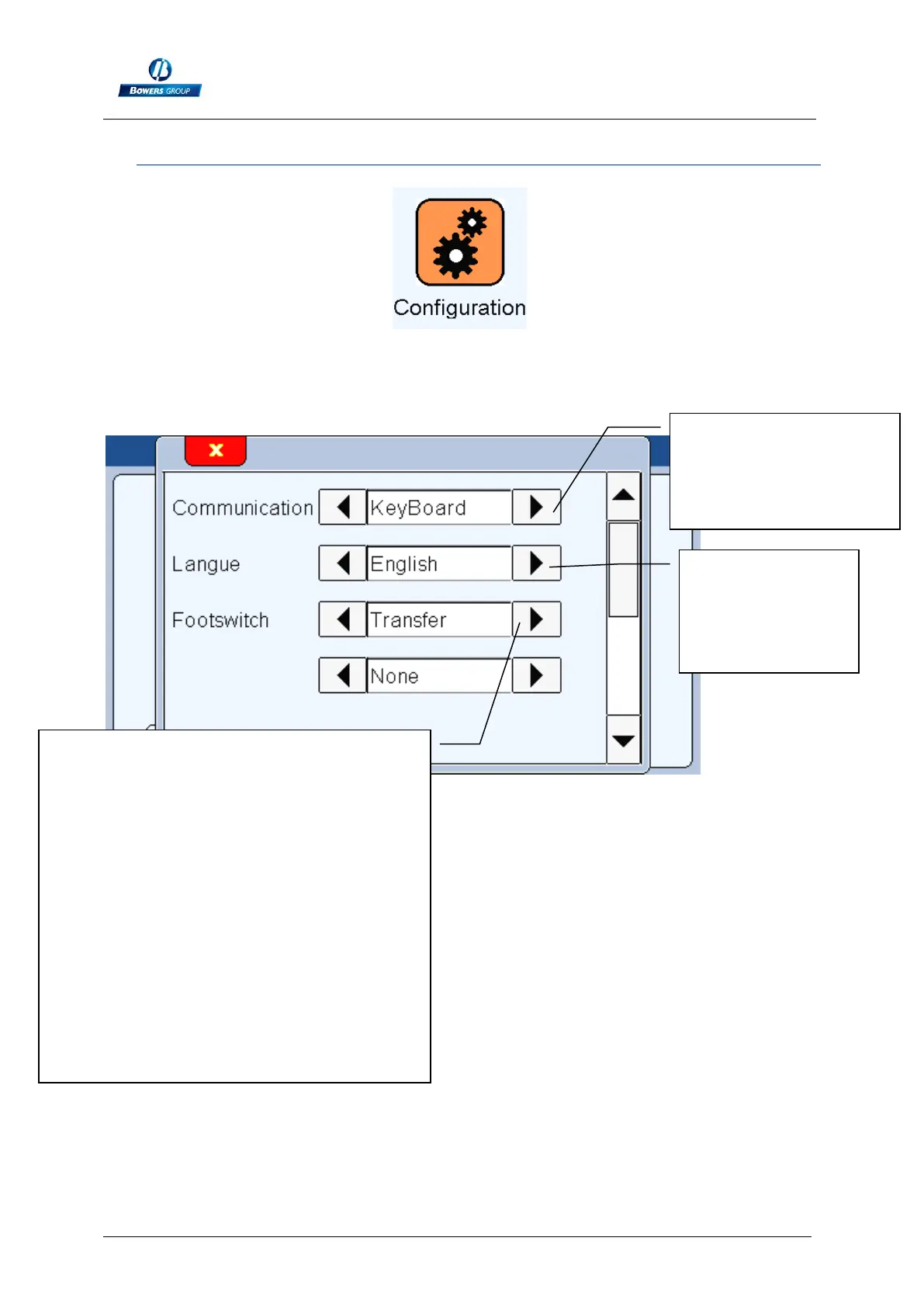
After clicking on this button, the below window appears.
This window allows configuring the general settings of your M3
* If you select communicationkeyboard, the M1/M3 will be detected as a keyboard
when connected to a computer with an USB link, without installing a specific driver or
software.
Choice of the transfer
mode : RS232,
Keyboard* or USB
Stick**
Footswitch function
- « Preset » Calibration
- « transfer » : send the measurement to the
RS232 or USB
- « part » : change the active part (part 1 /
part 2)
- « Init Dyn » : start dynamic measurement
(min, max…)
- « zero » : Set the displayed value at zero
- « hold » : freeze the measuring screen, the
“clear” button becomes yellow when the
screen is frozen
When 2 functions are programed, a
pressure on the pedal makes them happen
one after each other.
Language
selection. Other
languages can be
installed on
demand.



 To Next Page