EasyManua.ls Logo

Bowers M1 - Window Display; Window Configuration

Bowers M1
92 pages
Print Icon
To Next Page IconTo Next Page
To Previous Page IconTo Previous Page
Loading...
M1 M3 Display Units
Page 68
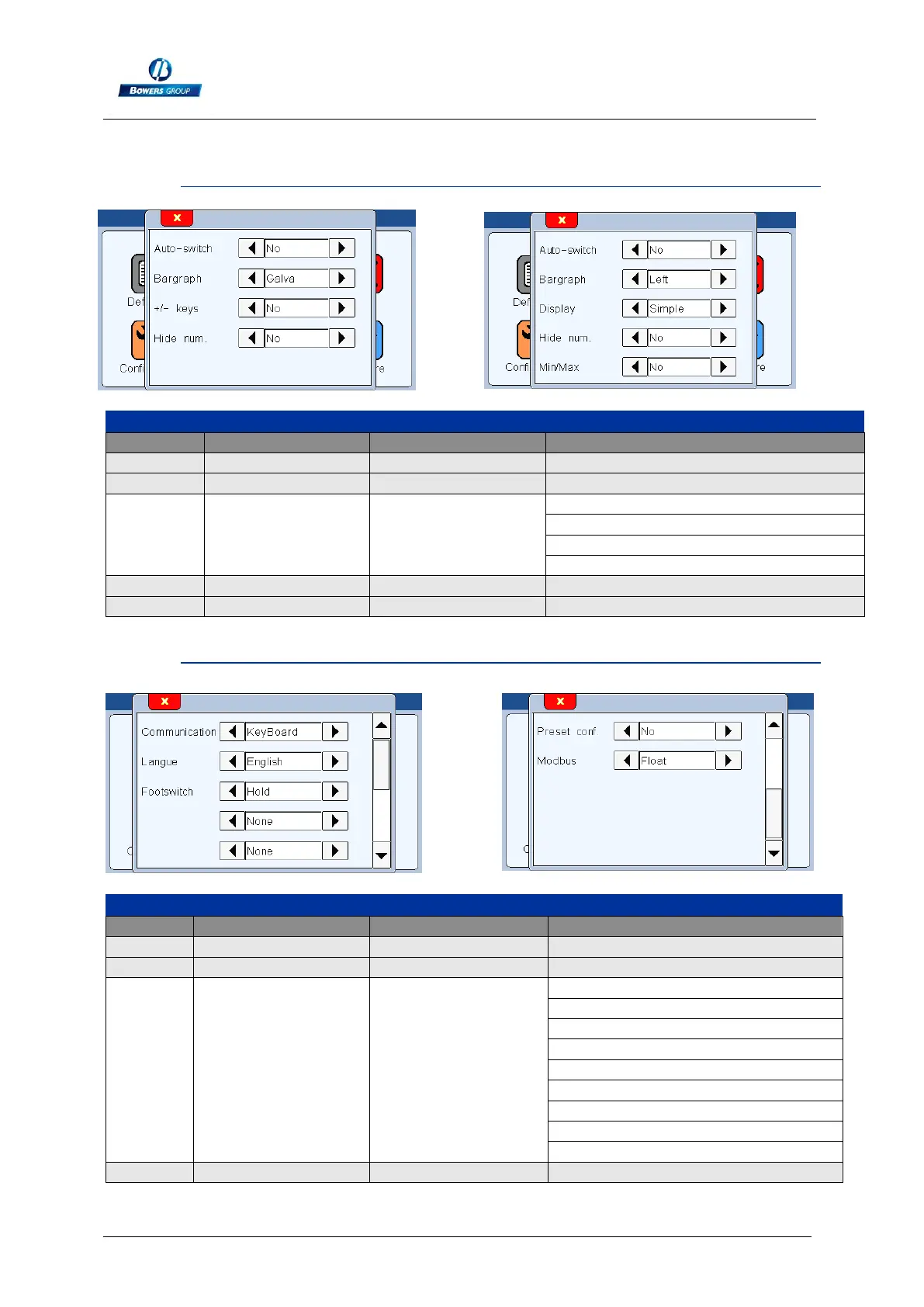
9.1.2.1. Window DISPLAY
Window "display"
Rubric
Read. command
Write command
Comment
Auto switch
AUTO?
AUTO=x
x=0 (manual)
x=1 (auto)
Bargraph
BAR?
BAR=x
x=0 (horiz. Bar origin left)
x=1 (horiz. Bar origin center)
x=2 (needle)
x=3 (non = value only, no tolerance)
Display
DISPL?
DISPL=x
x=1 (display 1 characteristic on the screen)
x=2 (display 2 characteristics on the screen)
9.1.2.2. Window CONFIGURATION
Window "Configuration"
Rubric
Read. command
Write command
Comment
Transfer
PRINT?
PRINT=x
x=0 (USB)
x=1 (RS232)
Langue
LANG?
LANG=x
x=0 (French)
x=1 (English)
x=2 (German)
x=3 (Spain)
x=4 (Italian)
x=5 (Hungarian)
x=6 (Czech)
x=7 (Swedish)
x=8 (Portugaise)
Footswitch
FOOT?
FOOT=x
x=0 (Print)