M1 – M3 Display Units
Page 92
Procedure:
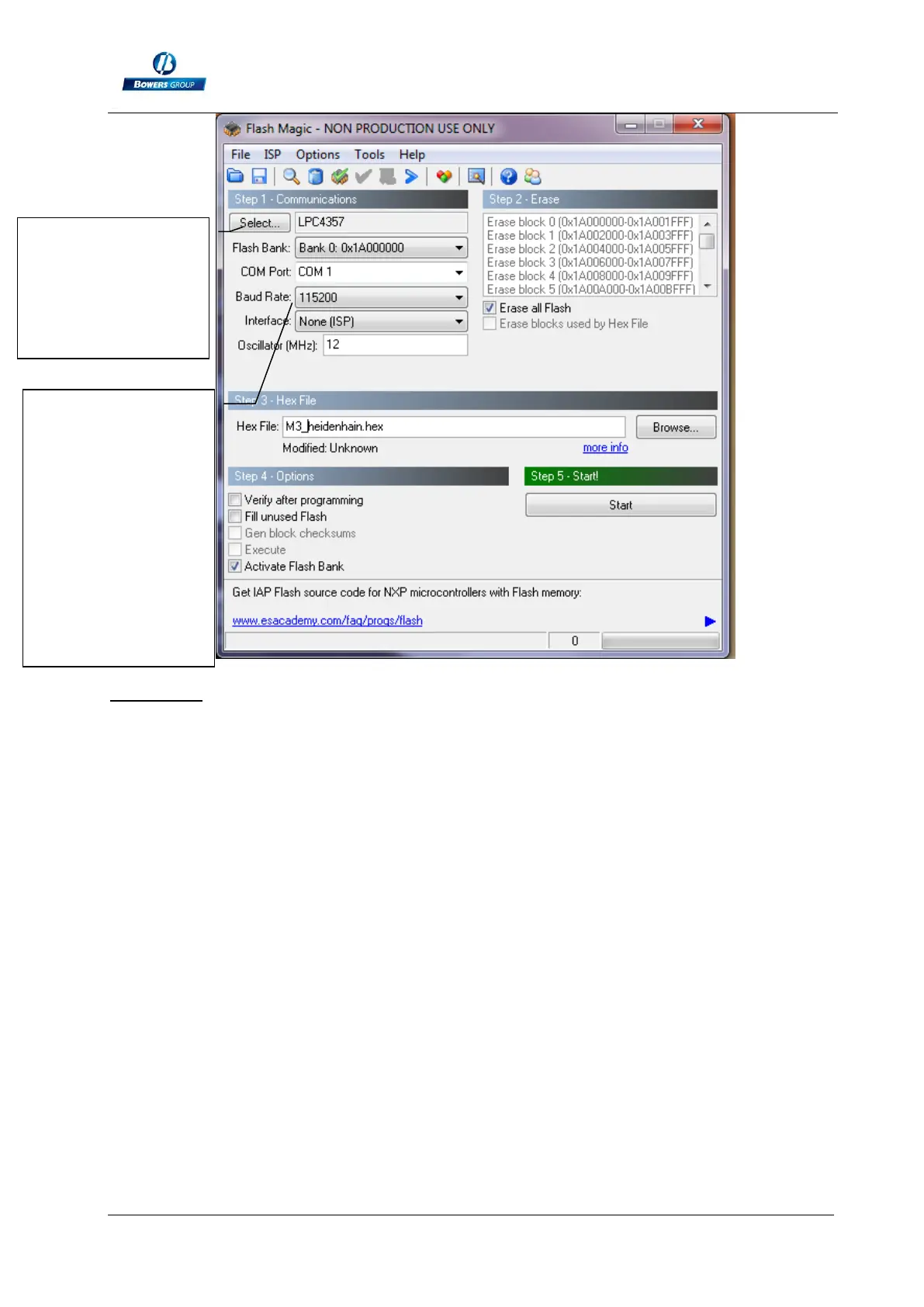
1 – Connect the M3 with the cable to the computer
2 – Start the M3
3 – Configure the flash magic software according to the above picture.
4 – Click on “Start”
It takes from 2 to 5 min depending on the Baud rate selected. During the update, the
screen becomes blurred.
5- The M3 restart automatically when it is finished.
6- Reset the M3 by following the procedure on the chapter 11.
End
The LPC4357 can
be found on the
“ARM Cortex”
category after
clicking on
« Select ».
If you are
connected directly
on a serial port, you
can use the baud
rate 115200bauds.
If you use a
USB/RS232
convertor, use
38400 bauds.



 To Previous Page