14
Ready to Brew
WARNING
For the BeerDroid to operate as
designed it must be filled to 10
litres. A brew with less than 10
litres of water, unless otherwise
specified in the BrewPrint, may
cause error codes to display.
Preparation
k Place the unit on a clean, flat
surface in a dry, cool place away
from direct sunlight or other heat
and where it won’t be bumped
or aected by vibrations.
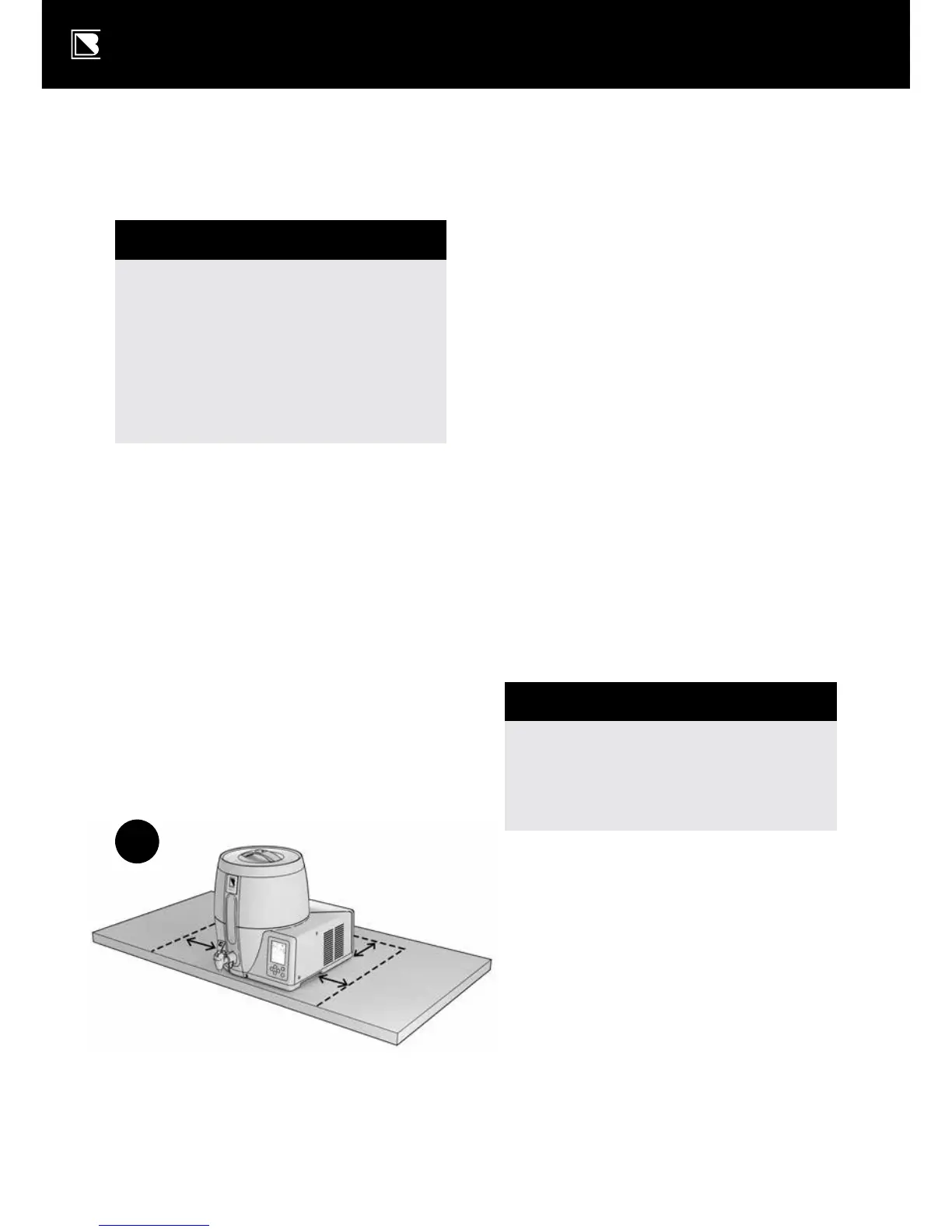
k Ensure you can access the tap
without having to move the unit
when it’s time to keg the beer
(e.g. position it at the edge of
a bench) – see Diagram G.
k Ensure all vents are free of
obstructions and the unit is at
least 10cm away from walls and
other objects – see Diagram G.
k Attach the power cord to the rear
of the unit, then into a power point
and turn on at the power point.
k Switch power to ON, at ON/OFF
switch at the rear of the BeerDroid.
k The LCD display screen will light
up, firstly showing all data and
icons, then the current soware
operating version, and finally the
main menu with the ale program
flashing. The fan will also start
up and run for a short duration.
WARNING
Do not start a program on
your BeerDroid until all
ingredients have been added.
k Ensure that the Wi-Fi is in
the desired operating state
as this may not be changed
while a program is running.
G


 To Next Page