41
Appendix B – Linking yourBeerDroid
In order to use your BeerDroid with the BrewArt App and/or BrewArt
website you must link your BeerDroid’s serial number to your BrewArt
Account. We recommend that you register your hardware items
for warranty.
You can register your BeerDroid one of
two ways, via the BrewArt App or via
the BrewArt Website.
If you used the BrewArt App to
configure your BeerDroid’s Wi-Fi then
you have already linked your BeerDroid
to your BrewArt account and you’re
ready to start using the BrewArt App.
If you configured your BeerDroid’s
Wi-Fi using WPS or Manual Setup,
then you must link your BeerDroid’s
Serial Number to your BrewArt
Account so that you can access full
BrewArt support and upgrade your
BeerDroid's firmware. To link this
way go to brewart.com/register
Option 1 – Linking via
the BrewArt App
Note
For security reasons the
BrewArt App must be
connected to the same Wi-Fi
network as your BeerDroid
during the link process.
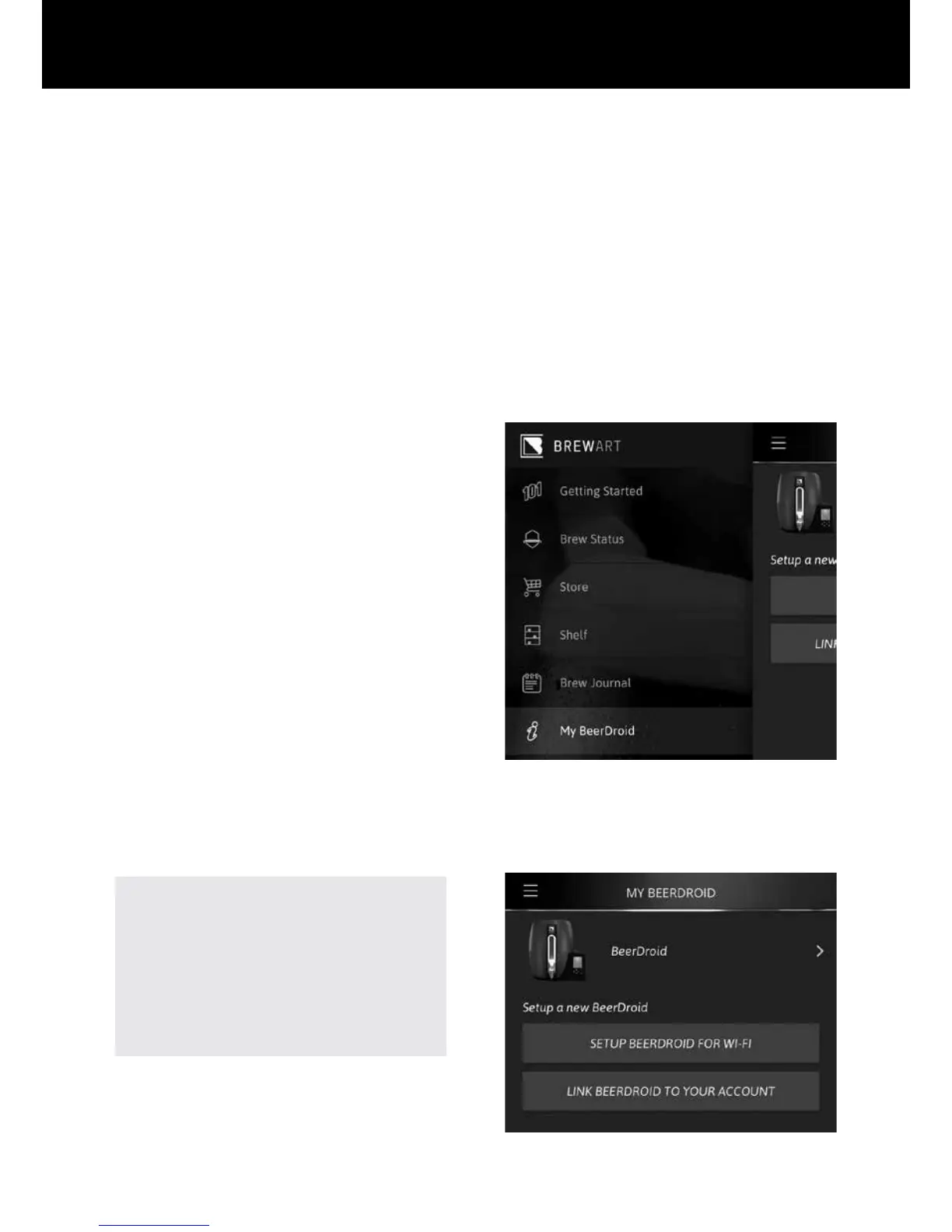
If your BeerDroid is already
configured for Wi-Fi, follow these
steps to link your BeerDroid to
your Account
a. Using the App’s menu,
navigate to "My BeerDroid".
b. Within "My BeerDroid",
click on "LINK BEERDROID
TO YOUR ACCOUNT".


 To Next Page