33
Part 3 – On your Device
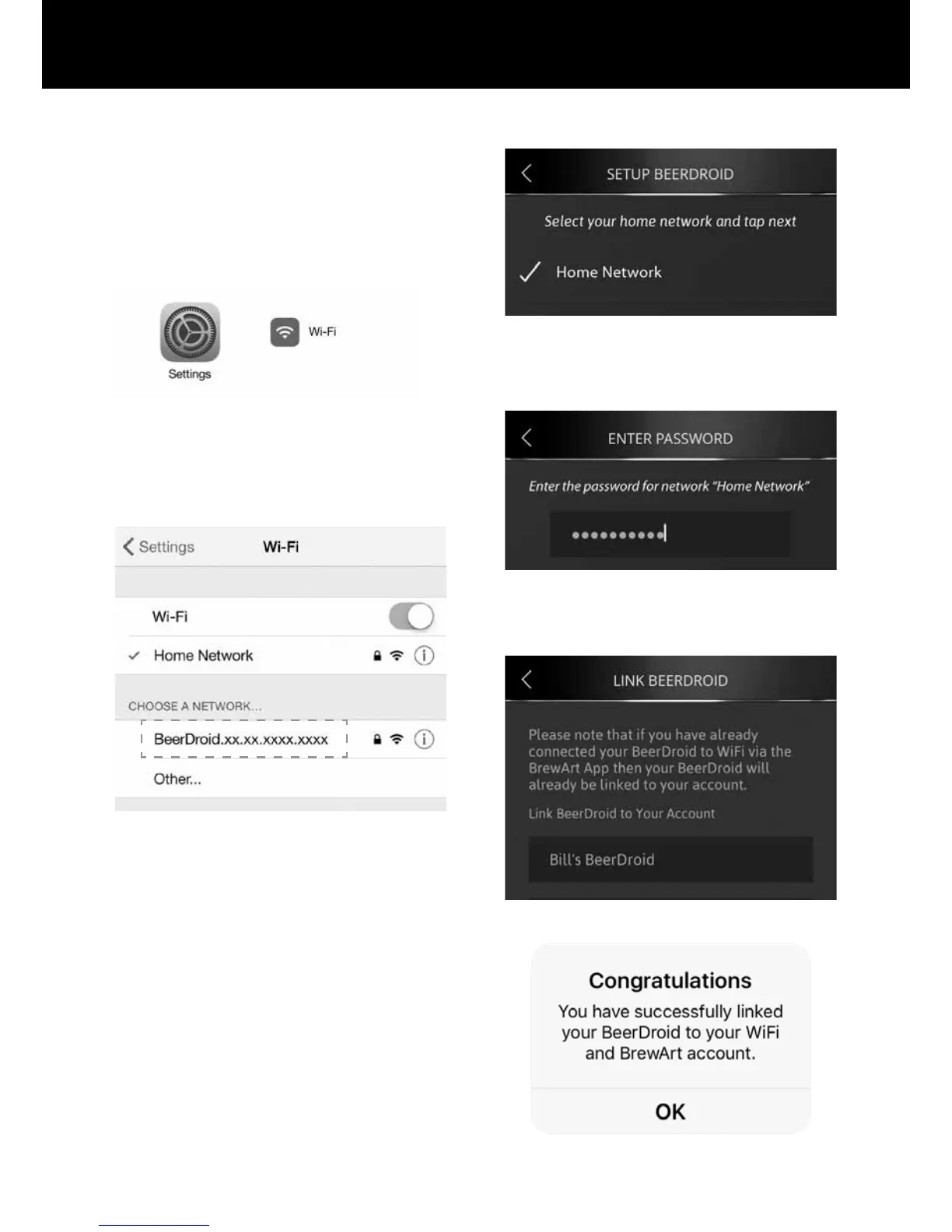
e. Minimise the App on your device.
f. Open Setting App on your
device and select Wi-Fi.
g. Choose the network
BeerDroid.xx.xx.xxxx.xxxx
where the x’s are your
units serial number.
h. Return to Brewart App. And
click the Next button.
i. Select your "Home Network"
from the List and tap next
button. The "Home Network"
would be the network name
(SSID) of your Wi-Fi device.
j. Enter Password to your
"Home Network".
k. Complete the Setup by giving
your BeerDroid a name.
l. Setup is now complete.


 To Next Page