2-12
COOKING
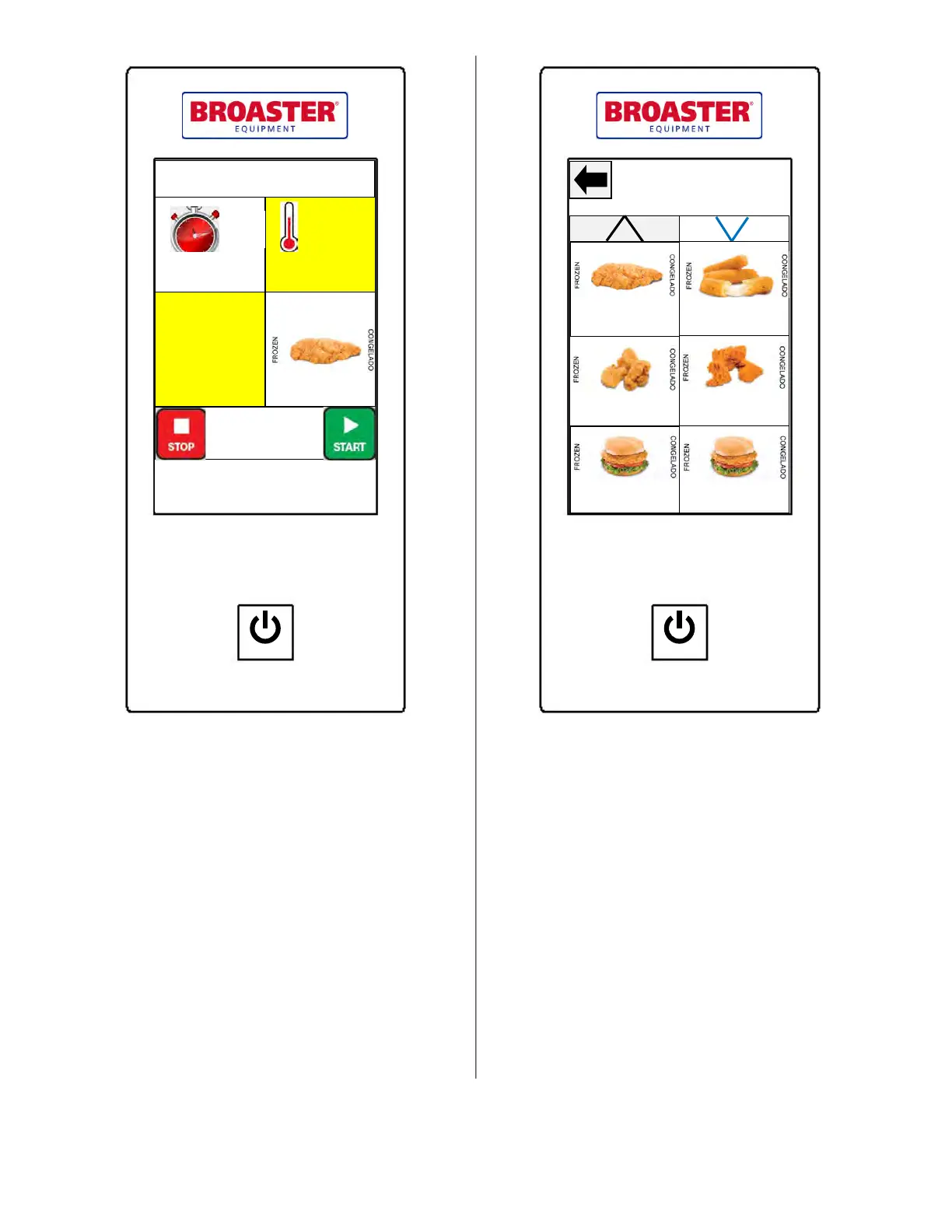
As cooking begins, the remaining cooking time
will be displayed. If the wrong preset recipe was
chosen, or the wrong amount of time or tempera-
ture was chosen, it can be changed within the
first minute of the recipe to the desired setting.
Press the recipe display to select the desired pre-
set. The remaining cooking time will take into
account the amount of time that has elapsed.
The actual oil temperature will be displayed if
you press and hold the temperature setting area
for 2 seconds. The set temperature can be redis-
played again by pressing and holding the tem-
perature setting area for 2 seconds.
Chicken Tenders
05:00 360°F
25 Cook Cycles
Set
Temp
Cooking Time
Remaining
01:42
POWER
PARTS AND SERVICE SUPPLIED BY AUTHORIZED BROASTER DISTRIBUTORS
BROASTER COMPANY ● BELOIT, WI USA
Heat On
Comp
On
PRESET SELECTION
Select the desired preset menu item by pressing
on it. Use the up and down arrows to go to the
next page of six preset recipes if you don’t
immediately find the item you are looking for.
POWER
PARTS AND SERVICE SUPPLIED BY AUTHORIZED BROASTER DISTRIBUTORS
BROASTER COMPANY ● BELOIT, WI USA
Chicken Tenders
Mozzarella Sticks
Jumbo Popcorn
Chick
Cajun Jumbo
PopChick
Chicken Fillets
Spicy Fillet
broaster.com Manual #16501 8/06 Rev 10/20



 To Next Page