IV - 66
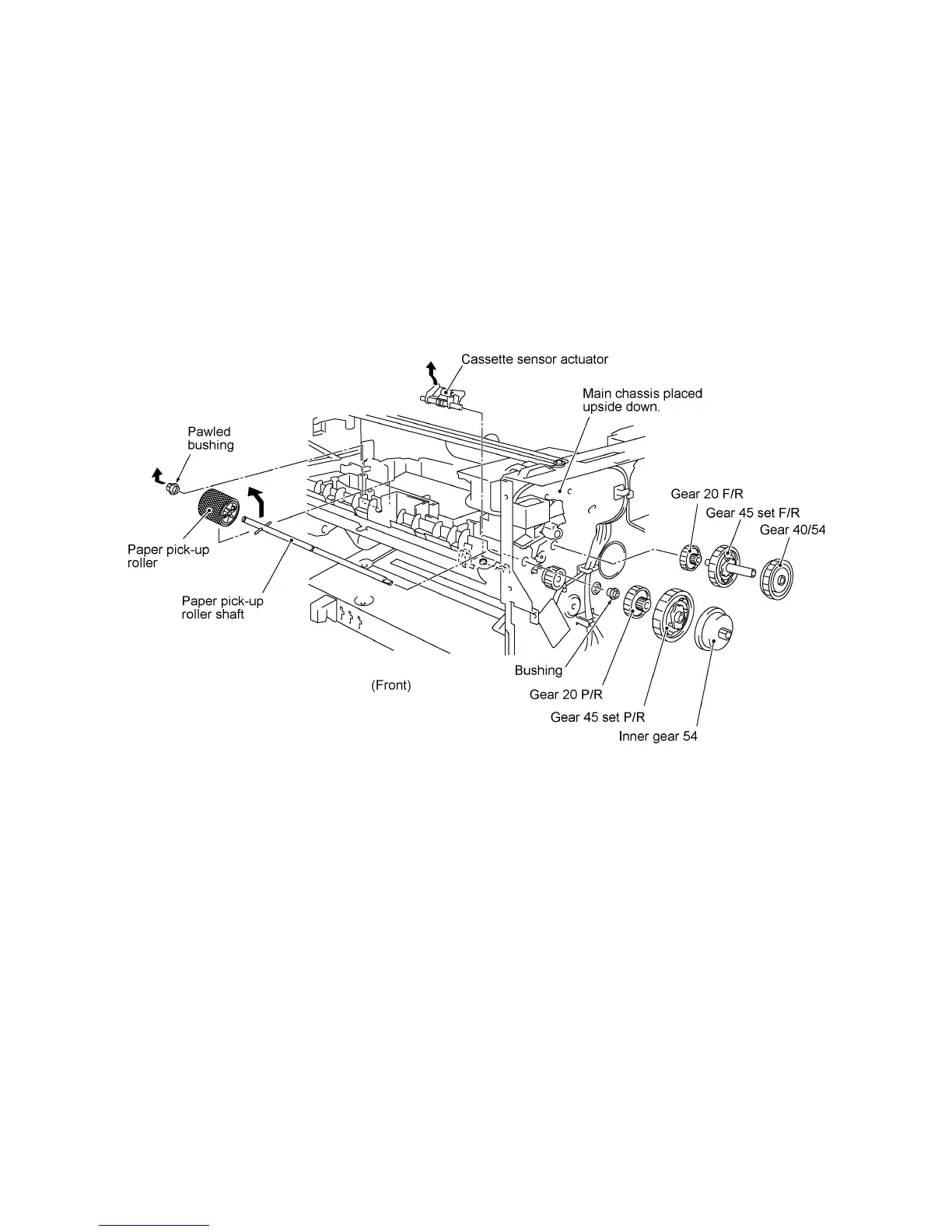
1.26 Gears and Paper Pick-up Roller
(1) Place the main chassis upside down.
(2) Remove the inner gear 54 (by pulling its pawl outwards), gear 45 set P/R, gear 20 P/R, and the
bushing from the end of the paper pick-up roller shaft.
(3) Remove the pawled bushing by pulling its pawl outwards, then remove the paper pick-up roller
and its shaft.
(4) Remove the gear 40/54, gear 45 set F/R, and gear 20 F/R.
(5) If the engine PCB has been removed, take out the cassette sensor actuator. (This prevents
the actuator from dropping during the following disassembly jobs.)



 To Next Page