IV - 31
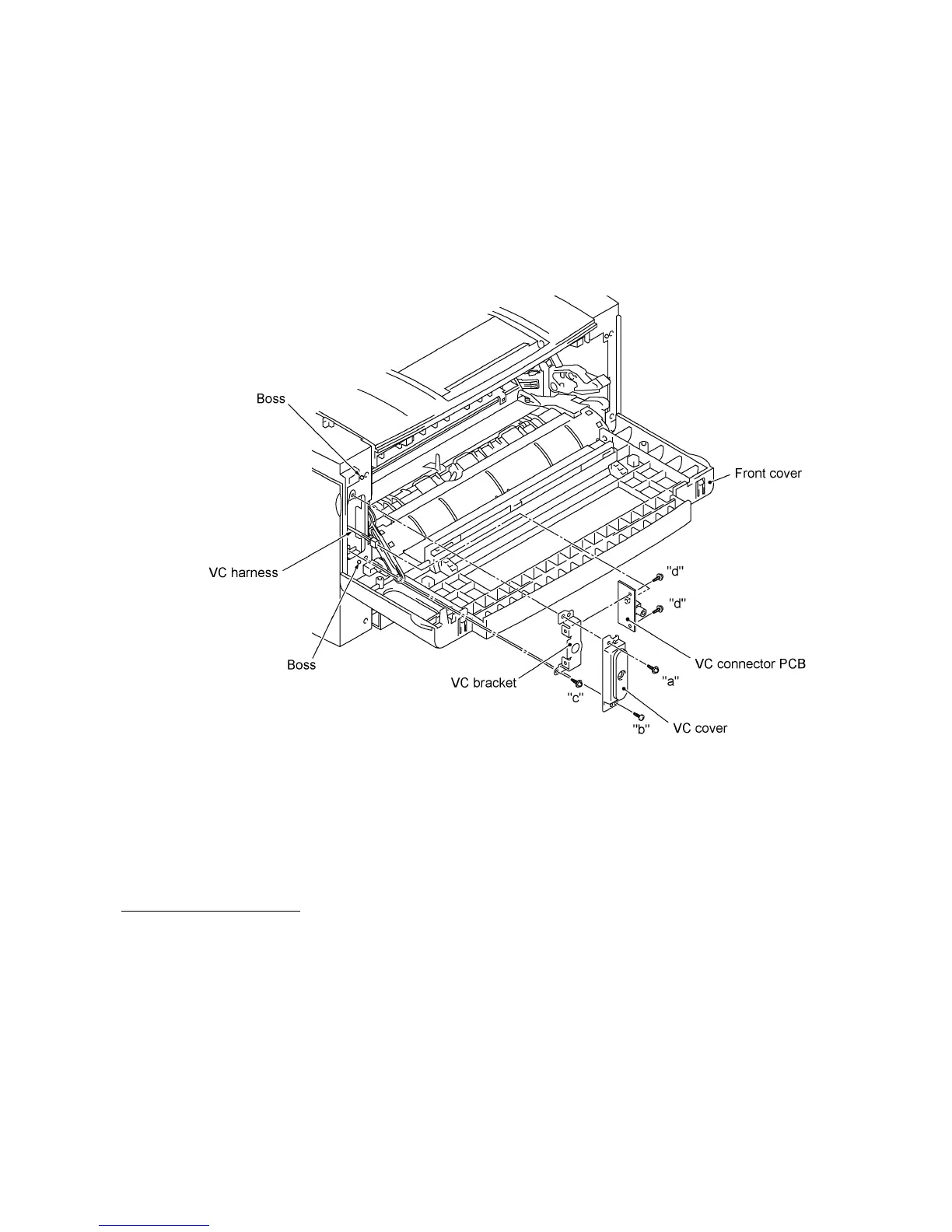
1.12 VC Cover, VC Bracket, and VC Connector PCB (for models supporting video capture)
(1) Remove two screws ("a" and "b"), then take off the VC cover.
(2) Remove screw "c," take out the VC bracket together with the VC connector PCB, and
disconnect the VC harness.
(3) Remove two screws "d," then take off the VC connector PCB.
Reassembling Notes
• The routing of the VC harness is shown on page IV-34.
"a": Taptite, cup S M3x10
"b": Taptite, bind S M3x8
"c" and "d": Taptite, cup S M3x6



 To Next Page