IV - 13
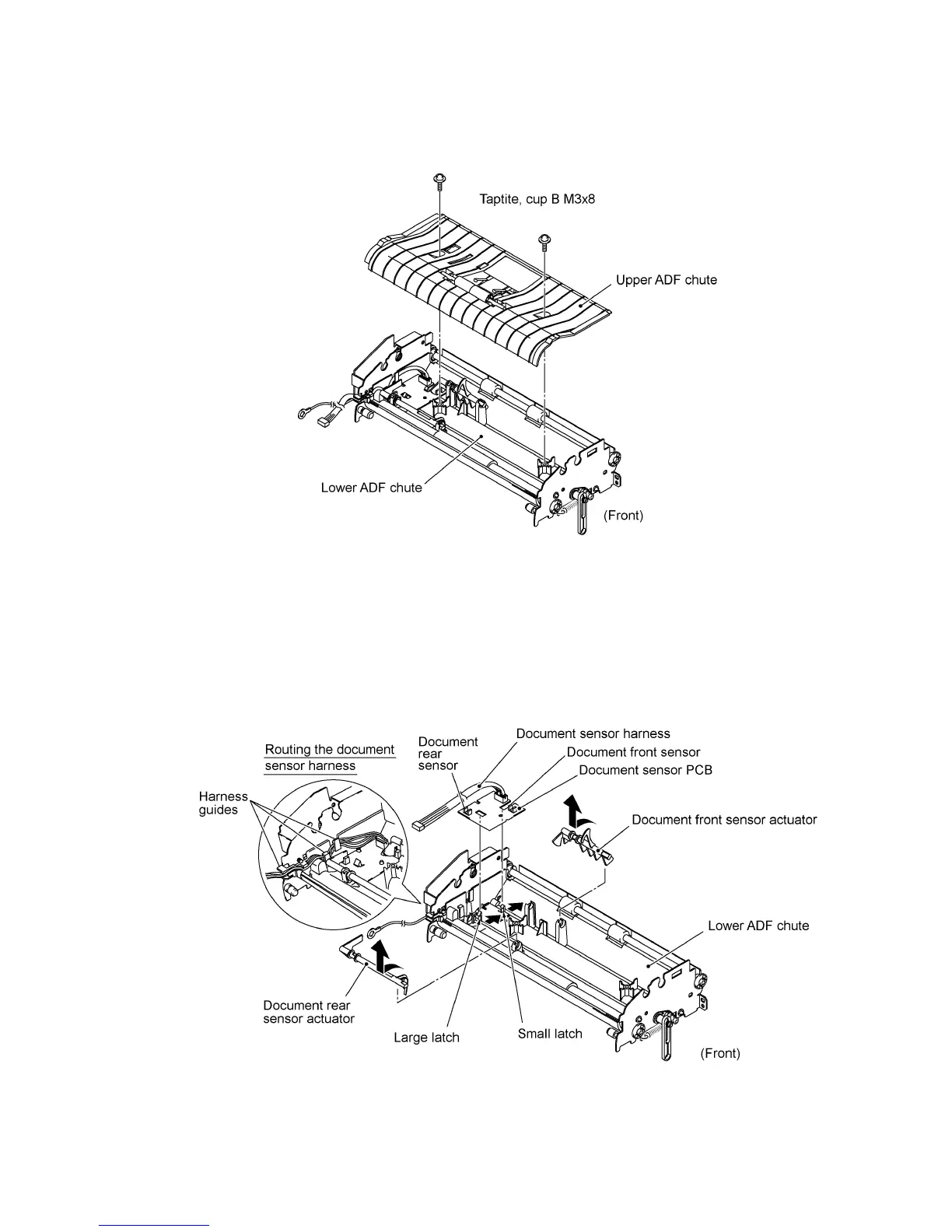
10) Remove the two screws and lift up the upper ADF chute.
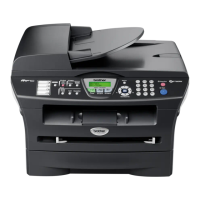
11) Turn the document front sensor actuator as shown below and lift it up.
12) Turn the document rear sensor actuator as shown below and lift it up.
13) Disconnect the document sensor harness from the document sensor PCB and take out its
harness from the harness guides.
14) Unhook the two latches (large and small latches in this order) from the document sensor PCB
and lift it up.



 To Next Page