WORK STEP ILLUSTRATION / OTHER INFO
Make sure, that the GPM is free of objects.
Observe the instructions for keeping the GPM clean in
chapter 8.1.2.
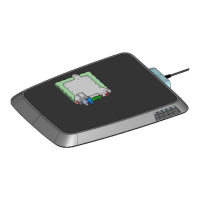
Position the CPM above the GPM or position
your vehicle with the help of the positioning
function.
On the GPM the LED should flash with the
pattern according to
7.3.1.4.
Observe the instructions. Avoid damage to your vehicle
due to positioning malfunctions.
Start the charging process by following the
instructions on the user interface of your
vehicle. On the GPM the LED should flash with
the pattern according to
7.3.1.5.
If the charging process does not start, follow the
troubleshooting instructions in chapter 7.6 or contact
customer service.
7.3 Displays and Signals
7.3.1 LED Display
On the service flap of the GPM there is an LED, which indicates the operating status and error states.
7.3.1.1 Status: Off
The GPM is without power or defective. After unpacking the GPM, the LEDs are off. Likewise after installation
before the circuit breaker has been switched on. If the LEDs remain off after the GPM is working, then there is a
defect. In this case, check that neither the circuit breaker nor the residual current device interrupt the power supply
to the GPM.
Figure 3: Flashing pattern in status Off
7.3.1.2 Status: Initialization Foreign-/Living Object Detection
For safety reasons during running operation, the GPM monitors that there are no living or foreign objects between
GPM and CPM. For this safety function a re-initialization may be necessary. In the status Initialization Foreign-
/Living Object Detection, charging the vehicle is not possible, because the GPM can no longer safely evaluate,
whether an object is present or not.
If the GPM requires an initialization of the foreign-/living object detection, you recognize this by this flashing pattern:
31
Operation Manual
Inductive Charging System
ICS115


 To Next Page