EasyManua.ls Logo

Brusa ICS115 - User Manual

Brusa ICS115
68 pages
Print Icon
To Next Page IconTo Next Page
Loading...
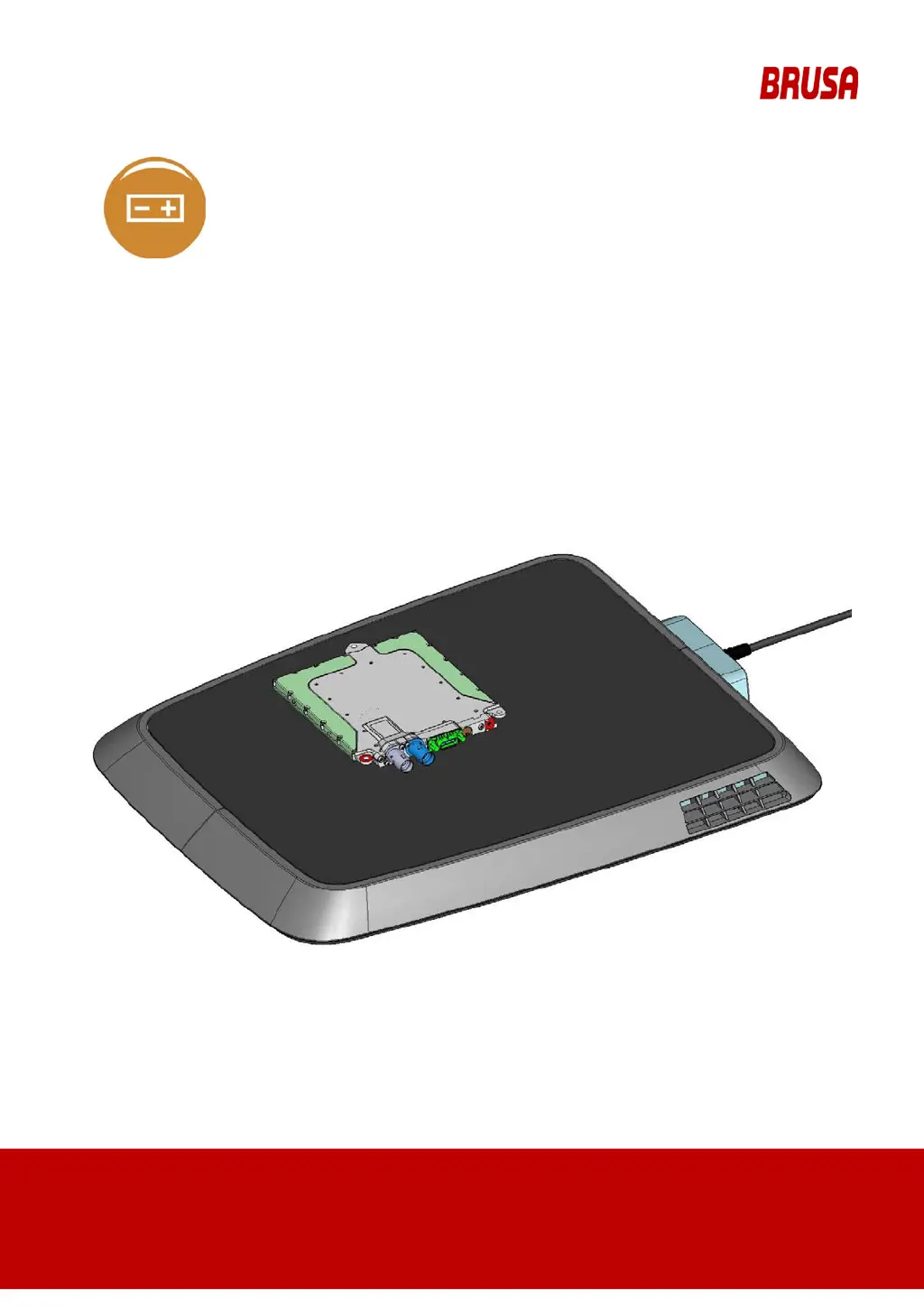
OPERATION MANUAL
INDUCTIVE CHARGING S
YSTEM ICS115
- INDUCTIVE CHARGING SYSTEM ICS115
-
FOR INSTALLATION OPERATION
MAINTENANCE
Translation of original operation manual (English)
Read carefully before use! Keep safe for later reference!
BRUSA Elektronik AG
Neudorf 14
CH9466 Sennwald
+41 81 758 19 00
www.brusa.biz

Table of Contents

Questions and Answers

  • H
    hunterdebraAug 5, 2025
    What to do if Brusa ICS115 charging operation is aborted immediately after the start?
    • A
      asmithAug 5, 2025
      If the Brusa Battery Charger charging operation is aborted immediately after the start, check the following: * Ensure the GPM is free of any foreign objects. Clean it if necessary. * Verify that the charging function isn't being interrupted by people or animals. Restrict access to the charging station if needed. * Confirm the GPM is receiving power by checking the electrical safety devices. Reset any tripped devices. * Check for changes in height differences between the GPM and CPM, potentially due to snow accumulation.
  • A
    Andrew VegaAug 12, 2025
    How to troubleshoot positioning issues with Brusa ICS115 Battery Charger?
    • C
      Carl CarsonAug 12, 2025
      If you're having trouble positioning the vehicle for charging with the Brusa Battery Charger, consider these points: * Ensure your vehicle is switched on, as the positioning function requires readiness to drive. Also, confirm your consent for charging via the vehicle's interface. * Check if the GPM has shifted from its designated position as determined in chapter 12.5.1. Readjust if necessary. * Verify that the GPM is receiving power by checking the electrical safety devices. Reset any tripped devices if needed. * Check the WLAN connection between CPM and GPM. If there are issues, repeat the positioning process.
  • Y
    Yesenia MitchellAug 19, 2025
    Why is my Brusa Battery Charger not fully charging my vehicle's battery?
    • C
      Christina HicksSep 12, 2025
      If your Brusa Battery Charger isn't fully charging your vehicle's battery, consider these potential issues: * Make sure that the charging time was sufficient for a complete charge. Check if the charging process resumes when you resume the charging function. * Ensure the GPM and its surroundings are free from obstructions. If needed, clear any foreign objects, keeping in mind the information specified in chapter 8.1.2. * Confirm that the charging process is not being interrupted by people or animals. If necessary, prevent access to the charging station.
  • C
    castanedabenjaminAug 27, 2025
    Why Brusa ICS115 Battery Charger indicates charging completed, but vehicle battery is not fully charged?
    • P
      Patricia LopezAug 27, 2025
      If your Brusa Battery Charger indicates that charging is complete, but your vehicle's drive battery isn't fully charged, it might be because consumers in the vehicle, such as the radio, lights, or navigation system, were switched on during or after charging, causing the battery to discharge.

Summary

3 Product Identification

3.1 Product Identification Details

Lists specific device designations for which the manual is valid.

3.2 Product Code Explanation

Breaks down the product designation code for GPM and CPM.

4 Product Description

4.1 Scope of Application and User Description

Defines intended use, user responsibilities, and identifies the user group.

4.1.2 Health Hazards

Warns about risks from electromagnetic fields for people with medical implants.

4.2 Functionality

Explains the basic operation of the ICS system and charging process.

5 Safety and Warning Signs

5.2 Safety Instructions and Danger Levels

Defines danger, warning, caution, and notice levels with associated safety advice.

5.3 General Safety Instructions

Provides general safety guidelines for thermal, electrical, and handling hazards.

5.4 Safety Equipment and Power Limitations

Details safety features like overvoltage, overcurrent protection, and object detection.

6 Commissioning and Use

6.1 GPM Installation and Commissioning

Covers installing the GPM by qualified electricians and user familiarization.

7 Control and Operation

7.3.1 LED Display Statuses

Describes various LED states: Off, Initialization, Not Connected, Connected, Charging, Error, FOD, Fan Blocked.

7.5 Emergency Situations

Provides instructions for handling emergencies like smoke, fire, or feeling unwell.

7.6 Troubleshooting by User

Offers user-guided troubleshooting for common operational issues.

8 Maintenance

9 Deinstallation

10 Disposal

12 Annex A1

12.1 Technical Specifications

Presents technical specifications including emissions and signal frequencies.

12.1.2 Dimensions and Center of Gravity

Provides dimensional data and center of gravity for GPM and CPM.

12.2 Technical Data

Lists basic and mechanical data for the ICS system.

12.2.2 Operation Conditions

Details operating conditions like wiring systems, voltage, and temperature ranges.

12.3 Specialist Personnel Requirements

Outlines qualifications and knowledge needed for installation/disposal personnel.

12.3.1 Specialist Requirements

Details the required education, knowledge, and experience for specialists.

12.3.2 Health Requirements for Personnel

Warns about electromagnetic field risks for personnel with medical implants.

12.5 ICS Preparation for Use

Covers installation information, GPM placement, and alignment.

12.5.6.1 Cable Assignment

Details the color coding and use for the GPM mains connection cable.

12.5.7 Assembly and Installation Planning

Guides the planning process for assembling and installing the ICS.

12.7 CPM Vehicle Integration

Covers the electrical, mechanical, and thermal integration of the CPM into vehicles.

12.7.6 CPM Installation

Covers the installation of the CPM, emphasizing the need for an insulation monitor and high voltage safety.

Brusa ICS115 Specifications

General IconGeneral
BrandBrusa
ModelICS115
CategoryBattery Charger
LanguageEnglish

Related product manuals