10
Publicaon 5423-020-REV 1.0 • www.btxonline.com
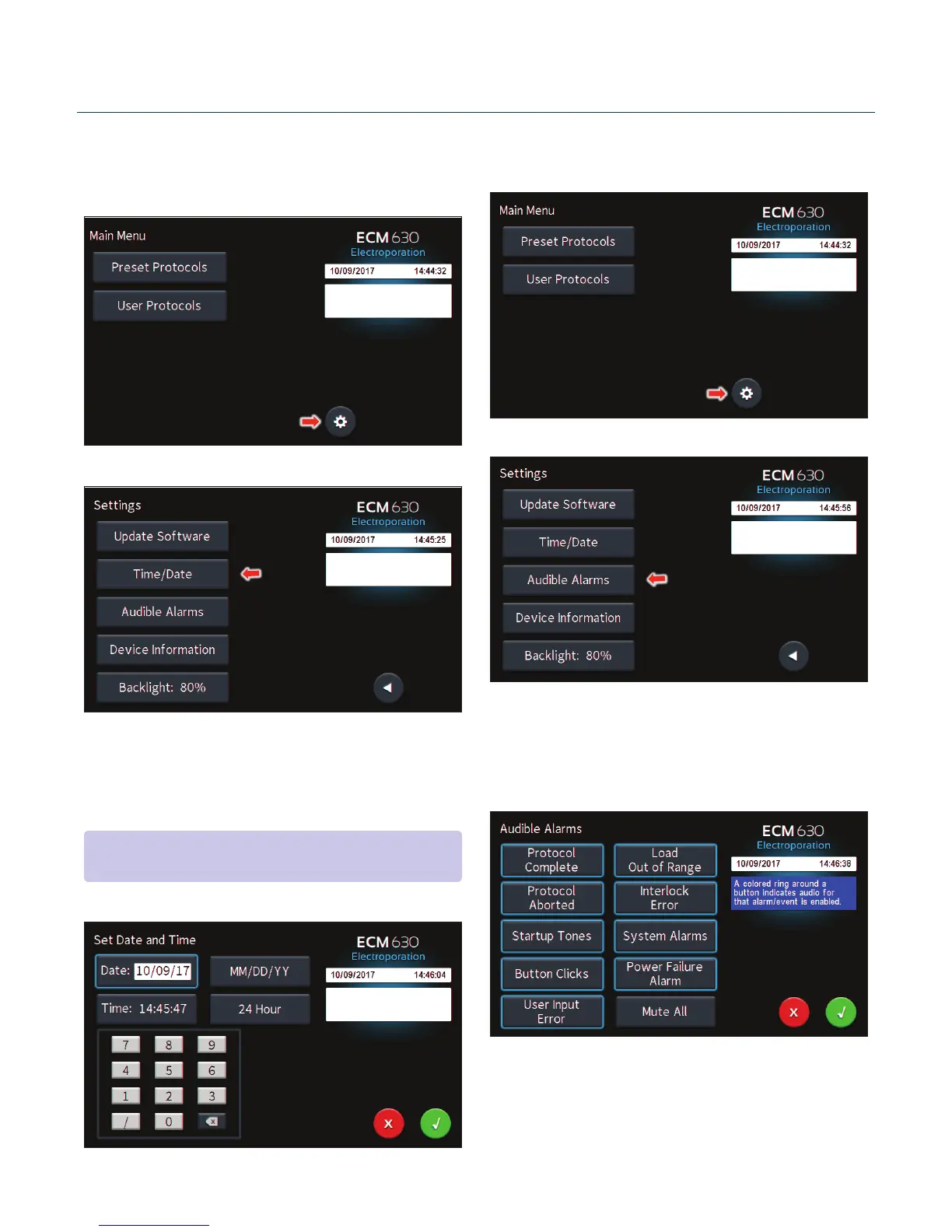
Seng Time/Date
Aer inializing, the home screen will appear.
Tap the Gear icon.
Tap Time/Date icon.
Tap Date icon and use the keypad to type the date.
Tap Time icon and use the keypad to type the me.
Tap the Green Check icon to save and return to the sengs
screen.
Seng Audible Alarm Preferences
On the home screen, tap the Gear icon.
Tap Audible Alarms icon.
Select preferred audible alarms by tapping the icons to acvate
or deacvate.
Tap the Green Check icon to save and return to the sengs
screen.
Software Setup
NOTE: You may change the date and me format by tapping icons to
the right of the given values.


 To Next Page