12
Publicaon 5423-020-REV 1.0 • www.btxonline.com
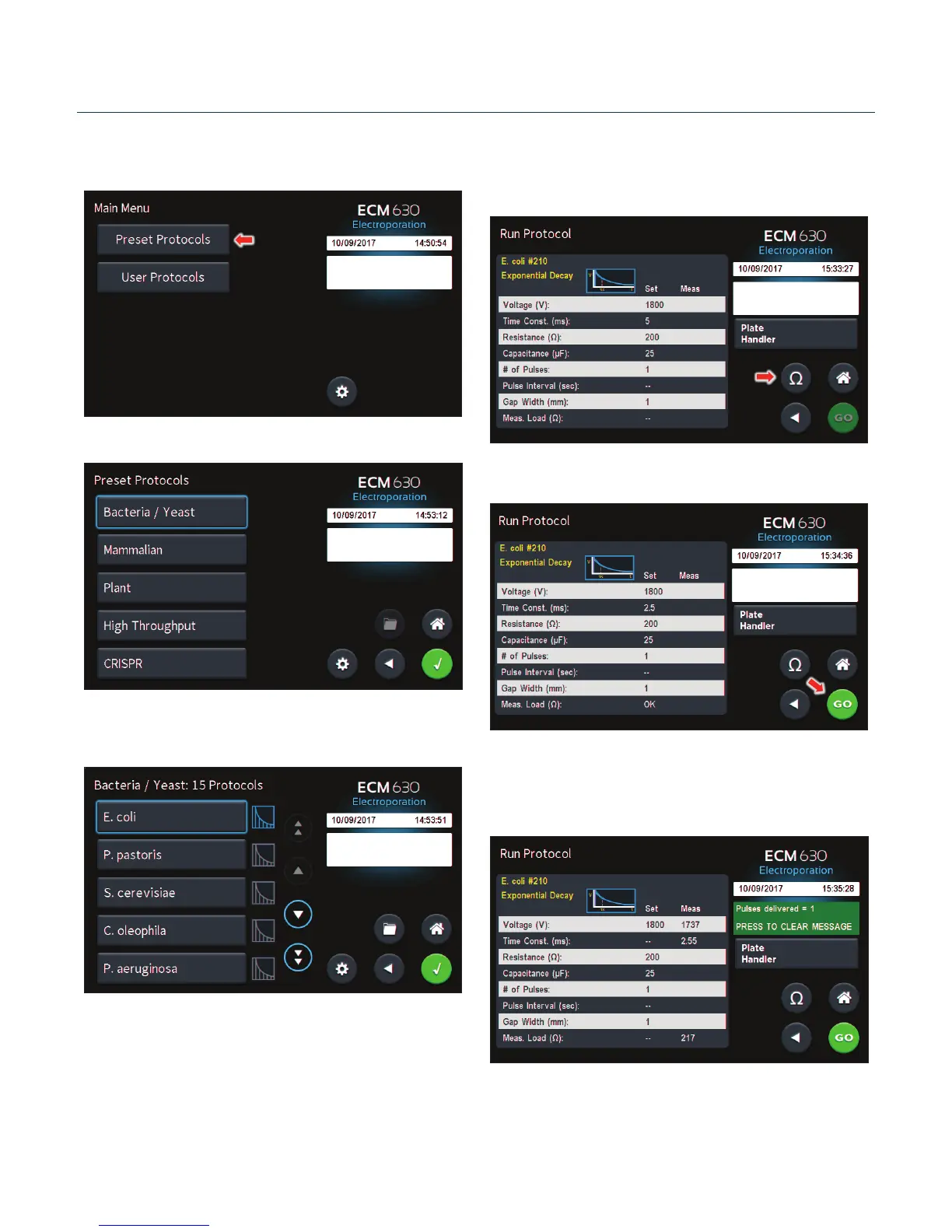
Using Preset Protocols
On the home screen, tap the Preset Protocols icon.
Double tap desired cell type.
Scroll through available cells.
Tap desired cells.
Using Preset Protocols (connued)
Review parameters.
Tap Omega icon to measure pre-pulse load resistance.
With load measurement OK, press the Green ‘Go’ icon to run
protocol.
Once protocol is complete, data regarding your pulse is displayed
and stored in the systems logs for future use.
You may connue pulsing, go back to the protocol select screen,
or to the home screen.
Preset Protocols


 To Next Page