11
Publicaon 5423-020-REV 1.0 • www.btxonline.com
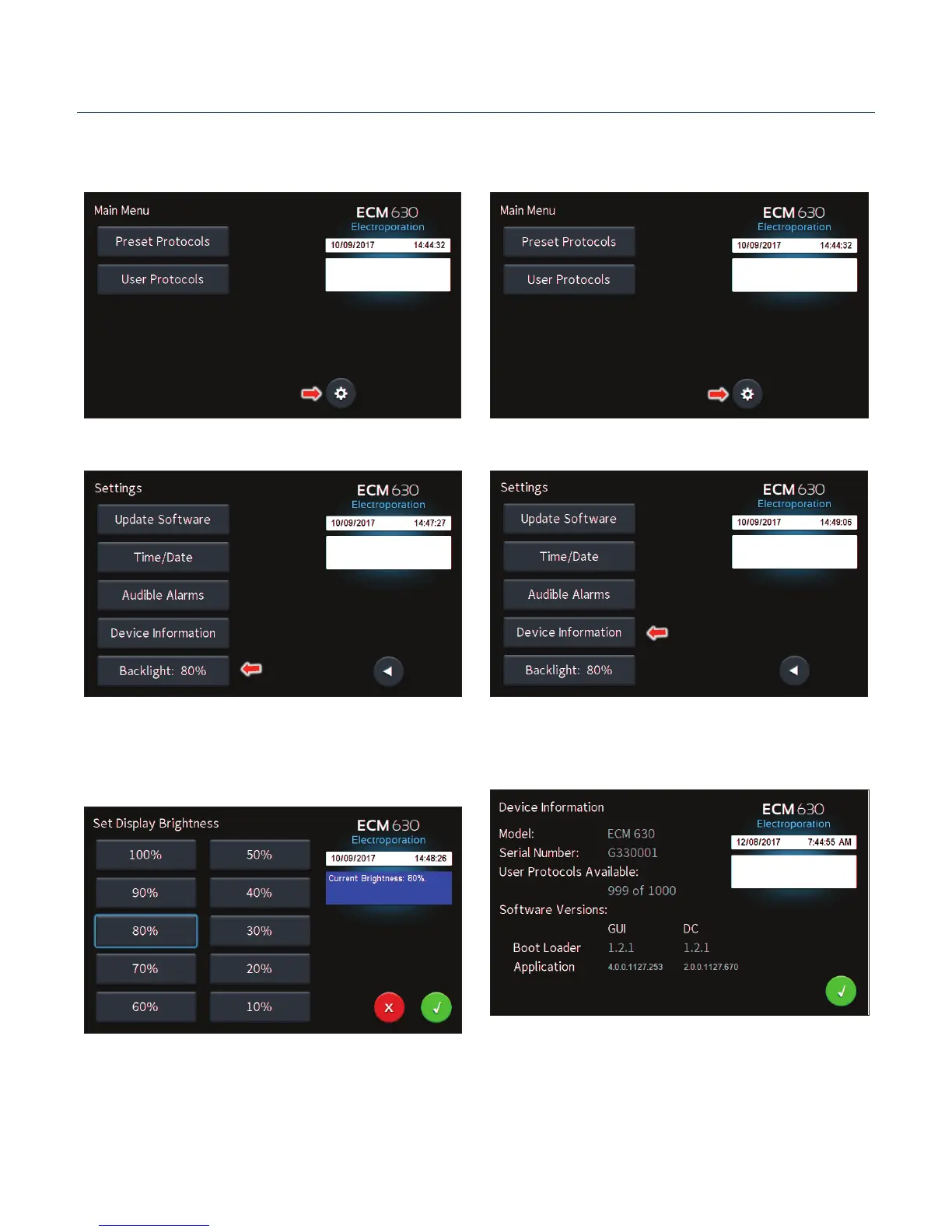
Seng Backlight Preferences
On the home screen, tap the Gear icon.
Tap Backlight icon. Tap Device Informaon icon.
Select preferred brightness by tapping the icon indicang
% brightness.
Tap the Green Check icon to save and return to the sengs
screen.
View device informaon.
Tap the Green Check icon to return to the sengs screen.
Displaying Device Informaon
On the home screen, tap the Gear icon.
Software Setup


 To Next Page