26
Publicaon 5423-020-REV 1.0 • www.btxonline.com
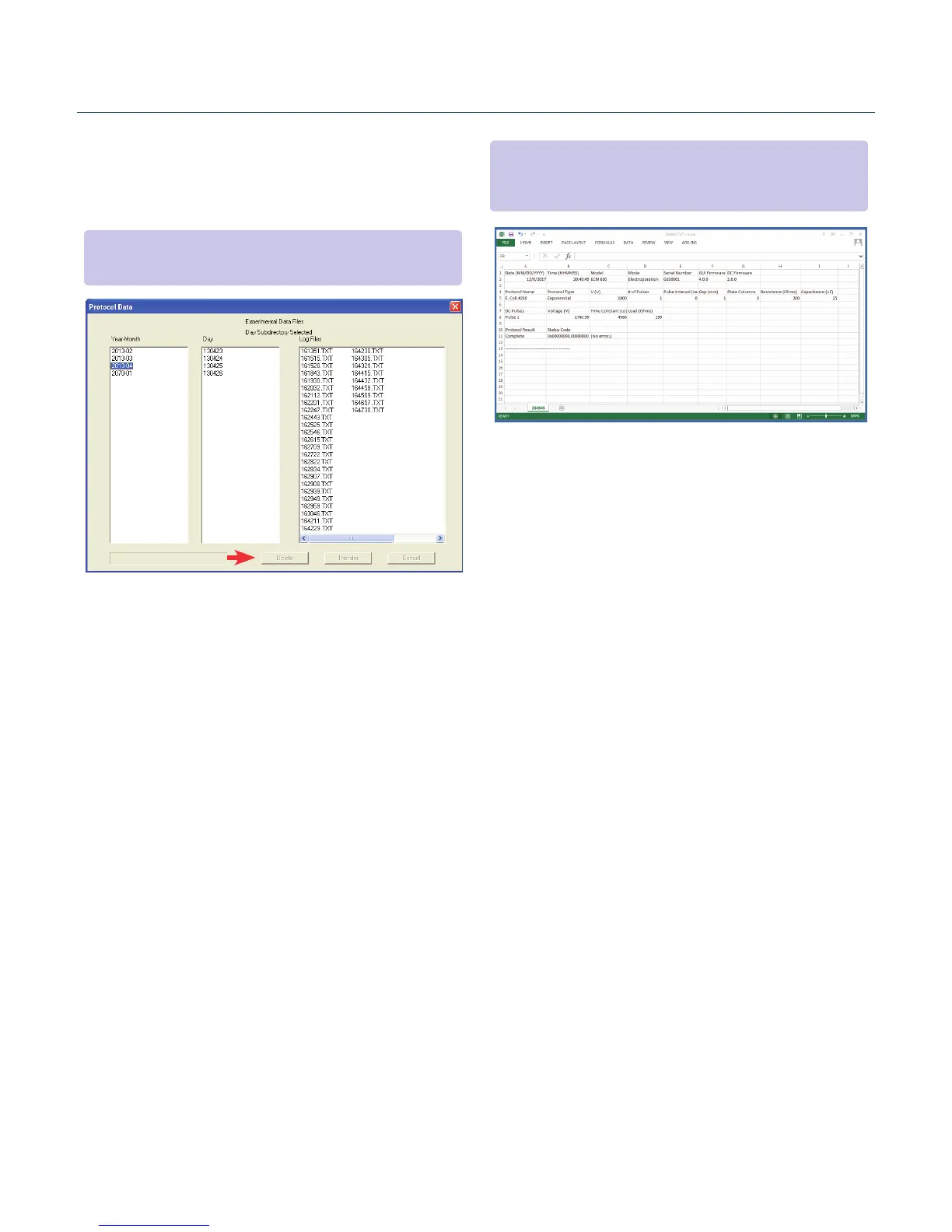
Upload Log Files
1. On the main screen, click ‘Pulse Data’.
2. Select your desired les or folders and then click ‘Transfer’.
3. Select the drive or folder locaon.
Troubleshooting Protocol Manager
1. Do not upload/download protocols while generator is
running. Program works best while generator is idle on
protocol setup screen.
2. Order of Operaons:
A. Connect USB.
B. Turn generator on.
C. Start Protocol Manager program.
Protocol Manager Software
NOTE: Log Files are saved as a tab delimited text le. They can
be opened with any common text editor like Notepad or by using
spreadsheet soware such as Excel.
NOTE: Files should be backed up periodically. The generator’s SD card
can store up to approximately 100,000 les.


 To Next Page