23
Publicaon 5423-020-REV 1.0 • www.btxonline.com
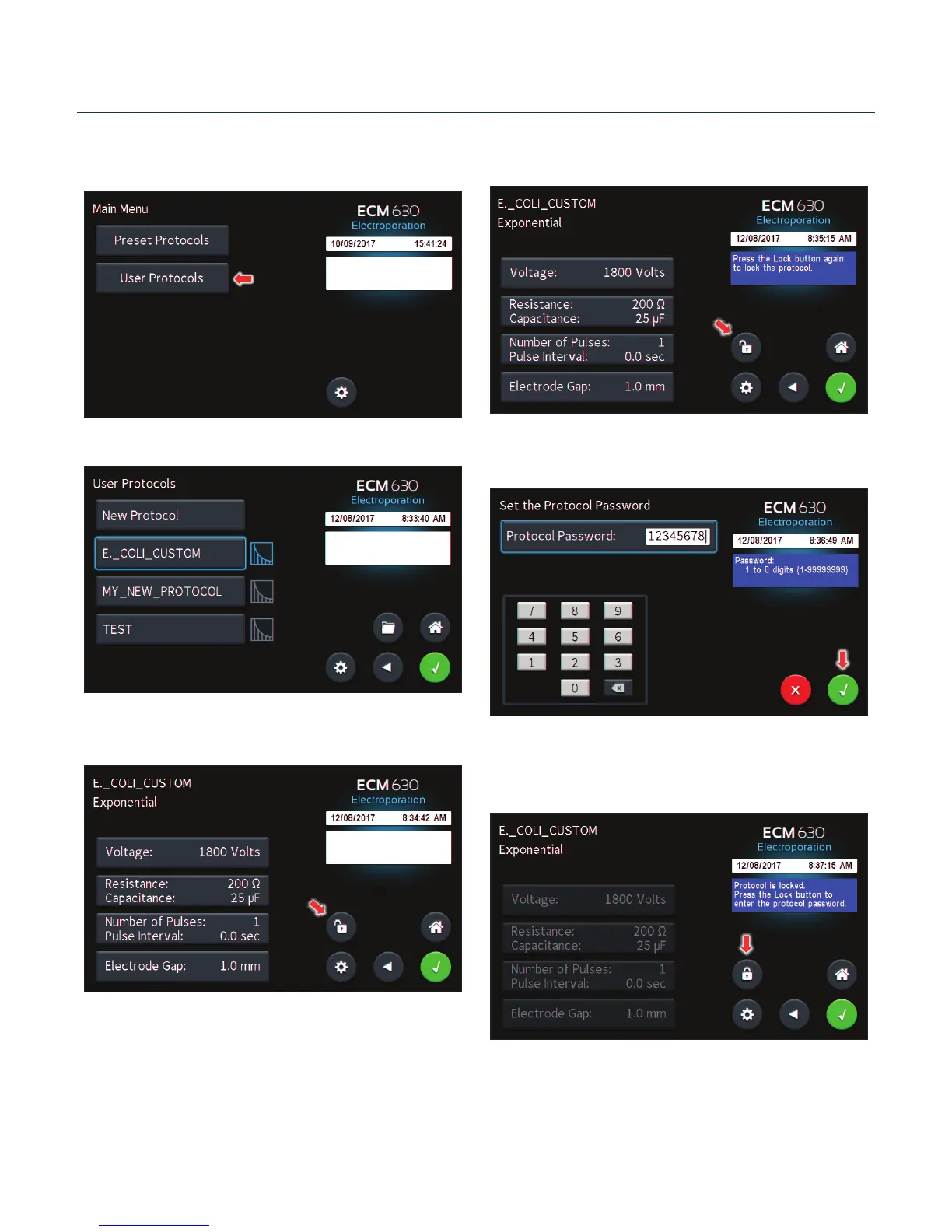
Password Protecng a User Protocol
On the home screen, tap the User Protocols icon.
Double tap protocol you wish to password protect.
View the protocol.
Tap the Open Lock icon.
Conrm password protecon by tapping the Open Lock
icon again.
Use the numeric keypad to set the password.
Tap the Green Check icon to save.
The protocol is now locked against modicaons.
To unlock press the Lock icon. Type in the password then Tap the
Green Check icon.
Managing Protocols


 To Next Page