31
Publicaon 5423-020-REV 1.0 • www.btxonline.com
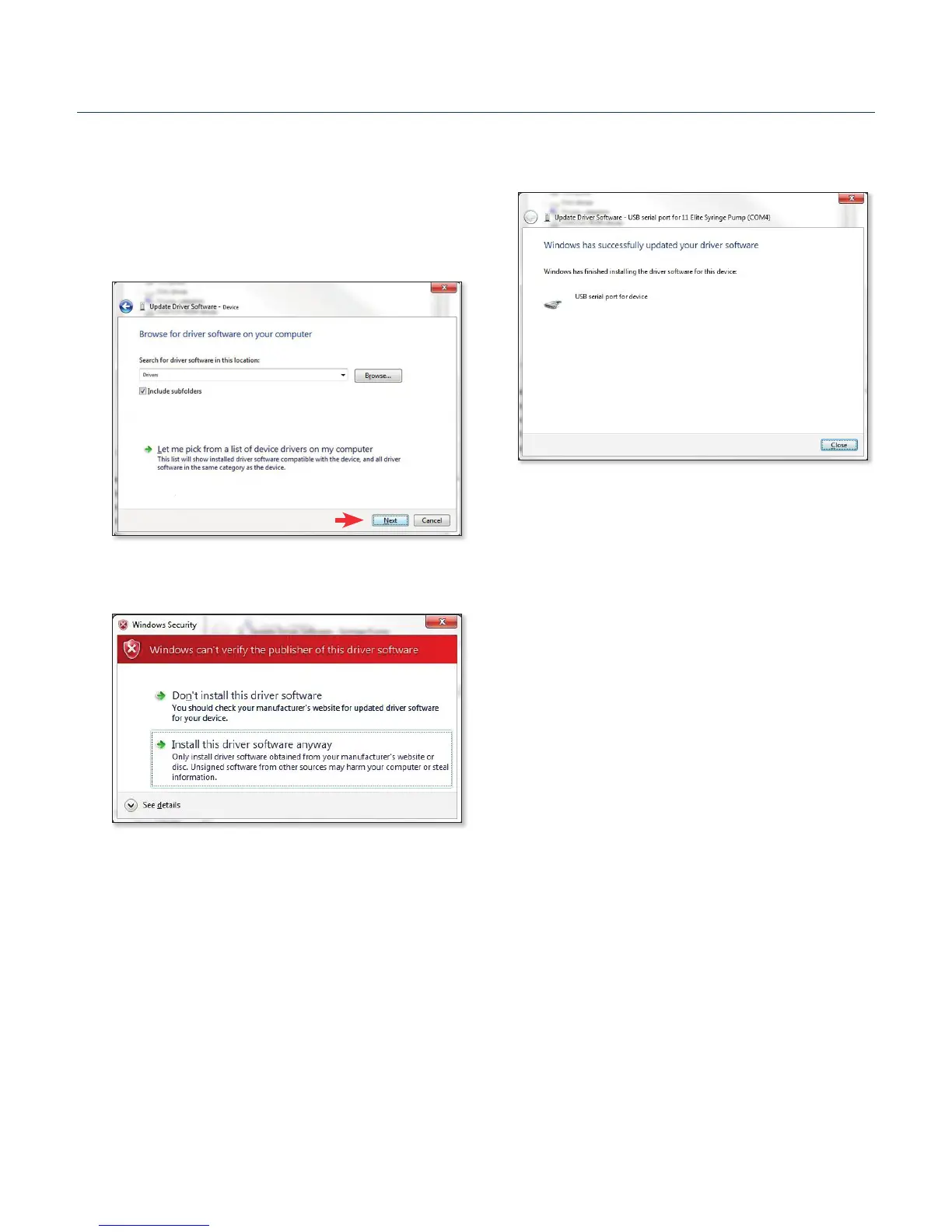
6. Click Close aer the soware has been successfully
installed.
5. If a warning message regarding the driver publisher is
displayed, choose Install this driver soware anyway.
USB Virtual CommPort Driver
Installaon (connued)
4. Download the soware from BTX website
www.btxonline.com. Click on the Technical Resources
drop-down menu and select Downloads. Download and
install le named Firmware Updater.
Upgrading ECM 630 Series Software


 To Next Page