22
Installation
8.3.1 Basic installation
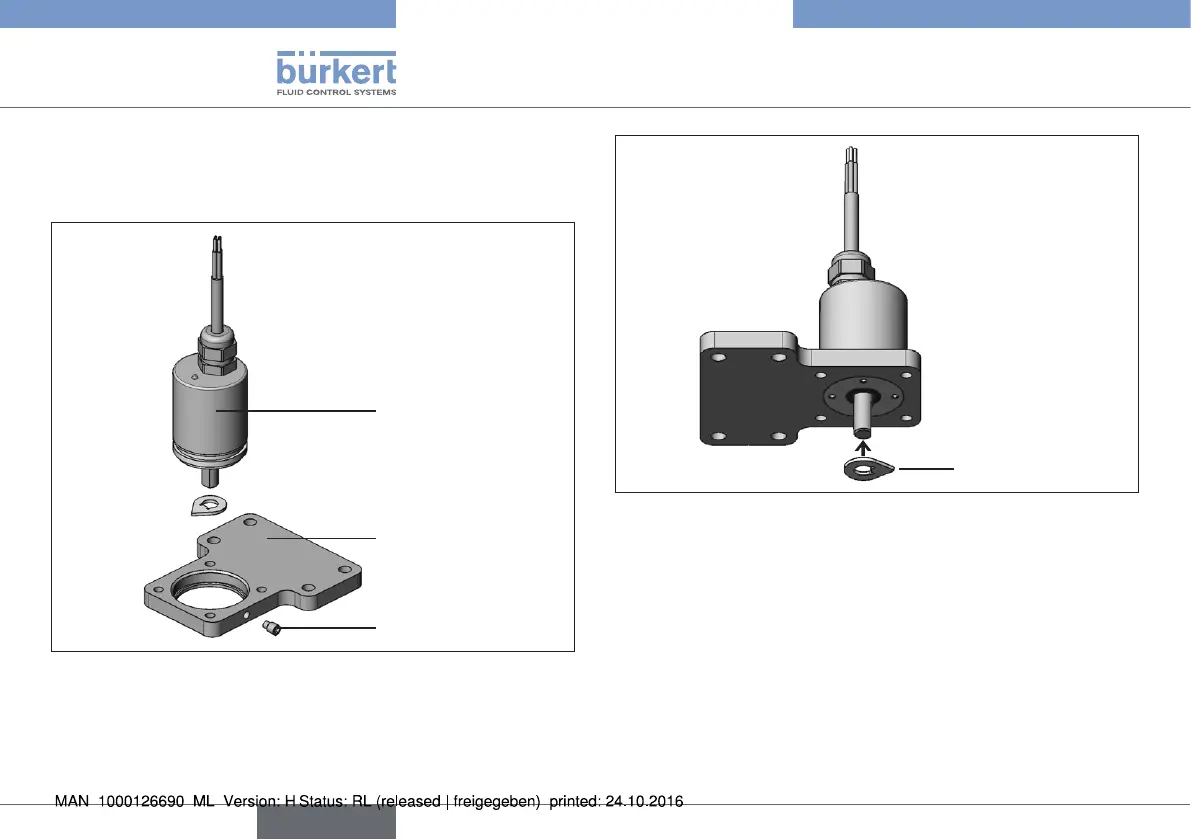
Before attaching the rotating sensor to the respective actuator, it is
assembled as described in the following.
Support plate
Rotating
Remote Sensor
Setscrew
Fig. 20: Fit sensor on support plate
→ Insert the rotating Remote Sensor into the opening of the
support plate until it reaches the stop point.
→ Attach Remote Sensor with the lateral setscrew.
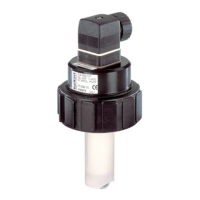
Display disc
Fig. 21: Install display disc
→ Attach display disc to the shaft of the rotating Remote Sensor.
english
Type 8798


 To Next Page