27
H CD
1. Insert a CD into the CD slot below the display. (You do not have to select the CD
Player operating mode before playing a CD.)
ª Insert the CD until you feel noticeable resistance. It is then automatically pulled in.
ª The CD is read and then played back immediately.
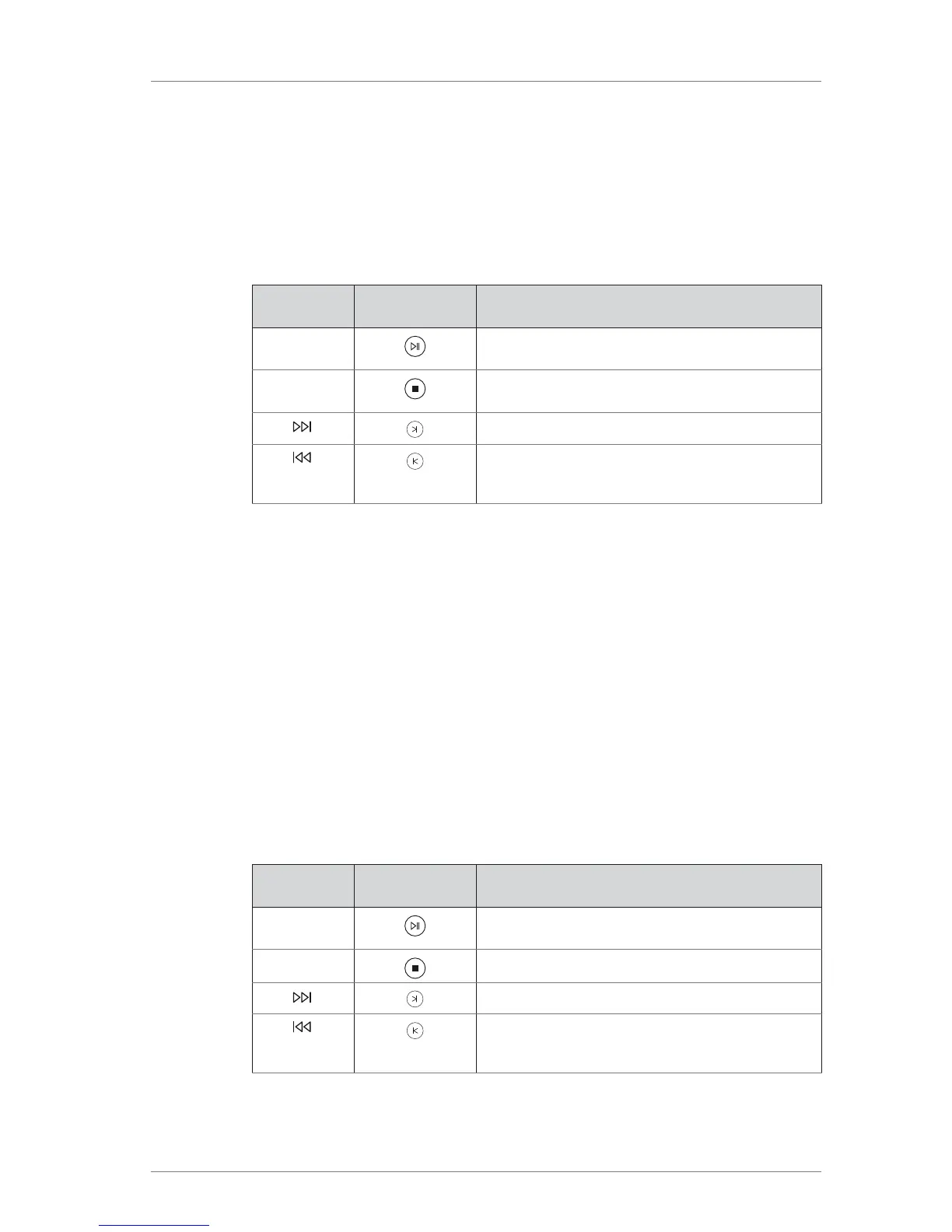
2. Use the right bank of buttons on the front panel or the corresponding buttons on
the remote control to control playback.
On the device
On the remote
control
Function
PLAY/PAUSE Starts or pauses playback at the current position.
STOP/EJECT Stops playback and ejects the CD if playback is
already stopped.
SKIP
Playback skips to the next title.
SKIP When pressed during playback, skips to the
beginning of the track playing and if pressed
twice, to the previous track.
H C USB
When playing back music that has been saved on a USB stick it does not matter how
the music has been transferred to the stick (e.g. from a computer or via download from
the 161 memory), how the titles are organized (all in one folder or in various
subfolders), or in which compatible format they are available (e.g. MP3, AAC, FLAC).
Playing back contents from a USB stick:
1. Insert the USB stick into the USB slot on the front panel or into one of the USB slots
on the back panel of the device.
ª As soon as the USB stick is detected, the USB ACCESS LED lights up.
ª Playback starts automatically.
Note: Press the USB button on the device to continue playing music from a USB device that is
already plugged in after changing the source.
2. Use the right bank of buttons on the device or the corresponding buttons on the
remote control to control playback.
On the device
On the remote
control
Function
PLAY/PAUSE Starts or pauses playback at the current position.
STOP/EJECT Stops playback.
SKIP
Playback skips to the next title.
SKIP When pressed during playback, skips to the
beginning of the track playing and if pressed
twice, to the previous track.



 To Next Page