C-Nav Hardware Reference Guide
22
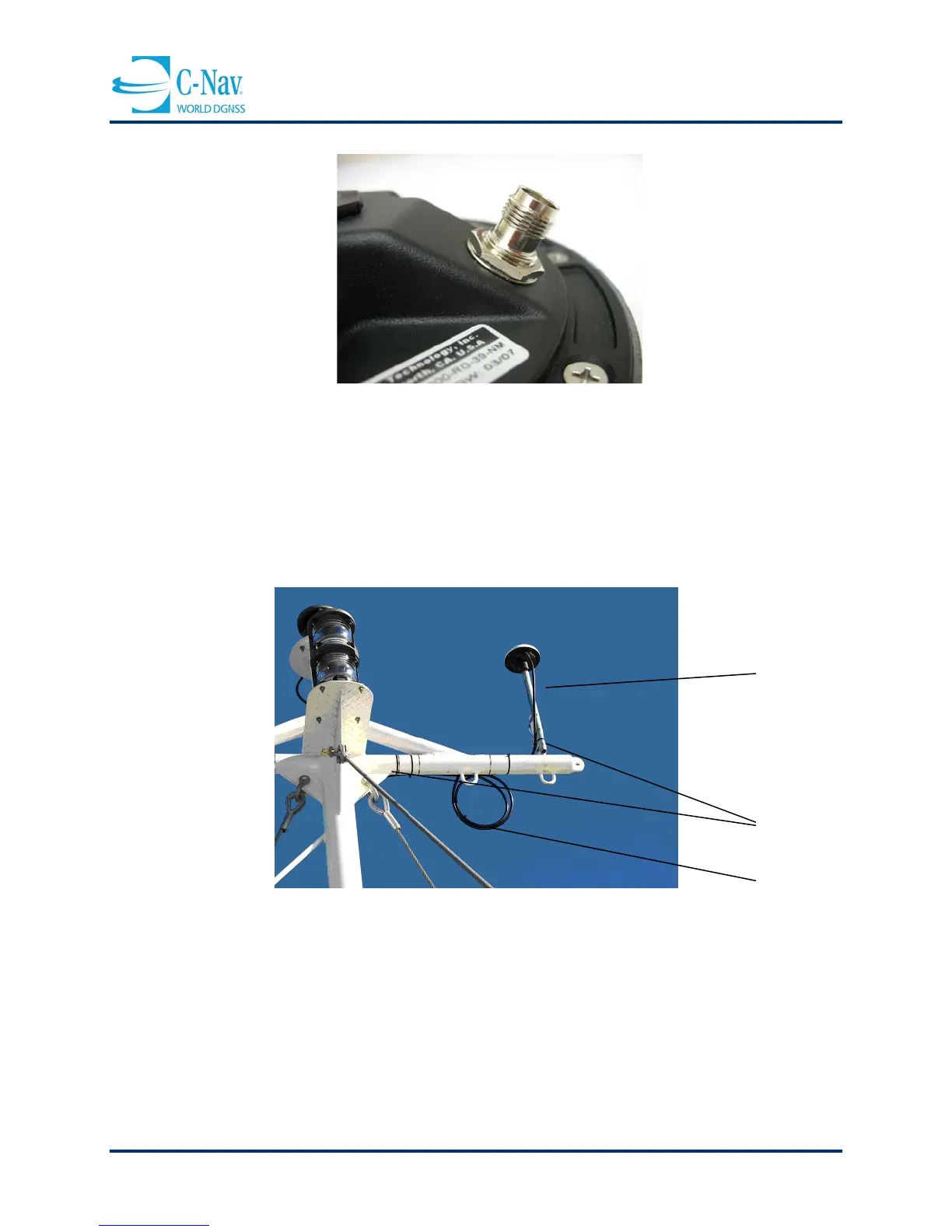
Figure 2-4: C-Nav3050 Antenna TNC Connector
2. Slacken the coaxial cable and attach to the antenna mounting pole with a zip-tie. This
will prevent any undue strain on the cable connector and antenna.
3. With the cable connected to the antenna, run the cable down the mast, securing with zip
ties every 3 or 4 feet.
Figure 2-5: C-Nav3050 Antenna and Coaxial Cable
4. Carefully lay the cable along the chosen route to further detect any potential kinks,
bends or spots where the cable may become damaged.
5. Secure the cable along the cable route with tape or zip ties and place a label at the
GNSS receiver end of the cable for identification purposes.
6. Connect the coaxial cable to the TNC connector on the GNSS receiver. Ensure that any
slack in the cable is neatly stowed and that the minimum bend radius is not exceed
during this process.
coaxial cable in
place (cable runs
along opposite
side of mast)
the cable, done to
prevent undue
stress on the
connections
Cable neatly
stowed



 To Next Page