18
NICE - MIRIAM - CRISTAL - PRETTY - KRISS - MARY - TECNA - EVO
EN
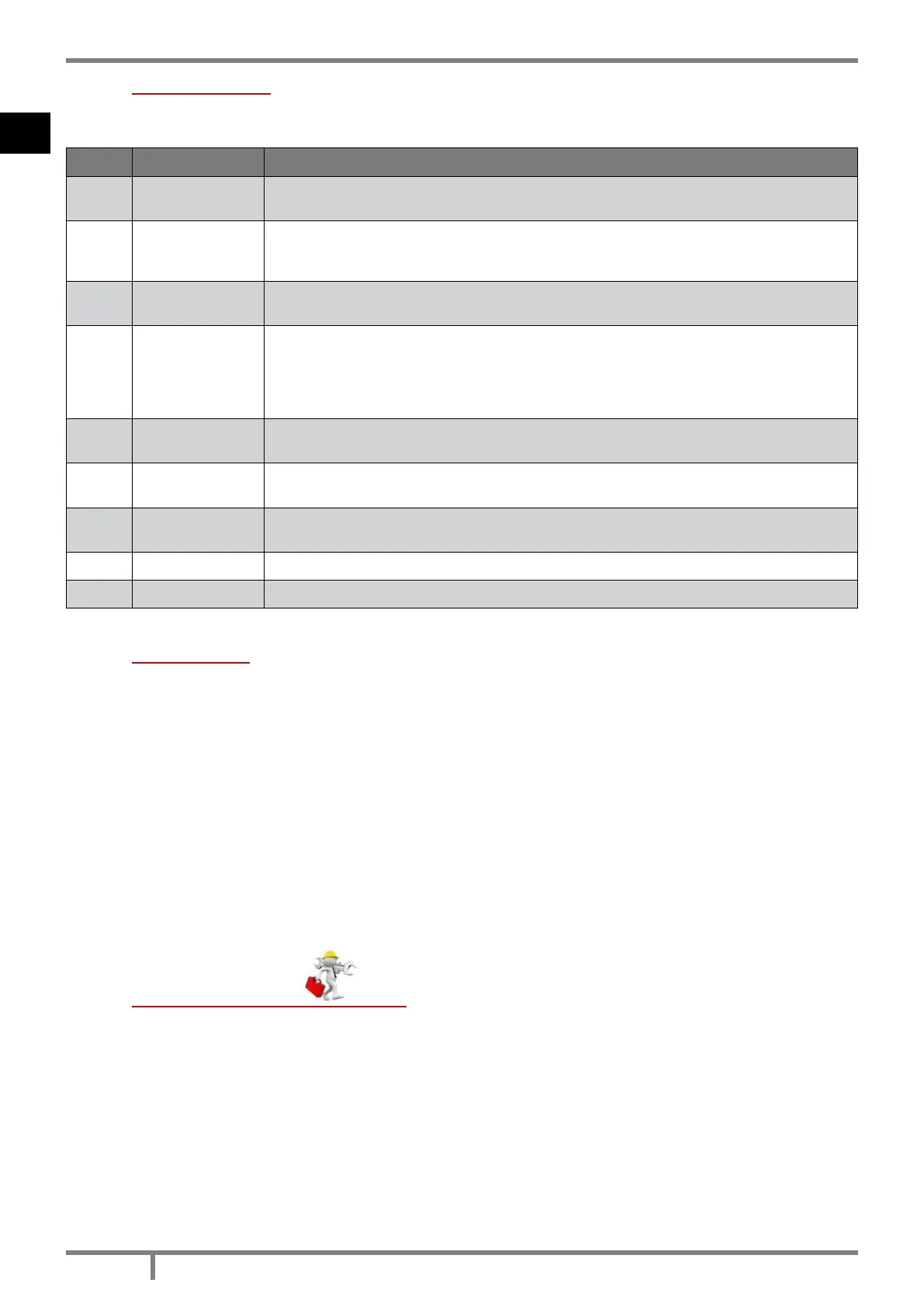
11.4 USER MENU
By once pressing P3 key you can hace access to user parameter controlling. To let them slide press P5 and P6
keys. They are:
POS. REFERENCE DESCRIPTION
1 SET CLOCK
Set date and time. The board is provided with a lithium battery which enables a clock
autonomy of 3/5 years. See CLOCK SETTING page 20.
2 SET CHRONO
Press once P3: “CHRONO ENABLE” appears. Press P3 again and with P1 and P2 put in “OFF”
or “ON”. For daily, week-end or weekly programming, see DAILY PROGRAMMING page
20. CAUTION: do not active if STAND-BY function is active!
3
SELECT
LANGUAGE
Press once P3 key and with P1 and P2 keys select the desired language.
4 STAND-BY MODE
It activates a function which, if the set ambient temperature has been exceeded for more
then 10 minutes, start the switching off phase up. If the ambient temperature has fall at
more than 2°C, the stove will restart automatically up, starting from START UP page 18.
Press once P3 key and with P1 and P2 keys put in “OFF” or “ON”. CAUTION: do not activate
if CHRONO function is active!
5
BUZZER MODE
(audio alarm)
Press once P3 key and with P1 and P2 keys put in “OFF” or “ON”.
6 INITIAL LOAD
When the stove has its rst ignition, the auger is completely empty. If it should be necessary
do a precharge by pressing P3 key, then P1 key for starting up and P4 key for stop.
7 STOVE STATE
It shows all parameters connected to the stove state: this is a menu for the Authorized
Techinician
8 TECHNICA SETTING Only for the Authorized Technician.
9 SET FLAME It enables to set the ame dipending on the draught of the chimney ue.
11.5 START UP
We remind you that the rst ignition must be carried out by a specialized and authorixed technician who will
check that all is installed in compliance with current regulations and checks the efciency.
• If inside the combustion chamber there are booklets, manuals, etc..., remove them.
• Check if the door is correctly closed.
• Check if the stove is correctly inserted in the electric socket.
• Before switching the stove on, assure you the burning pot is clean.
• To start the stove up, keep pressed P4 key for an instant till it will be shown “START” and “PREHEATI WAIT”: the
preheating of the ingnition resistance starts. After 2 minutes about, it will be shown “PELLET LOAD, FLAME WAIT”,
in this phase the auger loads the pellet and the heating of the resistance continues. When the temperature is
sufciently high (after 7-10 minutes about), the ignition is considered as happened and on the display shows
“FIRE PRESENT”.
• Completed the phase “FIRE PRESENT”, the control unit enter the “WORK” phase showing the set caloric
power and ambient temperature. It is in this phase that P5 and P6 keys settle the stove power from 1 to 5. If
the value of the ambient temperature exceeds the limit set on the keyboard on the temperature setting, the
caloric power will be carried at the minimum showing “WORK, MODULATI”. When the ambient temperature
turns back below the set temperatur, the stove turns back to the set power.
11.6 STOVE ADJUSTMENT
The stove is adjusted according to the chimney ue and used pellets datas, as per technical characteristics (see
FEATURES page 34). If the datas do not correspond, the authorized technician can adjust the stove.
• If the pellet is small in size and with a greater caloric power, (for example: encrusted burning pot), the pellet
drop must be decreased from the menu “SET FLAME”, press P3 “PELLET TYPE”, press P3 again “PELLET LOAD”
and with P2 key decrease the pellet quantity from -1 (which is -2%) till -9 (which is -18%).
• If the chimney ue has a lower draught (for example: weak ame, sooty glass) the revolutions of the geared
motor must be increased from the menu “SET FLAME”, press P5 “CHIMNEY TYPE”, press P3 “FUME-FAN CHIMNEY”
and with P1 key increase the fume fan revolutions from +1 (which is +5%) till +9 (which is +30%).
• If the chimney ue has a greater draught (for example: because of pellets fall on the burning pot) decrease
the fume fan revolutions from -1 to -9.


 To Next Page