EasyManua.ls Logo

Cadel nice - User Manual

Cadel nice
76 pages
Print Icon
To Next Page IconTo Next Page
Loading...
©2014 CADEL srl | All rights reserved – tutti i diritti riservati
en
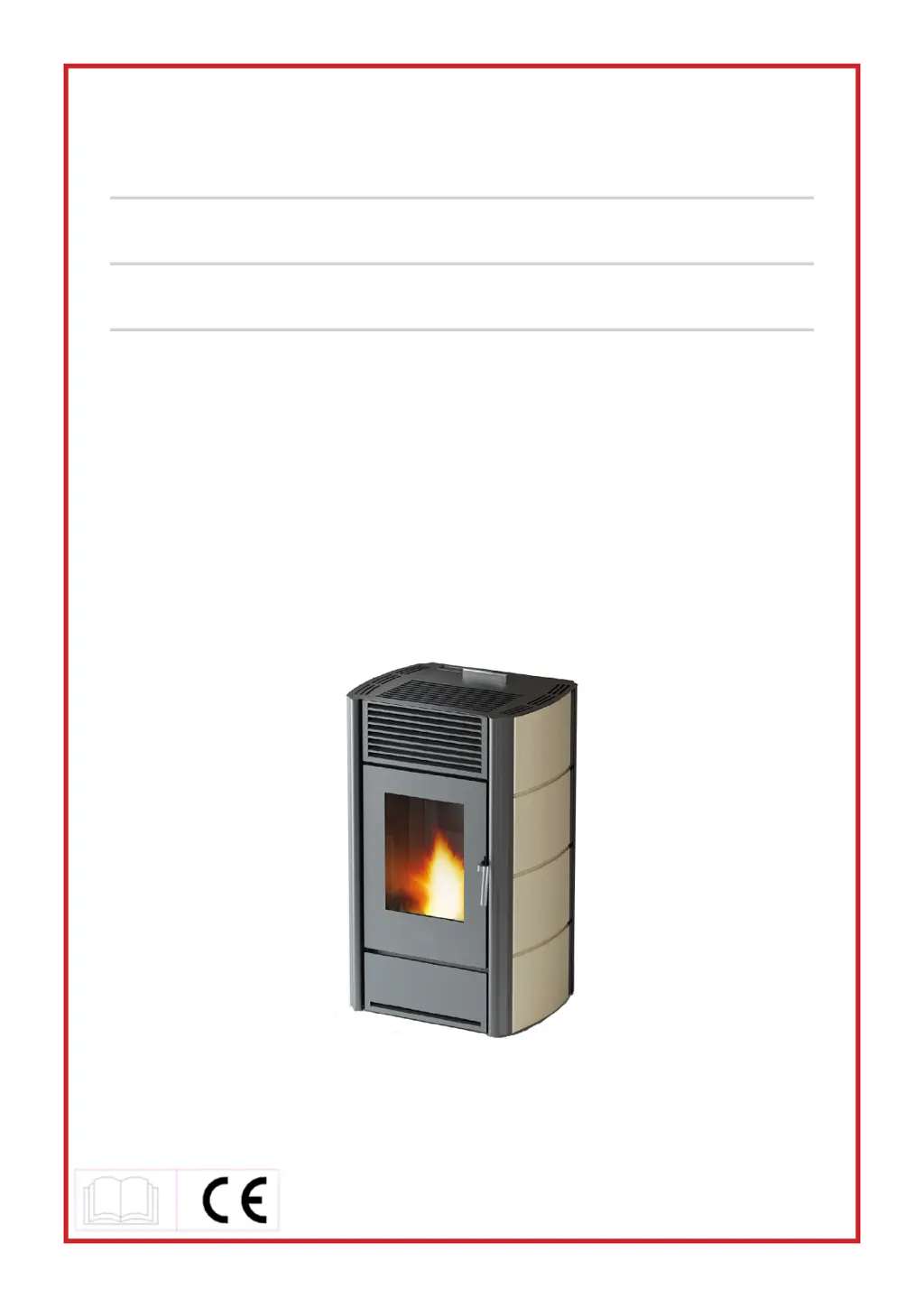
PELLET STOVE
installation, use and maintenance manual
nl
PELLETKACHEL
handleiding voor installatie, gebruik en onderhoud
nice - miriam - cristal - pretty - kriss - mary - tecna - evo

Table of Contents

Other manuals for Cadel nice

Questions and Answers

  • N
    nsmithAug 18, 2025
    Why Cadel Stove is not igniting and shows “AlAr no FirE” or “no Acc” alarm?
    • N
      Nicholas HoffmanAug 18, 2025
      The Cadel Stove might not be igniting due to several reasons. The hopper might be empty, so you should fill it. The burn pot may not have been cleaned, so clean the burn pot. The probe may not have reached ignition, so empty the burn pot and light again. The external temperature could be too low, so start the stove again. The pellets might be damp, ensure pellets are stored in a dry place.
  • S
    Samuel GrantAug 20, 2025
    What to do if my Cadel nice Stove control panel not turns on?
    • A
      Alexander MorrisAug 20, 2025
      If the control panel of your Cadel Stove isn't turning on, first ensure the stove is properly plugged into the mains. If it is, the circuit board protection fuse might be burnt, or there may be a faulty control panel, flat cable, or electronic circuit board. Replacing the board protection fuse may help. For other potential causes like a faulty control panel, flat cable, or electronic circuit board, it is recommended to consult an expert.
  • K
    Kimberly FuentesAug 22, 2025
    What to do if my Cadel nice goes off and displays “AlAr dEp”?
    • M
      Madeline FosterAug 22, 2025
      If your Cadel Stove goes off and shows the “AlAr dEp” alarm, it could be due to several reasons. Ensure the door is properly closed and check the state of the gaskets, replacing them if necessary. The outlet might be clogged, so have an expert check the exhaust pipe. The hose holder attachment could be clogged; detach the silicone pipe from the hose holder and use a pointed metal tool to clean the hose holder hole, replacing the silicone pipe if necessary. Also, bad weather conditions or temporary power failure can cause this issue, so check and restart the stove. If the boiler is overheating, let the stove cool; the thermostat will restart automatically.
  • C
    Charles JonesAug 26, 2025
    Why my Cadel nice fire extinguishes and stops?
    • S
      Sarah StaffordAug 26, 2025
      Your Cadel Stove might be extinguishing and stopping due to a few reasons: * The hopper could be empty, so ensure you fill it. * The auger might be clogged by a foreign object; unplug the stove, remove any hand protection in the hopper, empty it, clean the auger, and restart. * You might be using low-quality pellets, so try using other types of pellets.
  • E
    Erin GonzalezAug 27, 2025
    What to do if pellets not reaching combustion chamber in Cadel nice Stove?
    • L
      Laura GoodAug 28, 2025
      If pellets are not reaching the combustion chamber in your Cadel Stove, the hopper might be empty, so fill it. Alternatively, the auger could be clogged by a foreign object. In this case, unplug the stove, remove any hand protection in the hopper, empty it, clean the auger, and restart.
  • V
    Veronica GibsonAug 30, 2025
    What does it mean when Cadel nice goes off and displays “AlAr no rEtE”?
    • K
      Kelsey WadeAug 30, 2025
      If your Cadel Stove goes off and displays the “AlAr no rEtE” alarm, it could be due to the plug being accidentally disconnected, so check that it is plugged into the mains. It may also be due to a temporary power failure, so check and restart the stove.
  • J
    Julie LeeSep 1, 2025
    Why Cadel nice Stove has a weak orange flame and blackens the glass?
    • S
      sandrajordanSep 2, 2025
      A weak orange flame in your Cadel Stove, along with improperly burning pellets and blackened glass, can be caused by not enough combustion air. Check for obstructions to air entry at the back of the stove. Also check ash clogged holes in the burn pot grid and/or seat. The exhaust could also be obstructed, so it is important to have the outlet chimney checked for clogs and cleaned immediately. The stove itself might be clogged, requiring a cleaning.
  • R
    Robert CruzSep 4, 2025
    Why Cadel Stove goes off and displays "AlAr HottEmp”?
    • T
      Timothy MartinezSep 4, 2025
      If your Cadel Stove goes off and displays "AlAr HottEmp”, it can be caused by a faulty fumes probe.
  • R
    Rebecca LawrenceSep 6, 2025
    Why does the heat exchanger fan keeps turning on my Cadel nice?
    • D
      Donald HendricksSep 7, 2025
      If the heat exchanger fan in your Cadel Stove keeps turning even after the stove has cooled, it could be due to a faulty fumes temperature probe.
  • J
    Jamie MillerSep 9, 2025
    What does it mean when Cadel Stove goes off and displays “AlAr Sond”?
    • M
      Michael MarshallSep 9, 2025
      If your Cadel Stove goes off and displays “AlAr Sond”, it may be due to the fumes temperature probe.

Summary

MANUAL SIMBOLOGY AND USER GUIDANCE

Understanding Document Symbols

Icons indicate target audience (User, Technician, Repairer) and important notes.

Customer Information and Manual Importance

Product meets standards; manual is integral and must be kept with the appliance.

Operational Cautions and Prohibitions

Use caution with pictures, contact distributor for issues, avoid unauthorized modifications.

Warranty Validity and Conditions

Valid with proof of purchase, technician installation, correct use; excludes wear parts and misuse.

WARRANTY, SPARE PARTS, AND DISPOSAL

Guarantee Coverage and Limitations

Covers manufacturing defects; excludes transport, misuse, incorrect maintenance, and specific parts.

Spare Parts and Product Disposal

Order parts via dealer/service; owner responsible for product disposal per laws.

PRODUCT HANDLING AND CHIMNEY FLUE

Waste Management and Safe Handling

Dispose of product at designated centers; handle stove carefully, keep packaging away from children.

Chimney Flue Installation Basics

Guidance based on standards; check local regulations for air inlet and exhaust systems.

CHIMNEY FLUE REQUIREMENTS AND COMPONENTS

Chimney Flue System Requirements

Use insulated pipes or existing flue, equipped with inspection plugs/doors; single flue per appliance.

CHIMNEY FLUE DESIGN AND MAINTENANCE

Flue Design, Insulation, and Safety

Flue must be sealed, insulated, and meet safety distances; check CE certification.

Chimney Draught Factors

Chimney flue draught depends on height; check specifications.

Flue System Upkeep and Checks

Clean flue to prevent blockage; have flue/pot checked by sweep weekly for safety.

CHIMNEY POT AND EXTERNAL AIR INLET

Chimney Pot Design and Purpose

Use anti-wind pot; ensure proper fume exhaust and prevent infiltration.

EXTERNAL AIR INLET AND CHIMNEY FLUE CONNECTION

Air Inlet Requirements and Placement

Ensure room ventilation, correct inlet area, pressure limits, and placement.

Flue Connection Rules and Materials

Use compliant pipes, short connections, proper unions, avoid multiple appliances.

INSTALLATION EXAMPLES AND FUEL GUIDELINES

Flammable Material Clearance

Maintain minimum 500mm distance from flammable components.

Correct Chimney Flue Installation Examples

Illustrates correct installation methods for chimney flues.

FUEL GUIDELINES AND INSTALLATION PROCEDURE

External Flue and Ducting Systems

External flue attachment and T-union ducting for cleaning.

Fuel Type and Quality Impact

Use only pellets; quality affects performance, ash, and warranty.

INSTALLATION PROCEDURE AND DIMENSIONS

Pellet Storage and Handling

Store pellets dry; avoid using appliance as incinerator.

Installation Requirements and Checks

Position, local regulations, technician use, air inlet, CO checks, draught.

GENERAL INSTALLATION AND DIMENSIONS

Installation Requirements and Checks

Floor capacity, clearance distances, safety distances from objects and walls.

Stove Dimensions Overview

Table listing dimensions of stove components.

SIDE PANEL ASSEMBLY

Side Panel Installation Steps

Procedures for removing top cover and inserting side panels.

ELECTRICAL CONNECTIONS AND THERMOSTAT

Connection Safety and Procedures

Use authorized technician, proper socket, earth connection; avoid extension cables.

Thermostat Integration

Connect external room thermostat by authorized technician.

Ventilation System Function

Stove has a ventilation system for cooling.

APPLIANCE USAGE AND INITIAL OPERATION

General Usage Warnings and Safety

Do not cover outlets, not for cooking, supervise children, keep away from heat.

Initial Stove Operation and Tips

Follow instructions for performance, initial ignition, and handling potential fumes.

CONTROL PANEL OPERATION AND USER MENU

Button Functions and Display Guide

Explains button functions (P1-P6) and LCD display elements.

Menu Navigation and Settings

Access user menu for clock, chrono, language, stand-by, buzzer settings.

STOVE OPERATION AND ADJUSTMENTS

Initial Stove Ignition Process

Steps for first ignition, including checks, preheating, and work phase.

Performance Tuning

Adjust pellet drop and fume fan revolutions for optimal performance.

AIR REGULATOR, IGNITION, AND SHUTDOWN

Air Regulator Functionality

Details of the back air regulator and its parameters.

Failed Ignition Causes and Solutions

Addresses 'FAILED IGNITION' alarm due to low temp, poor pellets, or dirty pot.

Response to Power Interruptions

How the stove reacts to short and long power outages.

Temperature Setting Adjustment

Use specific buttons to set and view ambient temperature.

Fume Temperature Monitoring

Method to check fume temperature at the exhaust.

Stove Shutdown Procedure

Steps to safely switch off the stove using the P4 key.

PROGRAMMING FUNCTIONS

Clock and Daily Programming Setup

Set clock and configure daily chronothermostat functions.

Weekend Scheduling

Set chronothermostat for Saturday and Sunday.

Weekly Scheduling

Set up to four working times for each day of the week.

FIRE SAFETY AND PELLET HANDLING

Fire Extinguishing Protocol

Use extinguisher or firemen; never water for internal fires.

Safe Pellet Loading Practices

Avoid filling hopper while running; keep lid closed.

Remote Control Functions and Usage

Explains how to use the optional remote control and its buttons.

SAFETY SYSTEM AND ALARMS

Safety Device Purpose and Precautions

Safety devices prevent risks; avoid unauthorized repairs, unplug before intervention.

Black Out Alarm Resolution

Power interruption during ignition; clean pot and restart.

Fume Probe Alarm Resolution

Probe issues; check/replace probe, clean pot, restart.

Hot Fume Alarm Resolution

High exhaust temp; pellet drop reduces, reset and clean pot if persists.

Fan Failure Alarm Resolution

Fume fan failure; reset, clean pot, and restart.

Failed Ignition Alarm Resolution

Insufficient temp for ignition; reset, clean pot, restart.

No Pellet Alarm Resolution

Low exhaust temp; fill hopper, clean pot, restart.

Thermal Safety Alarm Resolution

Thermostat activation; reset, clean pot, restart.

ALARM RESOLUTION AND MAINTENANCE

Thermal Safety Reset Procedure

Specific steps to reset the thermal safety alarm.

Failure Depress Alarm Resolution

Pressostat or door issues; reset, clean pot, restart.

General Maintenance Guidelines

Periodic cleaning for longevity; fume system cleaning by technician.

CLEANING PROCEDURES

Pot and Ash Tray Cleaning Procedure

Clean pot/tray regularly; check fire plate, store ash safely.

Hopper and Auger Maintenance

Check hopper for debris, clean auger; contact service for blockages.

CHIMNEY SYSTEM CLEANING

Fume Chamber Cleaning Steps

Clean fume chamber periodically; vacuum ash, check gasket.

Fume Conduit Cleaning Procedure

Clean conduit monthly; extract ash, check gasket, ensure sealing.

Fume Fan Maintenance

Clean fume fan annually to ensure balance and reduce noise.

FUME PASSAGE AND PIPE CLEANING

Fume Passage Cleaning Procedure

Annually clean fume passages by removing components, brushing, and resealing.

GENERAL CLEANING ADVICE

Professional Pipe Cleaning and Checks

Specialist cleans pipes, flue, pot annually, providing safety declaration.

Exterior Cleaning Methods

Use soft cloth for panels; avoid harsh chemicals or abrasives.

Gasket Integrity and Replacement

Replace deteriorated gaskets by technician using original spare parts.

Fire Door Glass Care

Clean glass daily at cool temperature to avoid damage.

ANOMALY AND PROBLEM SOLVING

Technician Pre-Intervention Checks

Technician must verify motherboard parameters and contact support for doubts.

Common Alarm Notifications

Details for AL 1 (Black Out), AL 2 (Fume Probe), AL 3 (Hot Fume), AL 4 (Fan Failure) alarms.

Additional Alarm Notifications

Details for AL 5 (Failed Ignition), AL 6 (No Pellet), AL 7 (Thermal Safety) alarms.

Depress Failure Alarm

AL 8 (Failure Depress) for obstructed exhaust or system faults.

Troubleshooting Stove Power and Operation

Solutions for stove not powering on or stopping unexpectedly.

Flame and Fan Operation Issues

Troubleshooting weak flames, fan operation, and maintenance alerts.

Combustion Air and Seal Issues

Addresses insufficient air, obstructed exhaust, faulty seals, and maintenance alerts.

TECHNICAL DATA AND REPAIRS

Technician Repair Information

Guidance for authorized technicians on accessing components and performing repairs.

Component Access and Fuse Replacement

Steps to access internal components and replace fuses.

MODEL SPECIFICATIONS

Nice, Miriam, Cristal 7 kW Features

Detailed technical specifications for these stove models.

Pretty, Kriss, Mary 8.5 kW Features

Detailed technical specifications for these stove models.

Tecna, Evo 8.5 kW Features

Detailed technical specifications for these stove models.

Cadel nice Specifications

General IconGeneral
BrandCadel
Modelnice
CategoryStove
LanguageEnglish

Related product manuals