Us e r 's GU i d e — 39
3. Set the Thread Class to 6H:
6gb
* (Thread Class) EXT
MM
6H
* If necessary, continue pressing
b
until the desired External Thread Class
is displayed.
4. Enter the Wire Size*:
.1gf
(Wire Size)
WIRE
SIZE
$
0.1 MM
5. Enter the 3-Wire Measurement:
10.1gR
(3-W Measure)
3WIRE
SIZE
$
1
0.1 MM
6. Find the Pitch Diameter:
R P-DIA
SIZE 10.1031 MM
R WIRE
SIZE
$
0.1 MM
* If no Wire Size is entered, the calculated Ideal Wire Size will be used
to nd the Pitch Diameter.
BOLT PATTERN
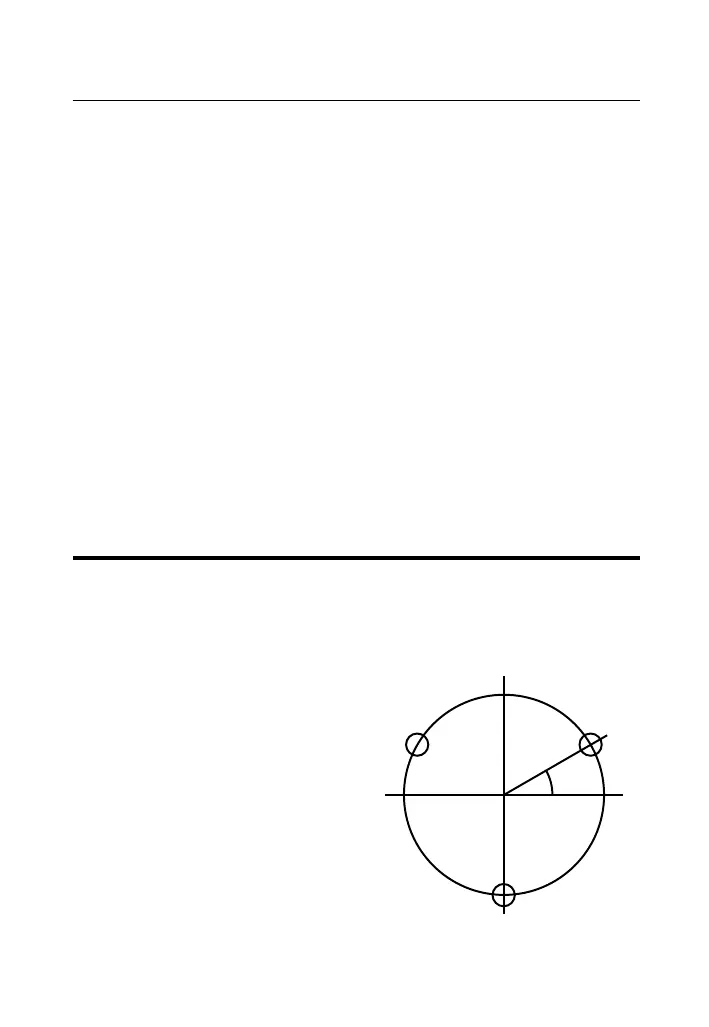
With the Machinist Calc Pro, you can determine a Bolt Pattern by
entering the Bolt Circle Diameter, the Number of Bolt Holes and
the Angle of the rst bolt hole (optional). You can also enter an
optional Center x and y-coordinate of the Bolt Pattern.
In addition to calculating the x
and y-coordinates for each bolt
hole, the Bolt Pattern function
also calculates the hole center-
to-center spacing (i.e. on-center
distance from hole to hole).


 To Next Page
 Loading...