Chapter 2
2-6
2.2.4 Movement of Paper in Duplex Mode
0007-6139
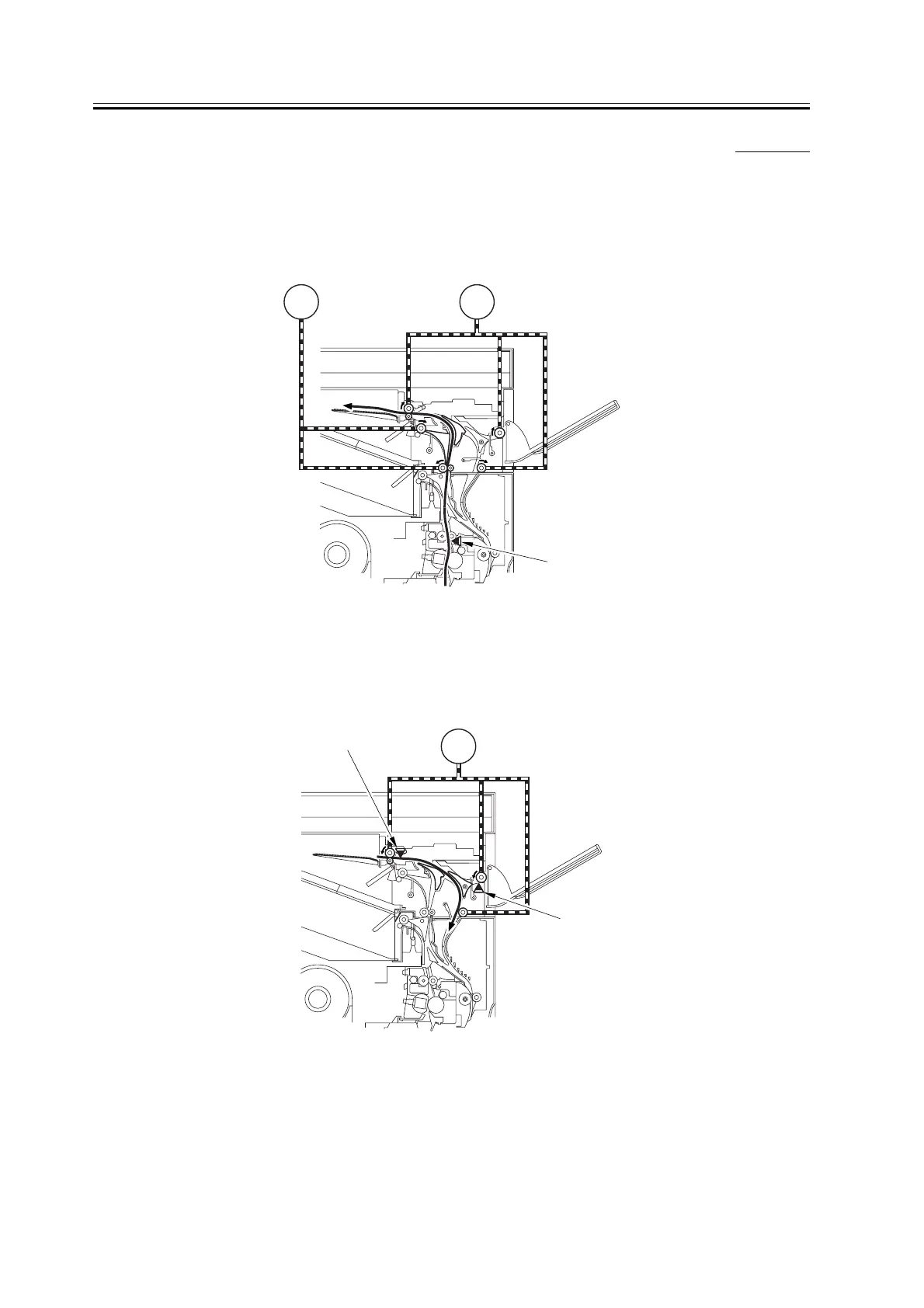
The following shows the sequence of operation used to move paper in duplex mode (copy or print):
1) Paper arrives from the delivery slot of the host machine. A specific period of time after the leading edge of paper
reaches the fixing outlet sensor (PS13), the No. 2 delivery motor (M1) and the No. 3 delivery motor (M2) start to
rotate.
F-2-10
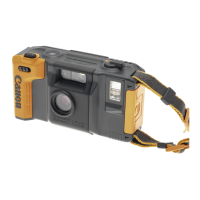
2) When the paper has moved past the reversal sensor (PS4A) and its trailing edge reaches a specific point in front
of the reversing roller, the No. 3 delivery motor (M2) stops once and starts again to rotate in reverse direction after
a specific period of time. The paper is moved as it is to the duplex inlet assembly.
F-2-11
M2M1
PS13
M2
PS3A
PS4A



 To Next Page