Chapter 3
3-22
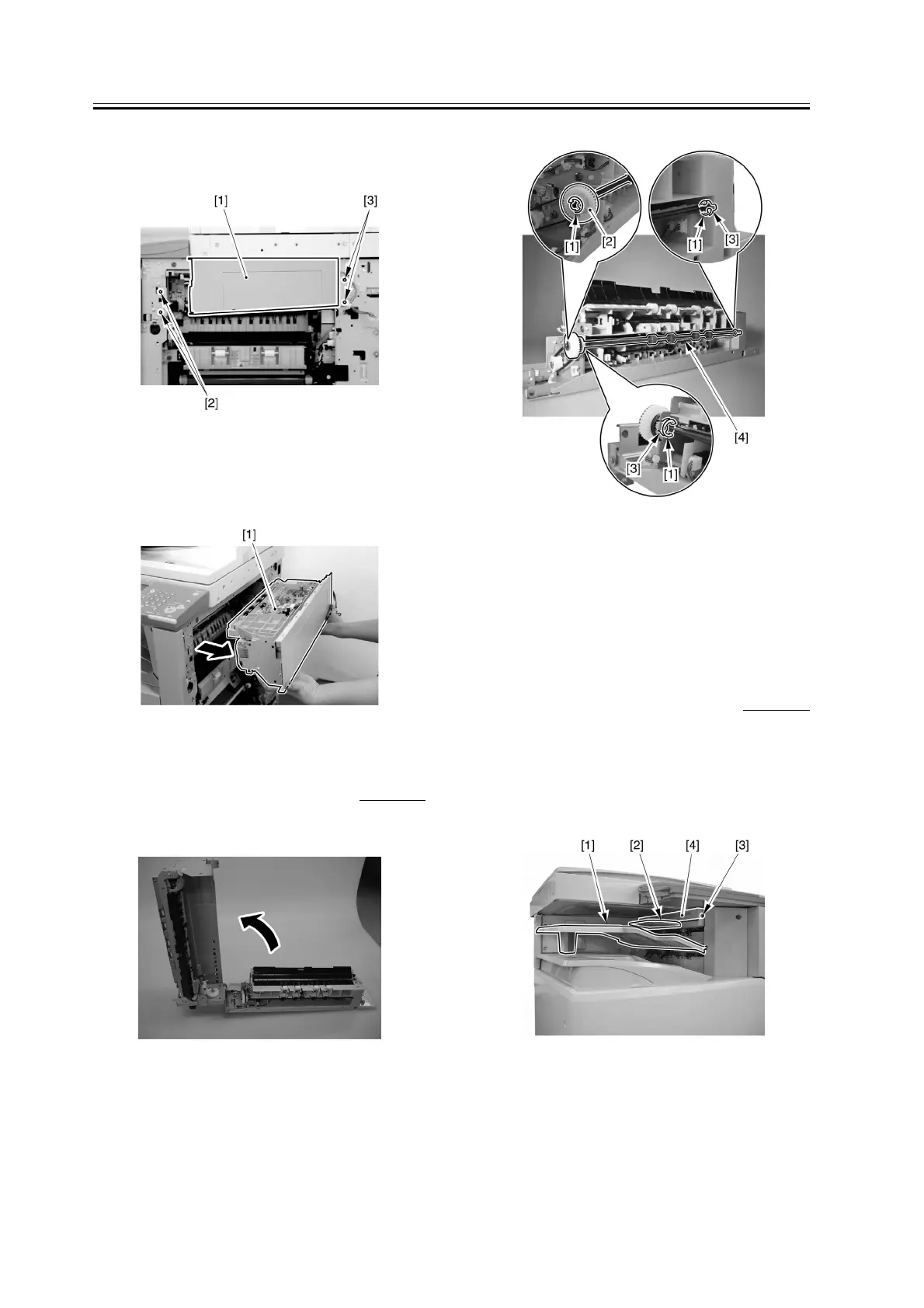
5) Remove the 2 screws [2], and close the extension
delivery kit.
F-3-94
6) Detach the extension delivery kit [1] from the host
machine.
F-3-95
3.3.4.5 Removing the Duplex
Inlet Roller
0007-6188
1) Open the extension delivery kit.
F-3-96
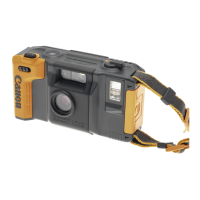
2) Remove the 3 E-rings [1], gear [2], and 2 bushings
[3]; then, detach the duplex inlet roller [4].
F-3-97
3.3.5 Inlet Roller
3.3.5.1 Removing the Inside
Delivery Tray, Reversal
Guide, and Inside Upper
Cover
0007-6189
1) Remove the inside delivery tray [1].
2) Remove the reversing guide [2].
3) Remove the screw [3], and detach the inside upper
cover [4].
F-3-98


 To Next Page