Chapter 3
3-25
3.3.5.5 Removing the Inlet
Roller
0007-6195
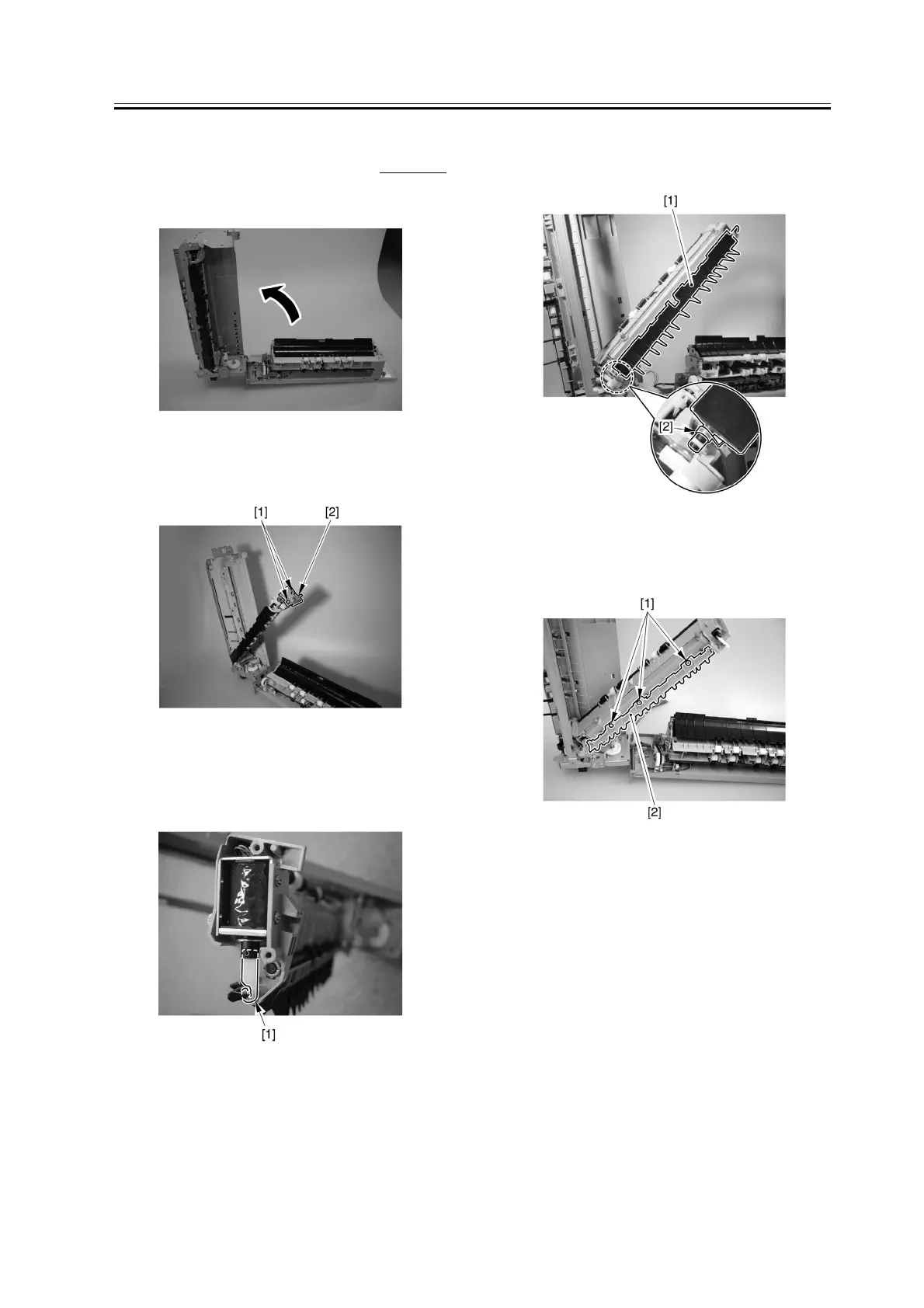
1) Open the extension delivery kit.
F-3-109
2) Remove the 2 screws [1], and detach the cover [2].
F-3-110
3) Remove the solenoid lever [1].
F-3-111
4) Remove the No. 1 delivery flapper [1] and the
spring [2].
F-3-112
5) Remove the 3 screws [1], and detach the cover [2].
F-3-113


 To Next Page