Chapter 3
3-31
3.4.2.3 Removing the Right
Door
0007-9330
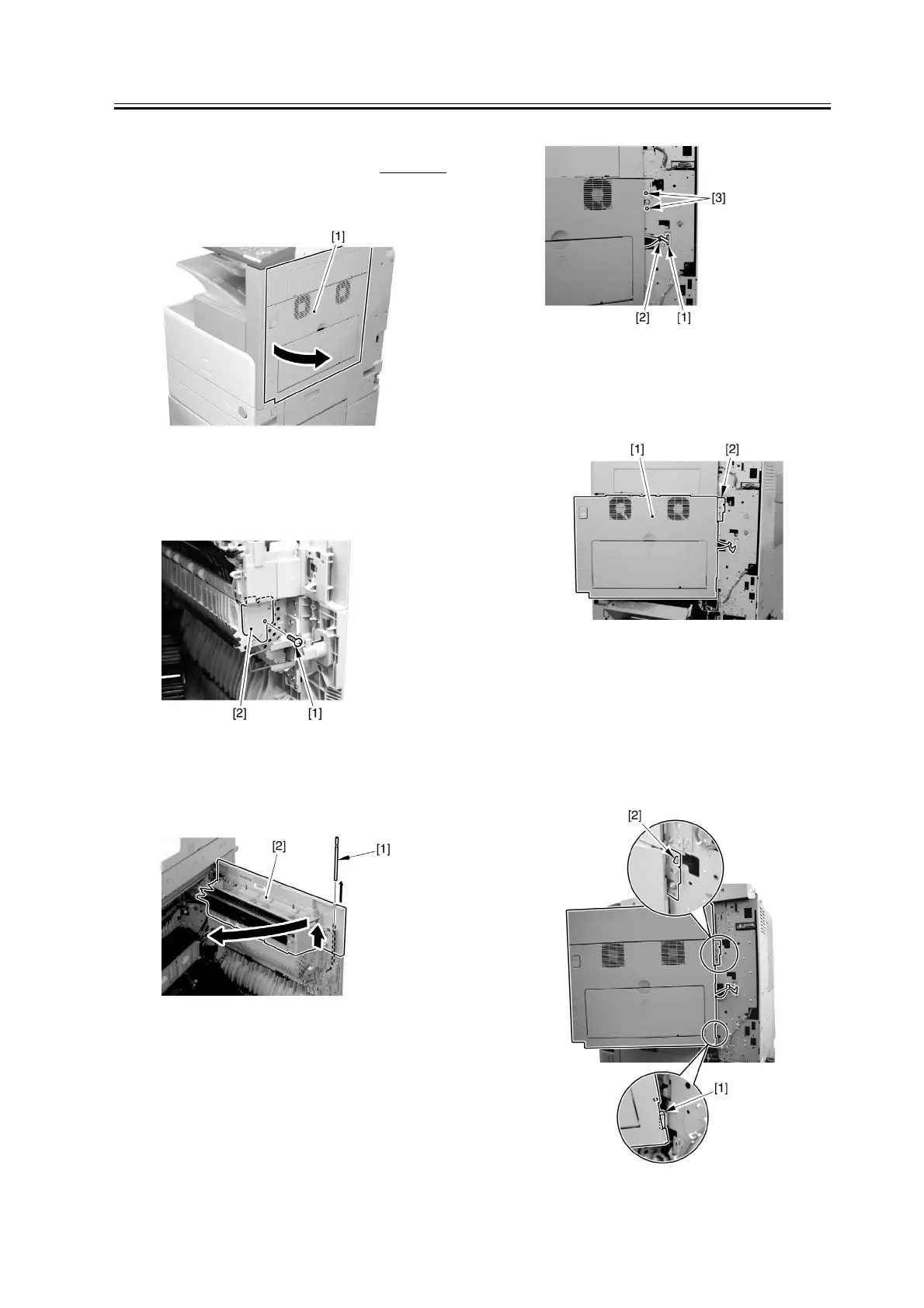
1) Open the right door.
F-3-136
2) Remove the screw [1], and detach the fixing plate
[2].
F-3-137
3) Remove the joint shaft [1], and free the extension
delivery unit [2] from the right door.
F-3-138
4) Disconnect the connector [1], and remove the reuse
band [2]; then, remove the 2 screws (M4x8; RS
tightening).
F-3-139
5) While freeing the hinge assembly [2], detach the
right door.
F-3-140
Attaching the Right Door
1) Match the hinge [1] found at the bottom of the right
door against the lug.
2) Engage the hinge [2] found on the top of the right
door with the hook found on the side plate.
F-3-141


 To Next Page