Chapter 3
3-3
3.1.1.4 Removing the
Extension Delivery Kit
0007-7919
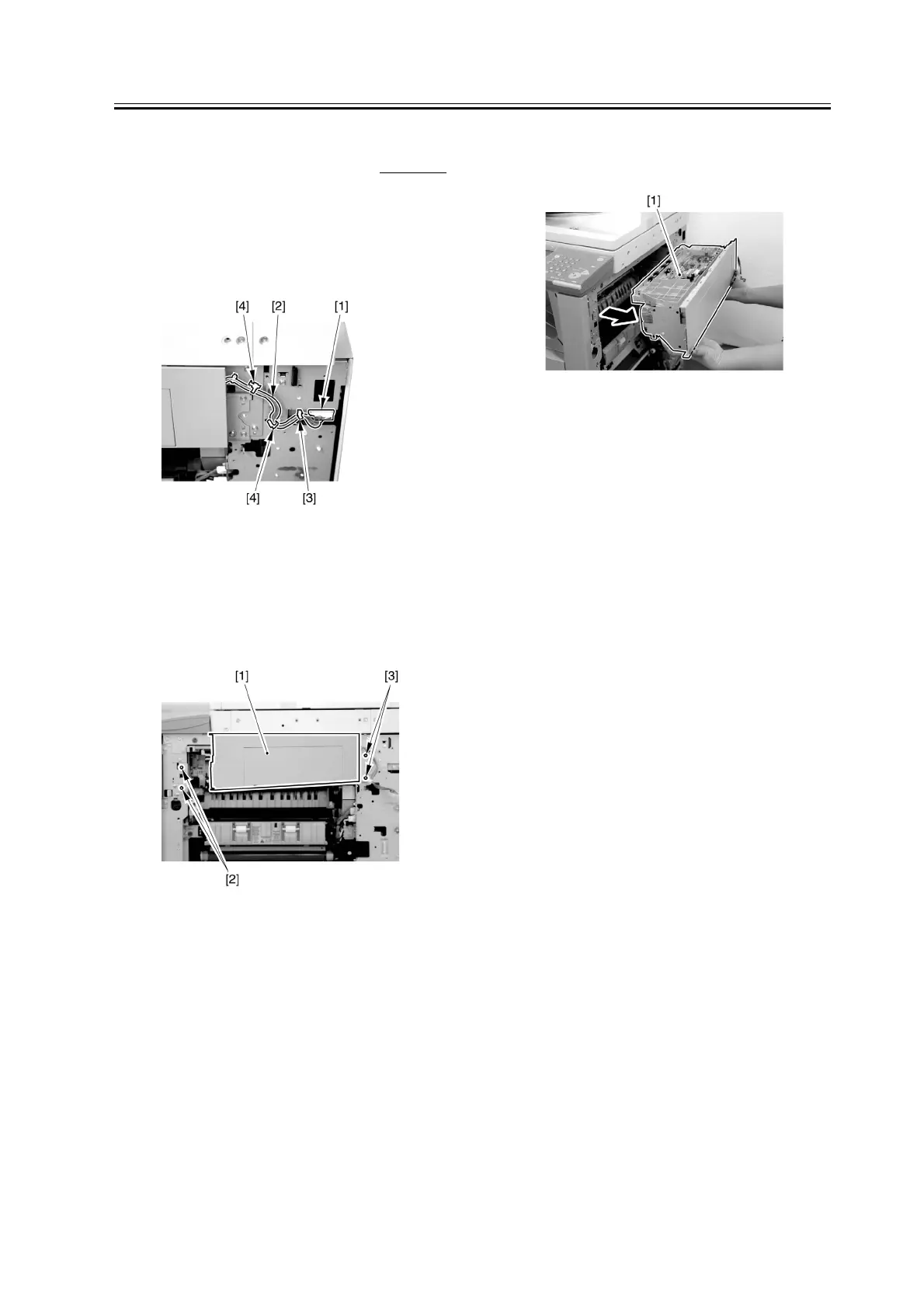
1) Free the harness [2] front the cable clamp [3], and
remove the 2 re-use bands [4].
2) Disconnect the connector [1] from the terminal of
the host machine.
F-3-9
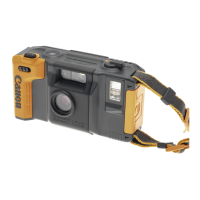
3) Open the extension delivery kit [1].
4) Remove the 2 screws [3].
5) Remove the 2 screws [2], and close the extension
delivery kit.
F-3-10
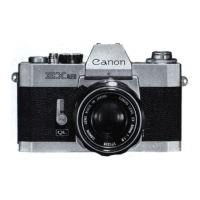
6) Detach the extension delivery kit [1] from the host
machine.
F-3-11



 To Next Page