Chapter 3
3-15
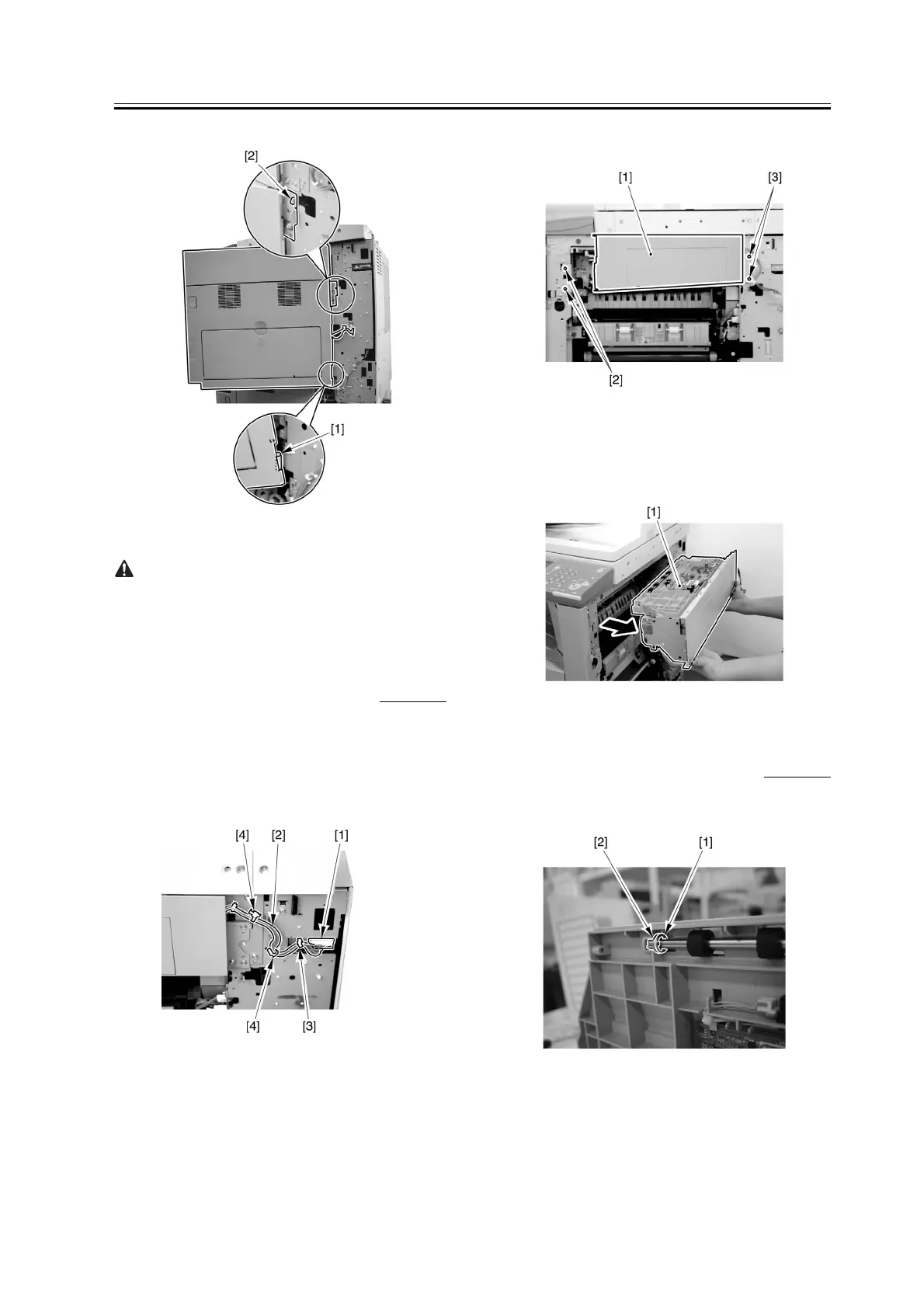
F-3-61
When tightening the 2 screws used to fix the hinge in
place, be sure to close the right door first.
3.3.2.4 Removing the
Extension Delivery Kit
0007-6175
1) Free the harness [2] front the cable clamp [3], and
remove the 2 re-use bands [4].
2) Disconnect the connector [1] from the terminal of
the host machine.
F-3-62
3) Open the extension delivery kit [1].
4) Remove the 2 screws [3].
5) Remove the 2 screws [2], and close the extension
delivery kit.
F-3-63
6) Detach the extension delivery kit [1] from the host
machine.
F-3-64
3.3.2.5 Removing the
Reversing Roller
0007-6177
1) Remove the E-ring [1], and detach the bushing [2].
F-3-65



 To Next Page