Chapter 3
3-29
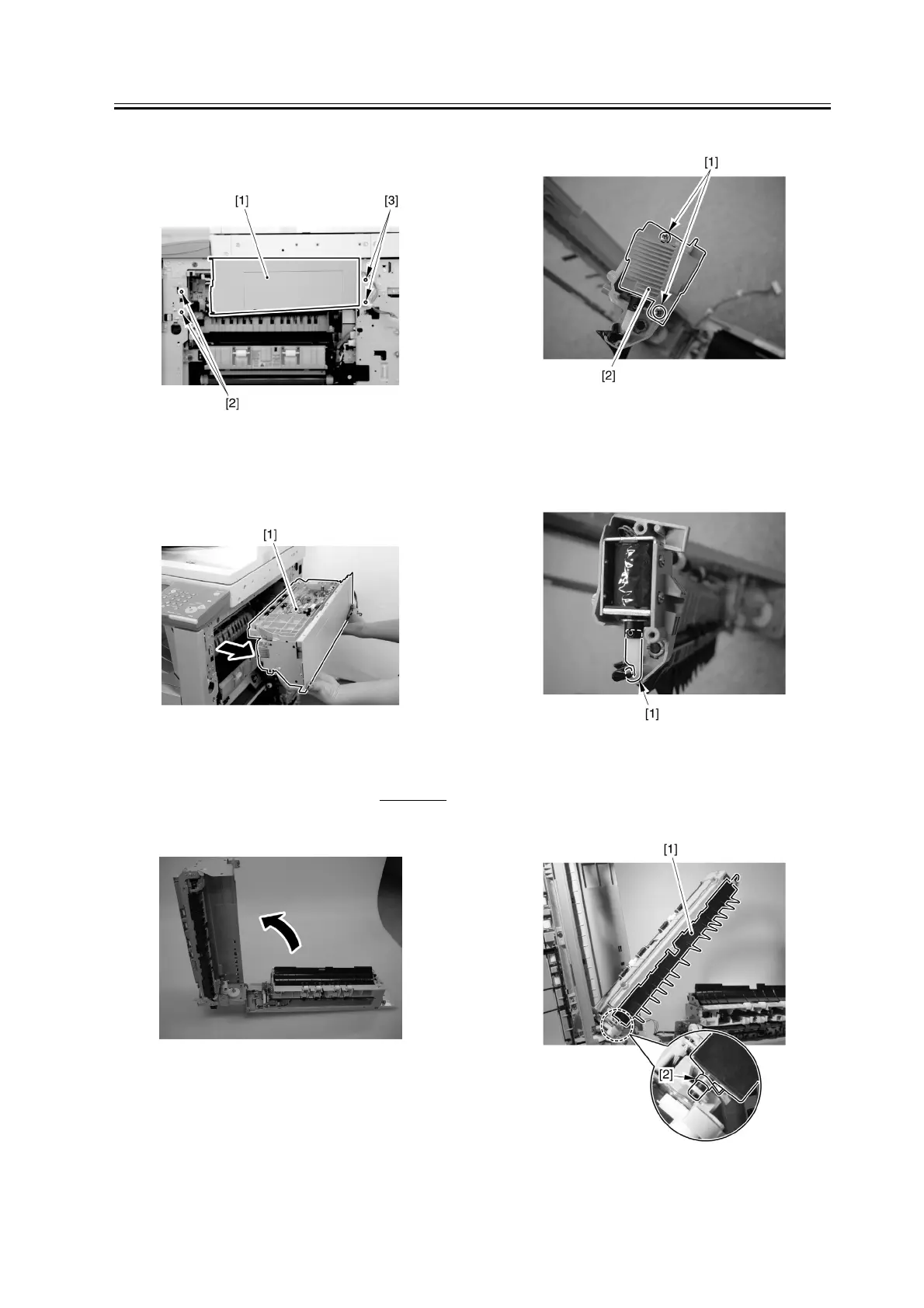
5) Remove the 2 screws [2], and close the extension
delivery kit.
F-3-125
6) Detach the extension delivery kit [1] from the host
machine.
F-3-126
3.4.1.5 Removing the No. 2
Delivery Sensor
0007-6208
1) Open the extension delivery kit.
F-3-127
2) Remove the 2 screws [1], and detach the cover [2].
F-3-128
3) Remove the solenoid lever [1].
F-3-129
4) Remove the No. 1 delivery flapper [1] and the
spring [2].
F-3-130



 To Next Page