127
Trouble?
E
Condensation
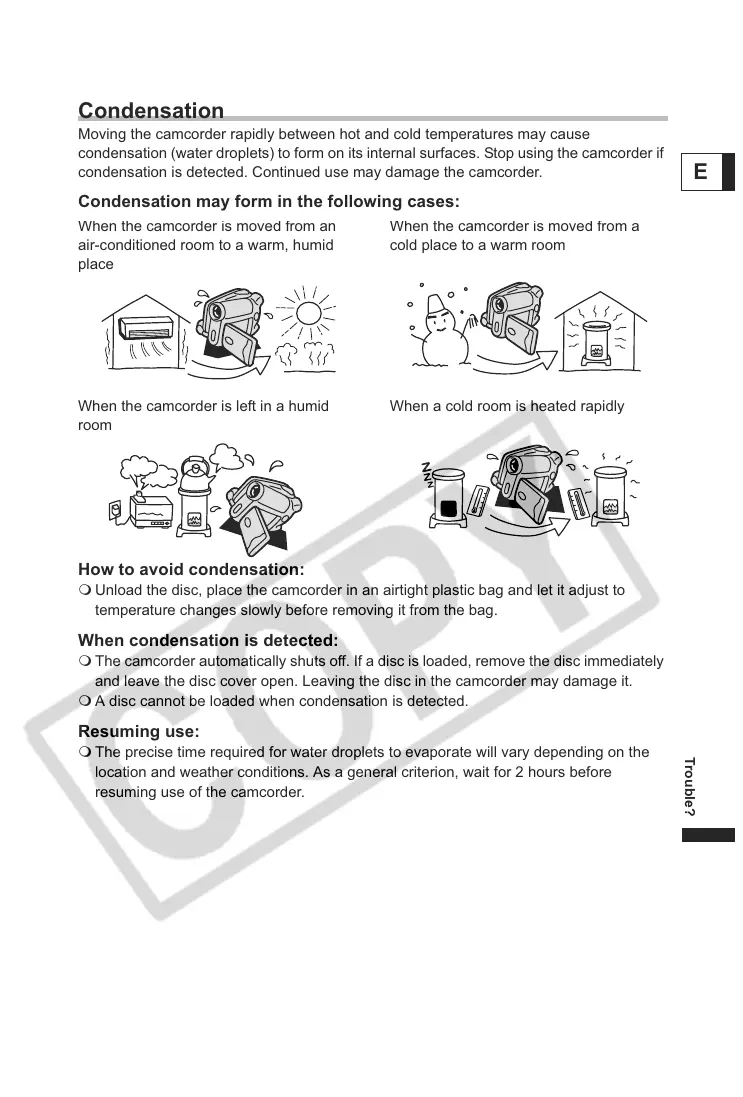
Moving the camcorder rapidly between hot and cold temperatures may cause
condensation (water droplets) to form on its internal surfaces. Stop using the camcorder if
condensation is detected. Continued use may damage the camcorder.
Condensation may form in the following cases:
How to avoid condensation:
Unload the disc, place the camcorder in an airtight plastic bag and let it adjust to
temperature changes slowly before removing it from the bag.
When condensation is detected:
The camcorder automatically shuts off. If a disc is loaded, remove the disc immediately
and leave the disc cover open. Leaving the disc in the camcorder may damage it.
A disc cannot be loaded when condensation is detected.
Resuming use:
The precise time required for water droplets to evaporate will vary depending on the
location and weather conditions. As a general criterion, wait for 2 hours before
resuming use of the camcorder.
en
e camcor
er
s move
rom an
air-conditioned room to a warm, humid
place
en
e camcor
er
s move
rom a
cold place to a warm room
When the camcorder is left in a humid
room
When a cold room is heated rapidly



 To Next Page