43
Basic Functions
Playback
E
Adjusting the Volume
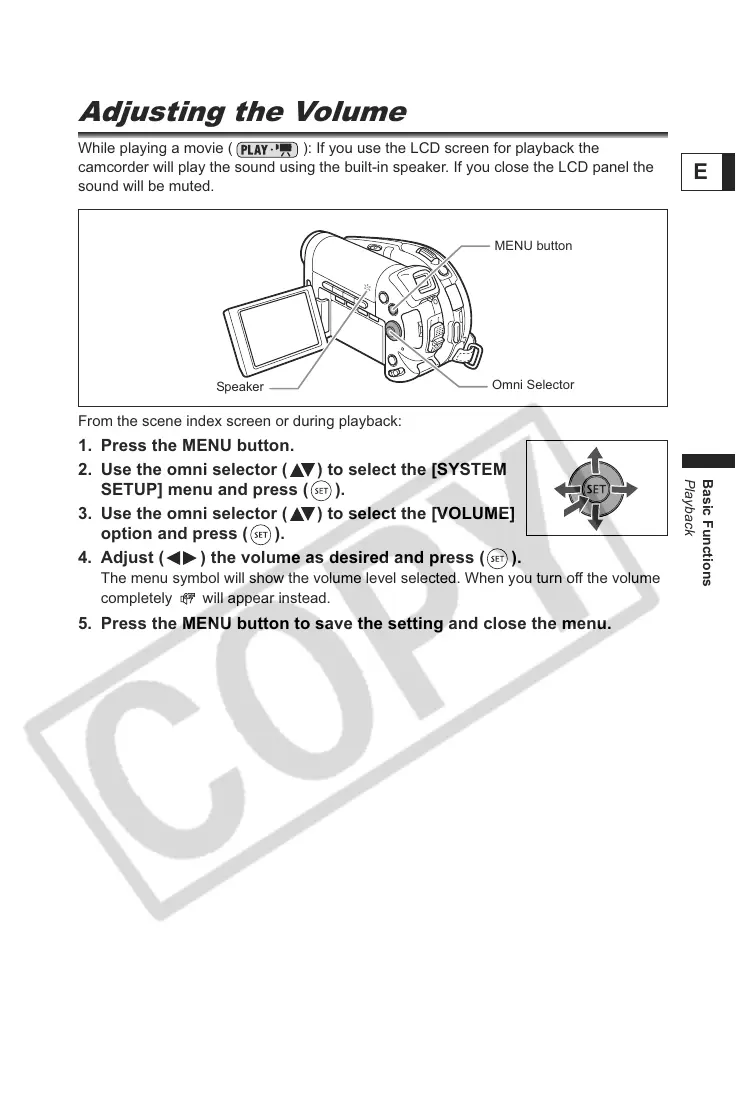
While playing a movie ( ): If you use the LCD screen for playback the
camcorder will play the sound using the built-in speaker. If you close the LCD panel the
sound will be muted.
From the scene index screen or during playback:
1. Press the MENU button.
2. Use the omni selector ( ) to select the [SYSTEM
SETUP] menu and press ( ).
3. Use the omni selector ( ) to select the [VOLUME]
option and press ( ).
4. Adjust ( ) the volume as desired and press ( ).
The menu symbol will show the volume level selected. When you turn off the volume
completely will appear instead.
5. Press the MENU button to save the setting and close the menu.
Omni Selector
Speaker
MENU button



 To Next Page