38
Tips for Better Recording
Holding the Camcorder
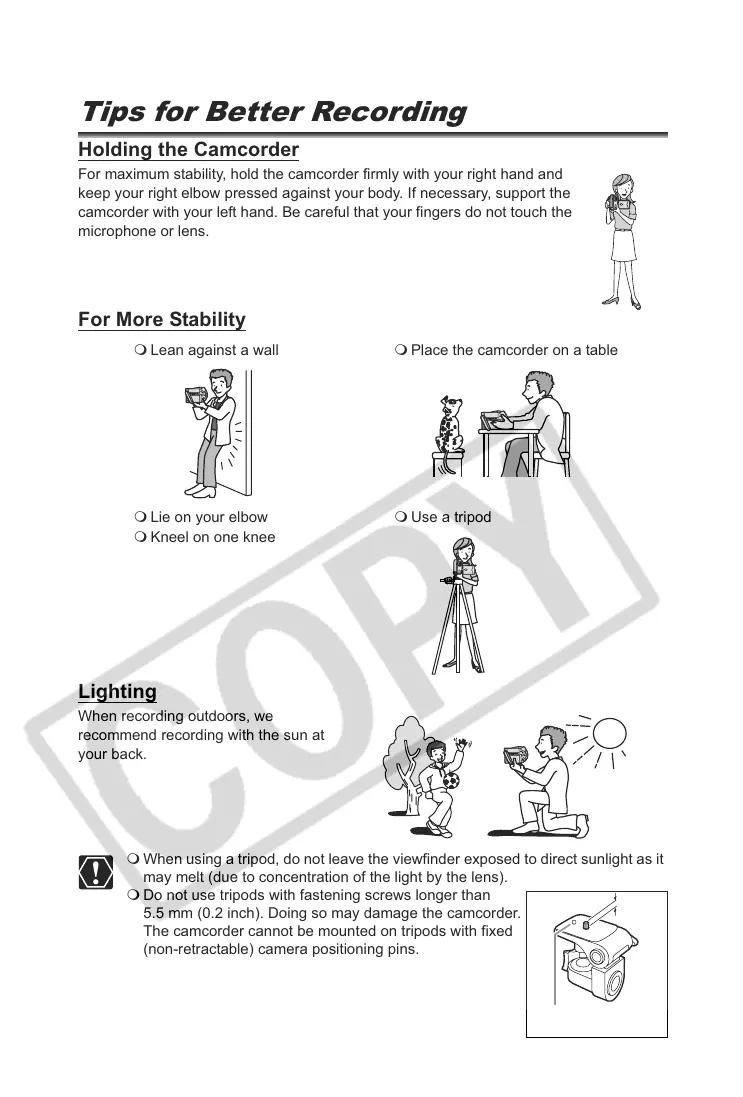
For maximum stability, hold the camcorder firmly with your right hand and
keep your right elbow pressed against your body. If necessary, support the
camcorder with your left hand. Be careful that your fingers do not touch the
microphone or lens.
For More Stability
Lighting
When recording outdoors, we
recommend recording with the sun at
your back.
When using a tripod, do not leave the viewfinder exposed to direct sunlight as it
may melt (due to concentration of the light by the lens).
Do not use tripods with fastening screws longer than
5.5 mm (0.2 inch). Doing so may damage the camcorder.
The camcorder cannot be mounted on tripods with fixed
(non-retractable) camera positioning pins.
Lean against a wall Place the camcorder on a table
Lie on your elbow
Kneel on one knee
Use a tripod
Camera
positioning pin



 To Next Page