54
Recording in Widescreen
(16:9 Aspect Ratio)
The camcorder uses the full width of the CCD providing high-resolution 16:9 recording.
1. Set the camcorder to record movies ( ).
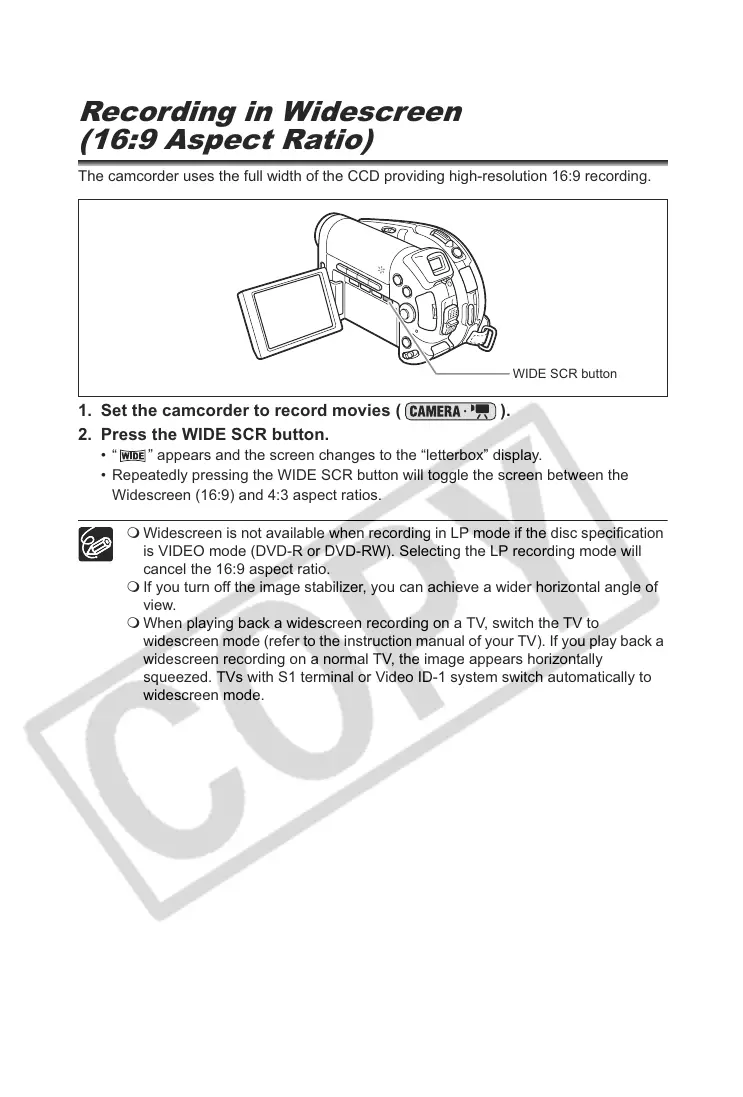
2. Press the WIDE SCR button.
• “ ” appears and the screen changes to the “letterbox” display.
• Repeatedly pressing the WIDE SCR button will toggle the screen between the
Widescreen (16:9) and 4:3 aspect ratios.
Widescreen is not available when recording in LP mode if the disc specification
is VIDEO mode (DVD-R or DVD-RW). Selecting the LP recording mode will
cancel the 16:9 aspect ratio.
If you turn off the image stabilizer, you can achieve a wider horizontal angle of
view.
When playing back a widescreen recording on a TV, switch the TV to
widescreen mode (refer to the instruction manual of your TV). If you play back a
widescreen recording on a normal TV, the image appears horizontally
squeezed. TVs with S1 terminal or Video ID-1 system switch automatically to
widescreen mode.
WIDE SCR button



 To Next Page