55
Advanced Features
More Recording Options
E
Using the Mini Video Light
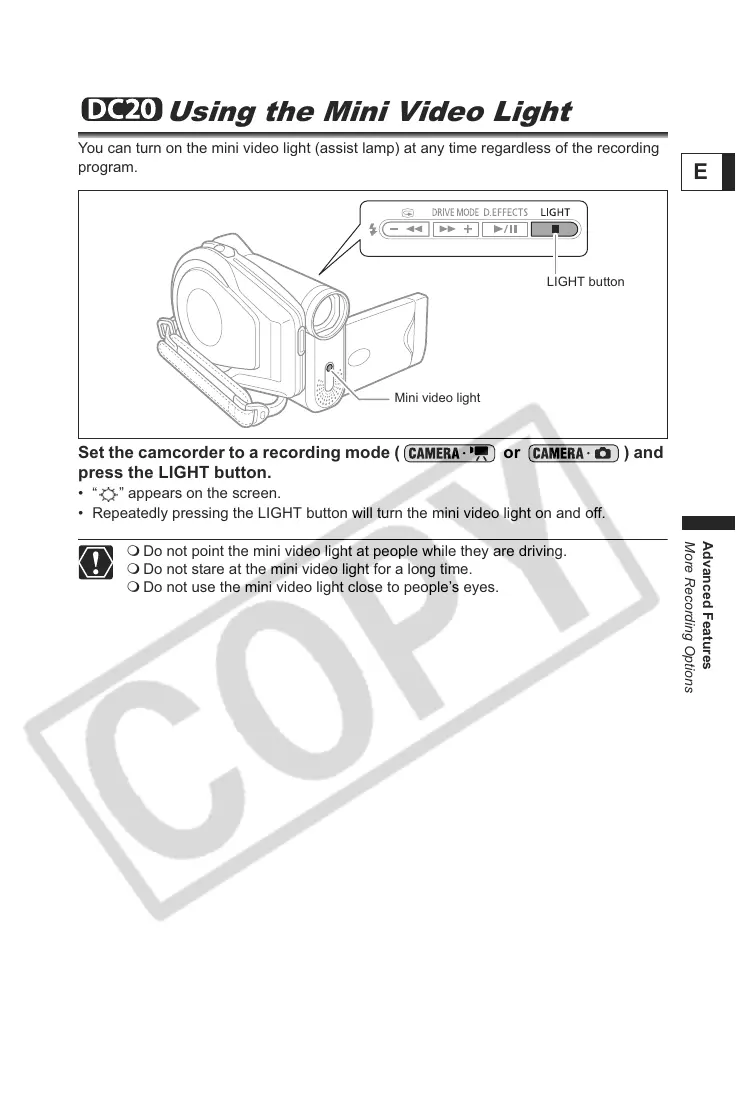
You can turn on the mini video light (assist lamp) at any time regardless of the recording
program.
Set the camcorder to a recording mode ( or ) and
press the LIGHT button.
• “ ” appears on the screen.
• Repeatedly pressing the LIGHT button will turn the mini video light on and off.
Do not point the mini video light at people while they are driving.
Do not stare at the mini video light for a long time.
Do not use the mini video light close to people’s eyes.
Mini video light
LIGHT button



 To Next Page