71
Advanced Features
Changing the FUNC. Settings
E
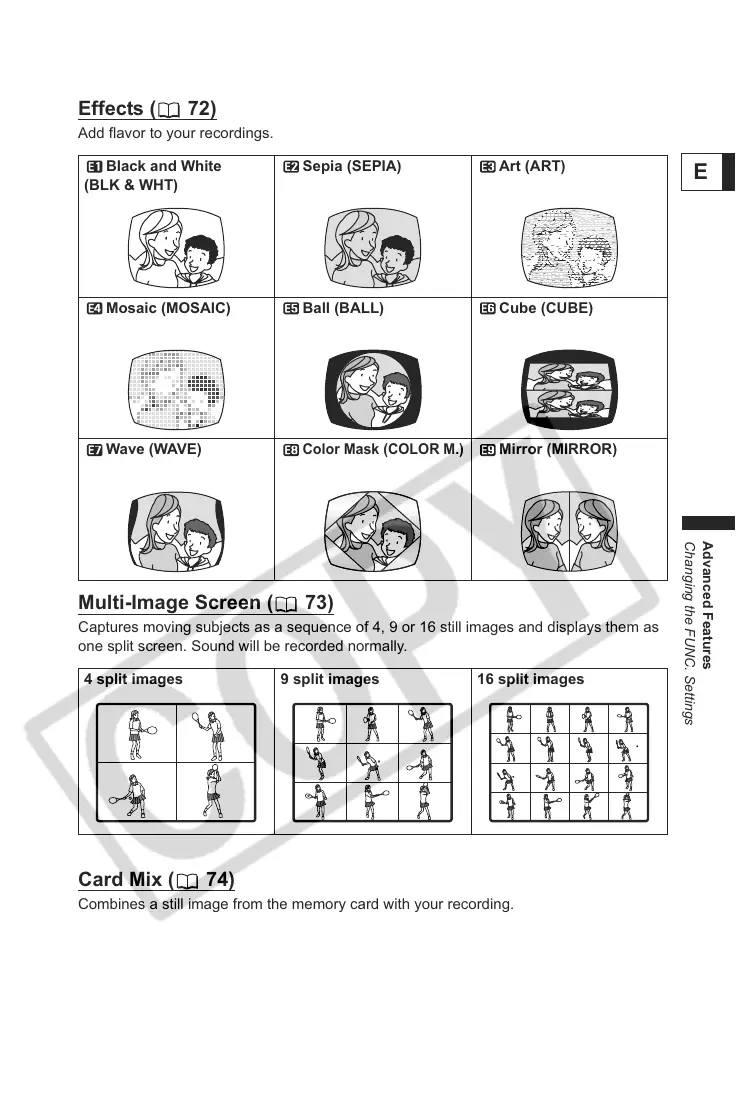
Effects ( 72)
Add flavor to your recordings.
Multi-Image Screen ( 73)
Captures moving subjects as a sequence of 4, 9 or 16 still images and displays them as
one split screen. Sound will be recorded normally.
Card Mix ( 74)
Combines a still image from the memory card with your recording.
Black and White
(BLK & WHT)
Sepia (SEPIA) Art (ART)
Mosaic (MOSAIC) Ball (BALL) Cube (CUBE)
Wave (WAVE)
Color Mask (COLOR M.)
Mirror (MIRROR)
4 split images 9 split images 16 split images



 To Next Page