EasyManua.ls Logo

Canon EOS 50 E - Page 107

Canon EOS 50 E
207 pages
Print Icon
To Next Page IconTo Next Page
To Previous Page IconTo Previous Page
Loading...
Part
3:
Repair Information
I NOTE
:
Main
Flex Removal
The
main
flex
can
be
removed
with
the
AF
Unit
attached,
or
after
the
AF
Unit
is
removed.
This
procedure
is
with
the
AF
Unit
attached.
1.
Unsolder
the
AF
Unit
comb
connector.
2. Remove
the
Phase
Circuit
Board
connecting
flex.
3.
Unsolder
the
MIF
Unit
(Fig. 3-20).
Remove
the
filter coil
leads
from
the
MIF
unit
(Fig. 3-20).
4.
Unsolder
the
AF-Illuminator
LED (Fig. 3-19).
5. Remove five
leads
from
the
upper
part
of
the
main
flex.
6.
Unsolder
the
SI-LED
connections
(Fig. 3-19).
7. Remove
four
leads
from
the
Panorama
LED.
8. Remove two
screws
from
the
MIF Unit,
and
push
the
MIF
unit
out
of
the
lens
mount
as
far
as
possible.
9. Remove two
screws
from
the
TTI.
flash
sensor,
sliding
it
sideways
and
pulling
it
out.
•:
When
reinstalling
the
TTI.
flash
sensor,
do
not
pinch
the
AF
Units
light
shield
sheet.
*:
If
the
AF
Unit
is
removed
prior
to
removing
the
main
flex,
step
8.
is
not
necessary.
I NOTE
:
DC/DC
flex Removal
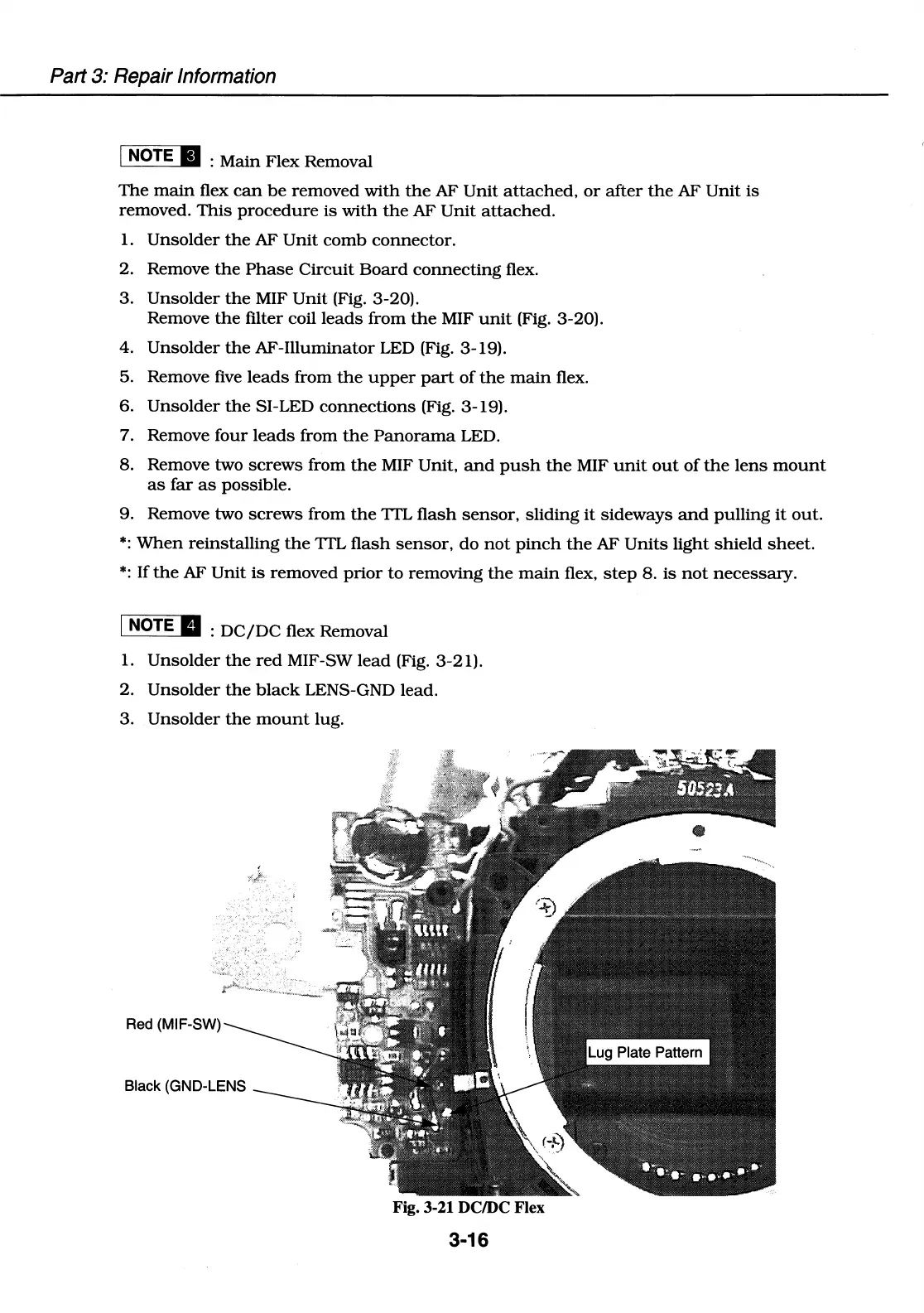
1.
Unsolder
the
red
MIF-SW
lead
(Fig. 3-21).
2.
Unsolder
the
black
LENS-GND lead.
3.
Unsolder
the
mount
lug.
Black (GND-LENS
Fig. 3-21 DC/DC Flex
3-16

Table of Contents

Related product manuals