EasyManua.ls Logo

Canon EOS 50 E - Page 132

Canon EOS 50 E
207 pages
Print Icon
To Next Page IconTo Next Page
To Previous Page IconTo Previous Page
Loading...
AoJ'uSTIIIENT:
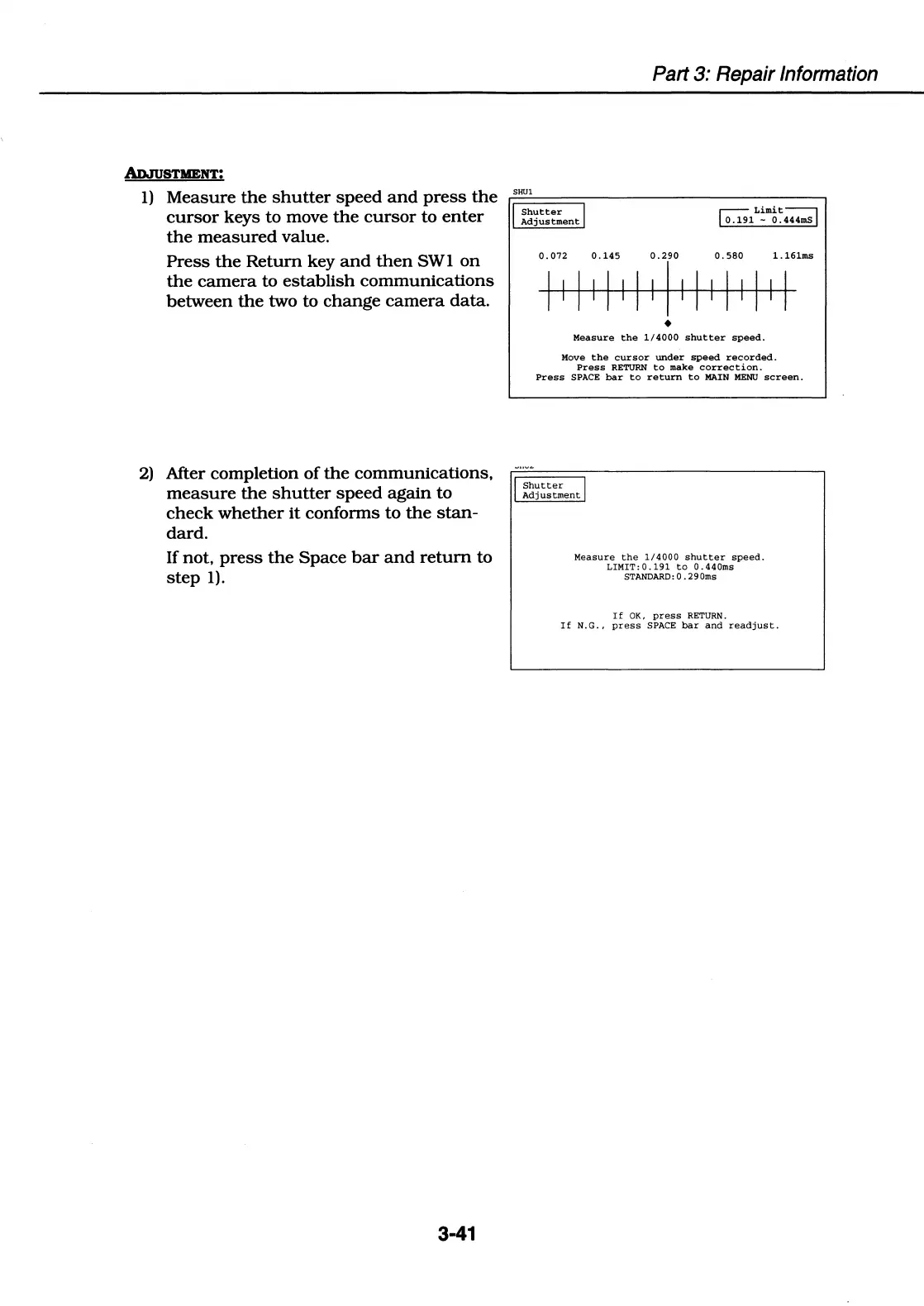
1)
Measure
the
shutter
speed
and
press
the
cursor
keys to move
the
cursor
to
enter
the
measured
value.
Press
the
Return
key
and
then
SWI
on
the
camera
to
establish
communications
between
the
two to
change
camera
data.
2)
After completion
of
the
communications,
measure
the
shutter
speed
again
to
check
whether
it
conforms to
the
stan-
dard.
If not,
press
the
Space
bar
and
return
to
step
1).
3-41
Part
3:
Repair Information
SHUl
I
Shutter
I
Adjustment
~Limit~
o.1.n
-
0
444mS
Measure
the
1/4000
shutter
speed.
Move
the
cursor
under
speed
recorded.
Press
RETURN
to
make
correction.
Press
SPACE
bar
to
return
to
MAIN
MENU
screen.
I
Shutter
I
Adjustment
Measure
the
1/4000
shutter
speed.
LIMIT:
0
.191
to
O.
440ms
STANDARD:
0.
290ms
If
OK,
press
RETURN.
If
N.G.,
press
SPACE
bar
and
readjust.

Table of Contents

Related product manuals