29
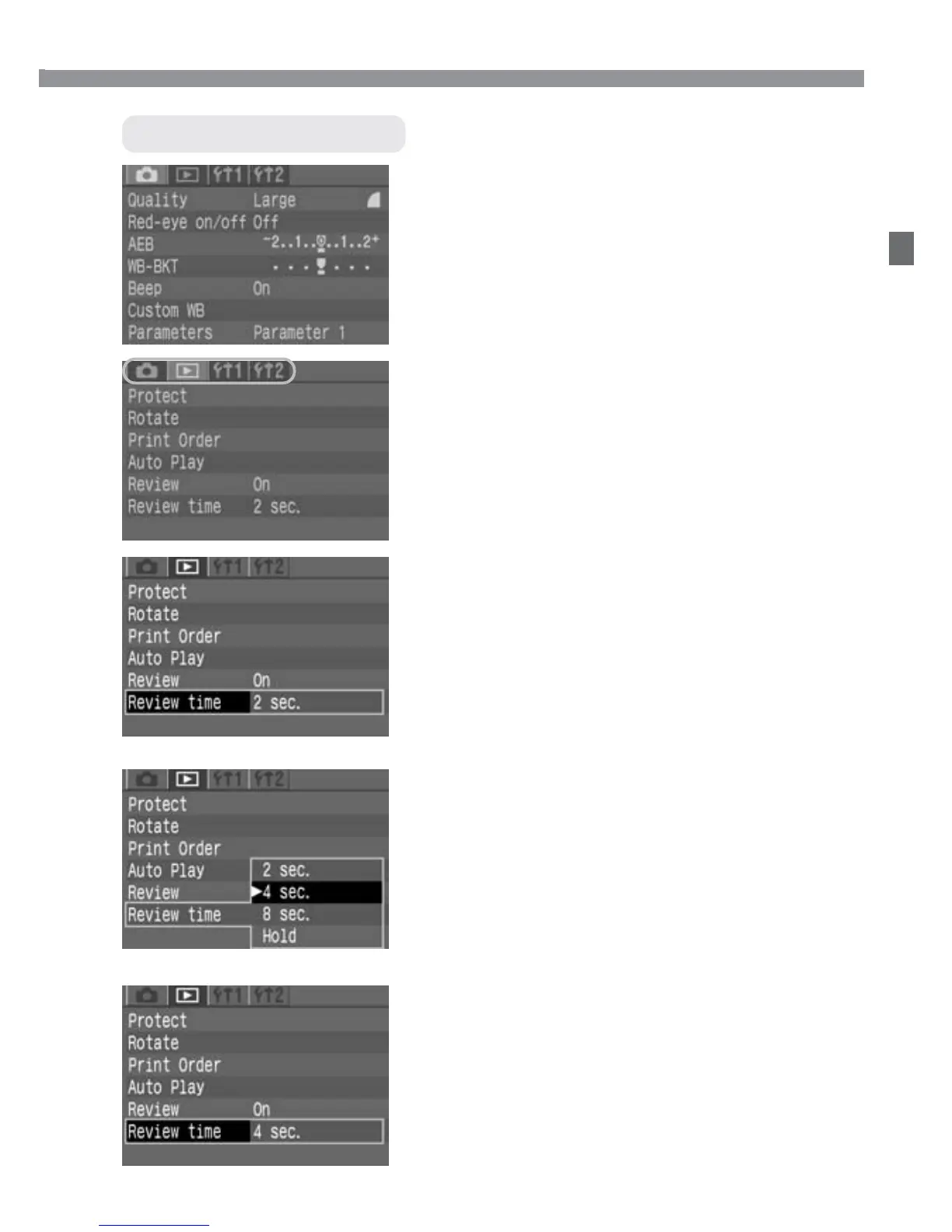
Setting Procedure
Exit the menu.
•
Press the <m> button to exit.
6
Set the desired setting.
•
Press the <p> button. The initial
menu screen will reappear.
5
Select the menu setting.
•
Use the <å> or <µ> keys to
select the desired setting. (Some
settings require one or the other pair of
keys.)
•
You can also use the <l> dial to
select the desired setting.
4
Select a menu item.
•
Press the <å> keys to select a menu
item, then press <p>.
•
You can also turn the <l> dial to
select a menu item.
•
If you press the <5> button now,
another tab will be selected.
3
Select a tab.
•
Press the <5> button to select a
tab.
•
When a tab is highlighted, you can
also use the <µ> keys to select
another tab.
2
Display the menu.
•
Press the <m> button to display
the menu. To turn off the menu, press
the button again.
1
Menu Operations













 To Next Page