62
3Selecting an AF Point
The AF point is used for focusing. The AF point can be selected
automatically by the camera or manually by you. In the Basic Zone
modes and <Q> mode, the AF point selection is automatic only. In
the <T>, <R>, <E>, and <W> modes, the AF point can be
selected either automatically or manually.
The camera selects the AF point automatically according to situation.
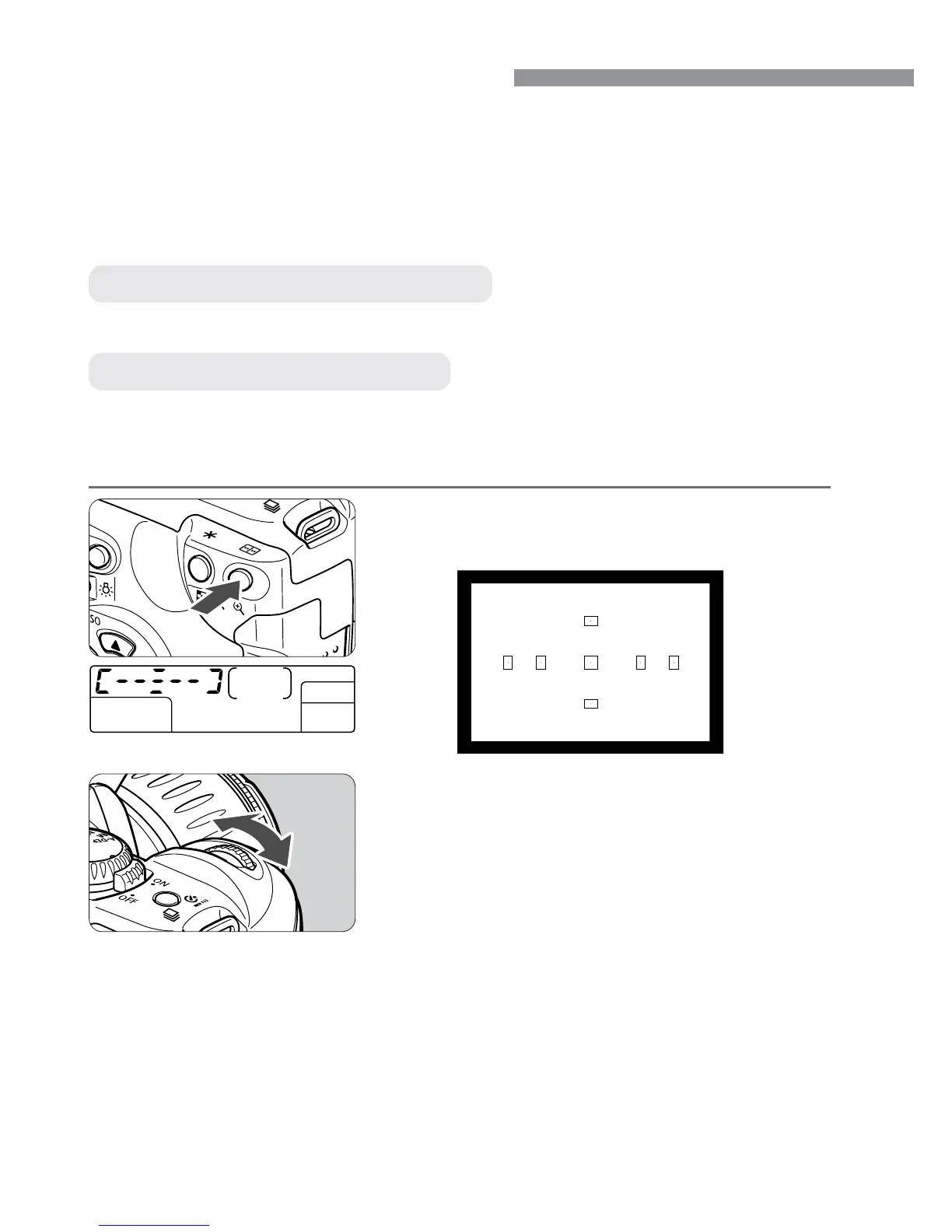
You can select any of the seven AF points manually. This is best when
you want to be sure to focus on a particular subject, or to use quick AF
function to help you compose a particular shot quickly.
Automatic AF point Selection
Manual AF point Selection
Press the <3> button.
(∫)
s
The current AF point will light.
1
Select the desired AF point.
•
Look at the AF point on the LCD panel
or in the viewfinder and turn the <l>
dial to select the desired AF point.
•
After selecting the AF point, press the
shutter button halfway. The camera will
then be ready to shoot.
2













 To Next Page