52
Custom White Balance
With custom white balance, you shoot a white object that will serve as
the standard for the white balance. By selecting this image, you import
its white balance data for the white balance setting.
Shoot a white object.
•
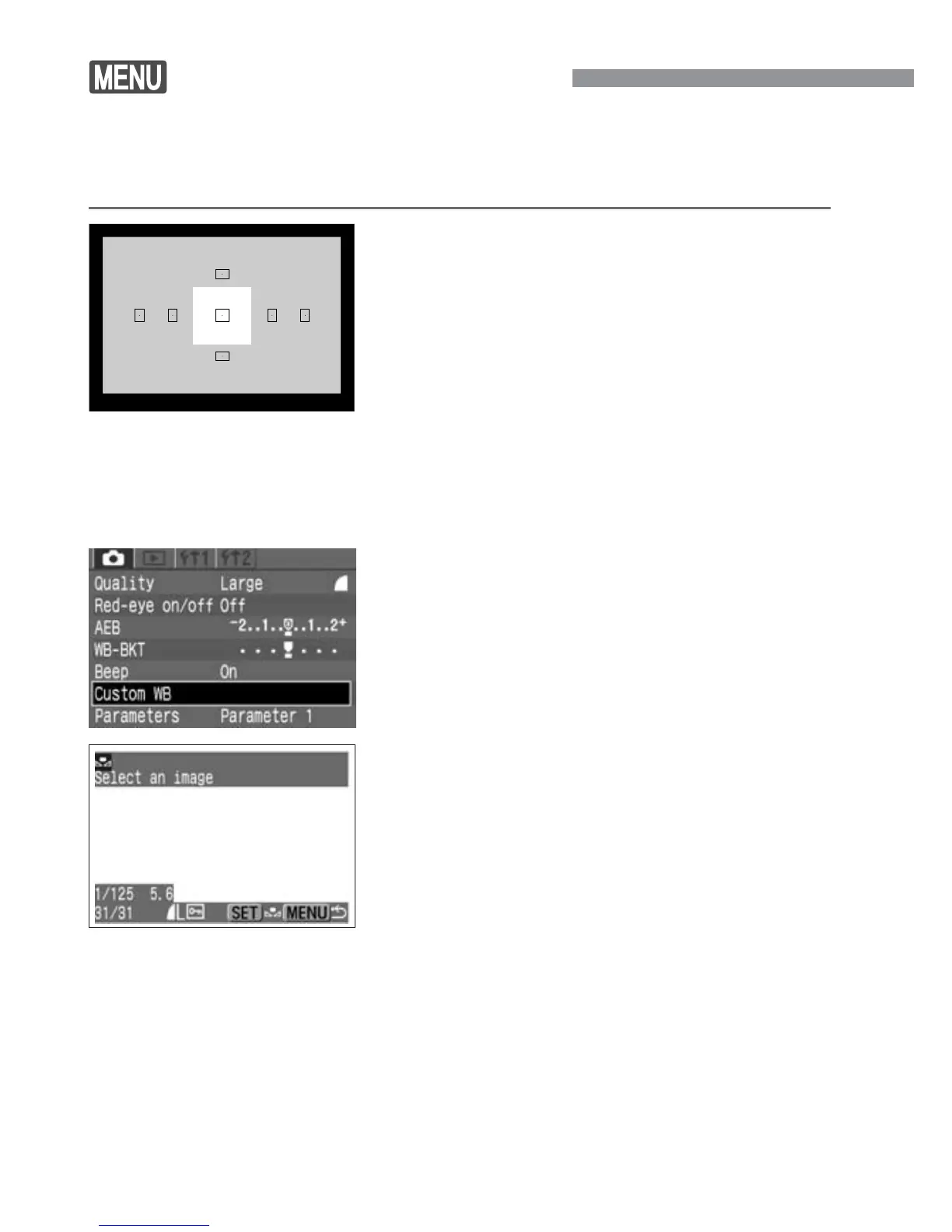
The plain, white object should fill the
viewfinder center.
•
Set the lens focus mode switch to
<MF>, then focus manually (p.64).
•
Set any white balance setting. (p.51)
•
Shoot the white object so that a
standard exposure is obtained. If it is
underexposed or overexposed, a
correct white balance setting might not
be obtained.
1
Select [Custom WB].
•
Select the <˙> tab.
•
Press the <å> keys to select
[Custom WB], then press <p>.
2
Select an image.
•
Press the <µ> keys to select the
image that was taken in step
1, then
press <p>.
s
The image’s white balance data will be
imported.
•
Press the <m> button to quit the
menu.
3













 To Next Page