91
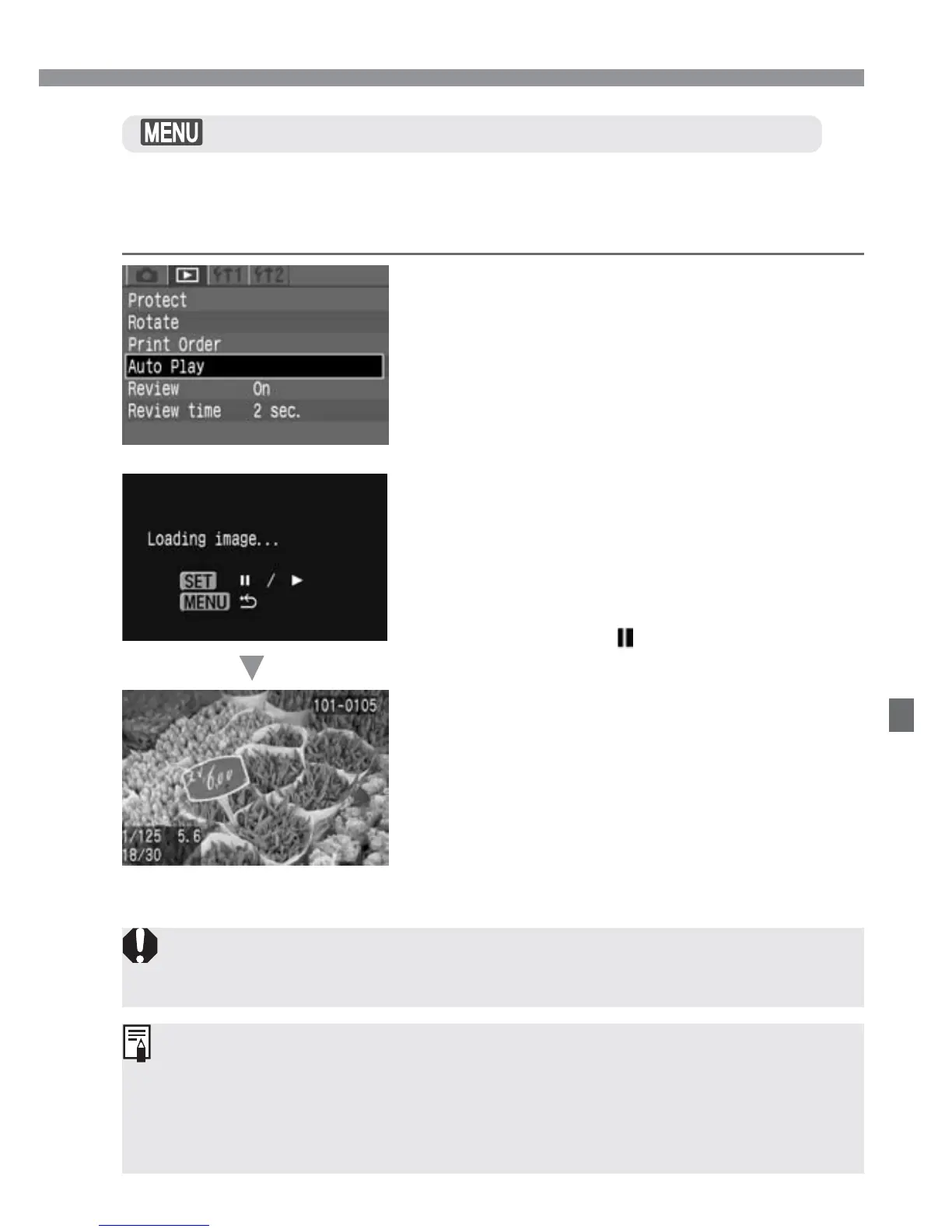
This function automatically and continuously displays all images
recorded on the CF card. Each image is displayed for approximately 3
seconds.
Image Playback
Automated Playback of Images (Auto playback)
Start the auto play.
•
Press <p>.
s
After [Loading image...] is displayed
for a few seconds, auto play will start.
•
To pause the auto play, press <p>.
•
During pause, [ ] will be displayed on
the upper left of the image. Press
<p> again to resume the auto play.
2
Select [Auto Play].
•
Select the <]> tab.
•
Press the <å> keys to select [Auto
Play].
1
Stop the auto play.
•
Press the <m> button to stop the
auto play and return to the menu
screen.
3
•
During auto play, auto power off will not work.
•
The display time may vary depending on the image.
•
If you press the <4> button during auto play, the image information
will be displayed for the auto play. To return to the single-image display,
press the <4> button again.
•
During auto play pause, you can press the <µ> keys to display
another image.













 To Next Page