28
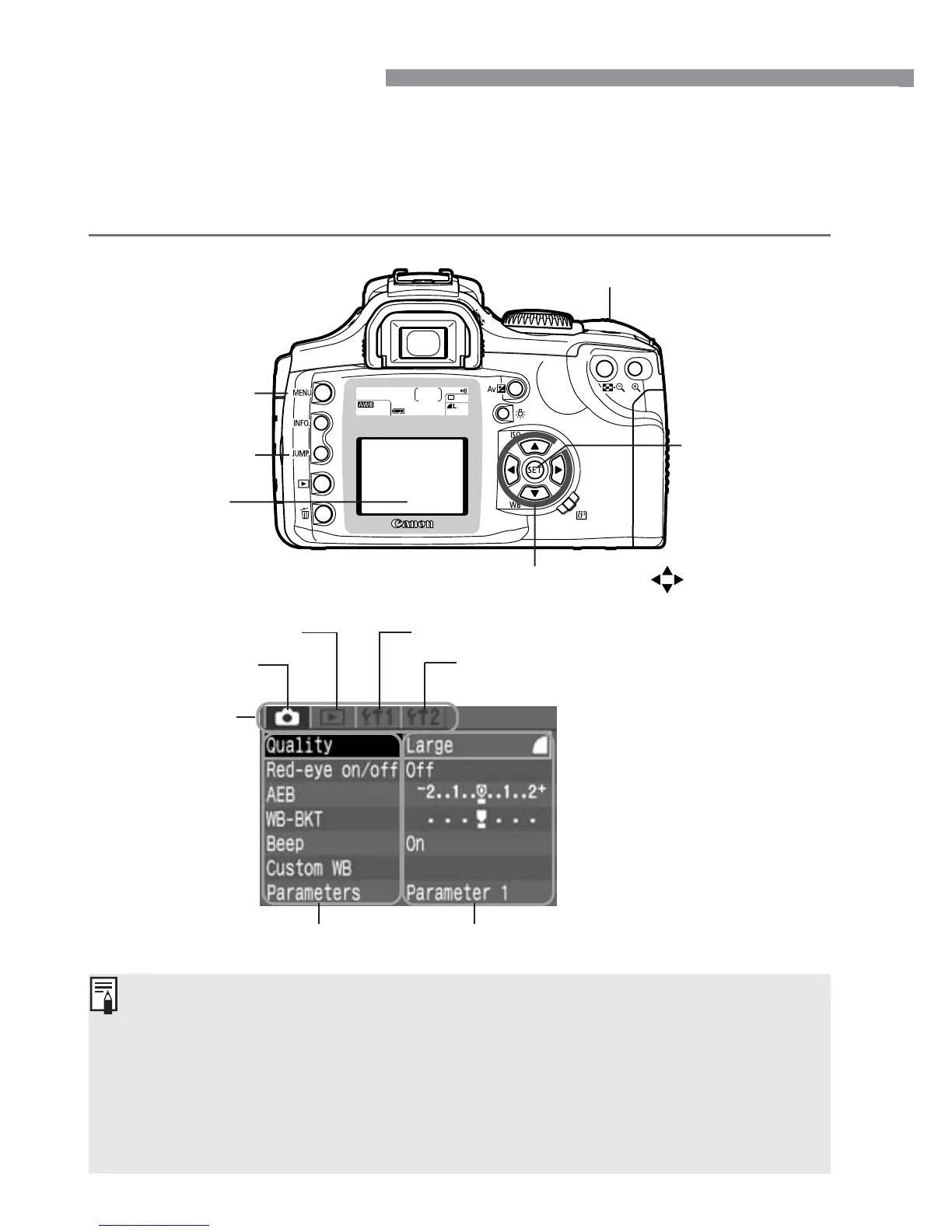
The on-screen menus enable you to set various settings such as the
image-recording quality, date and time, etc. Basically, you look at the
LCD monitor and use the <m> button, <5> button, Cross keys
<å> <µ>, and <p> button to proceed to the next step.
<m> button
LCD monitor
<l> Main dial
<p> button
Menu Operations
•
Even while the menu is displayed, you can immediately go back to
shooting mode by pressing the shutter button halfway.
•
When a Basic Zone mode is set, there are menu items which will not be
displayed (p.30).
•
The explanation of menu functions hereinafter will assume that all the
menu items and settings are displayed.
•
In some cases. the <l> dial can be used in place of the Cross keys.
<5> button
Cross keys < >
Ta b
Playback menu
Set-up 1 menu
Set-up 2 menuShooting menu
Menu items Menu settings













 To Next Page