48
Image-Recording Quality
The widely-used JPEG format is used for image-recording quality
settings other than <h>. Images captured in the <h> format
must later be processed by a personal computer.
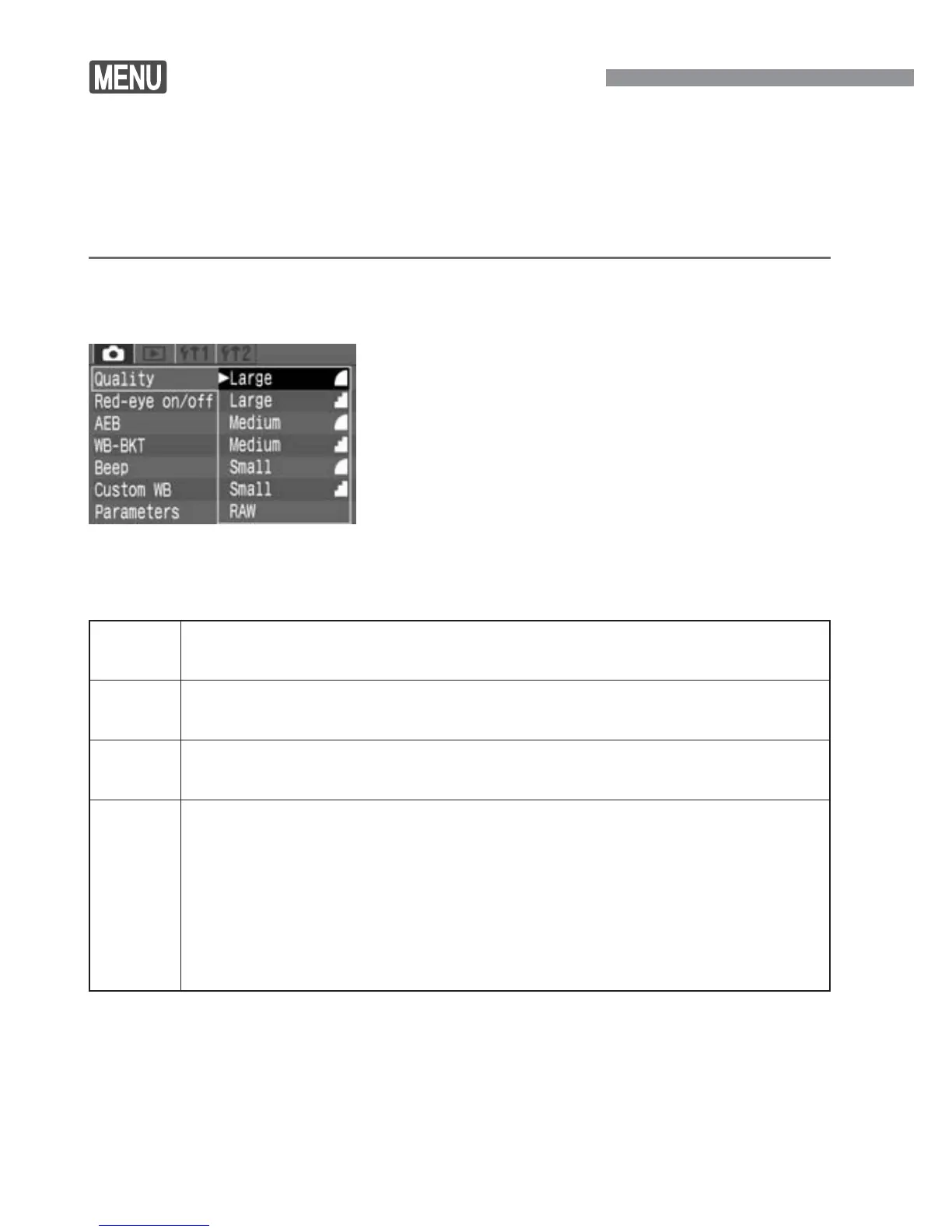
For example, when [Large a] is selected, the LCD panel will display
<da>.
Select [Quality].
•
Select the <˙> tab.
•
Press the <å> keys to select
[Quality], then press <p>.
1
Select the image-recording
quality.
•
Press the <å> keys to select the
desired image-recording quality, then
press <p>.
2
Image-recording Quality Settings
Large For A4-size (297 x 210 mm) prints. Records a large image
size (approx. 6.30 megapixels).
Medium
For A5 to A4-size prints. Records a medium-size image
(approx. 2.80 megapixels).
Small For A5-size (210 x 148 mm) or smaller prints. Records a
small image size (approx. 1.60 megapixels).
RAW For A4-size (297 x 210 mm) and larger prints. Records a
large image size (approx. 6.30 megapixels) without image
quality degradation.
•
This format assumes that the image will be processed by a
personal computer. Special knowledge is required, but you can use
the bundled software to obtain the desired effect.
•
RAW images cannot be printed directly from the camera.
•
The <a> (Fine) and <s> (Normal) icons indicate the image’s compression
rate. For better image quality, select <a> for low compression. To save space
so you can record more images, select higher compression <s>.
•
Processing is the adjustment (such as the white balance and contrast) of the
image from the RAW data.













 To Next Page