Chapter 5
5-4
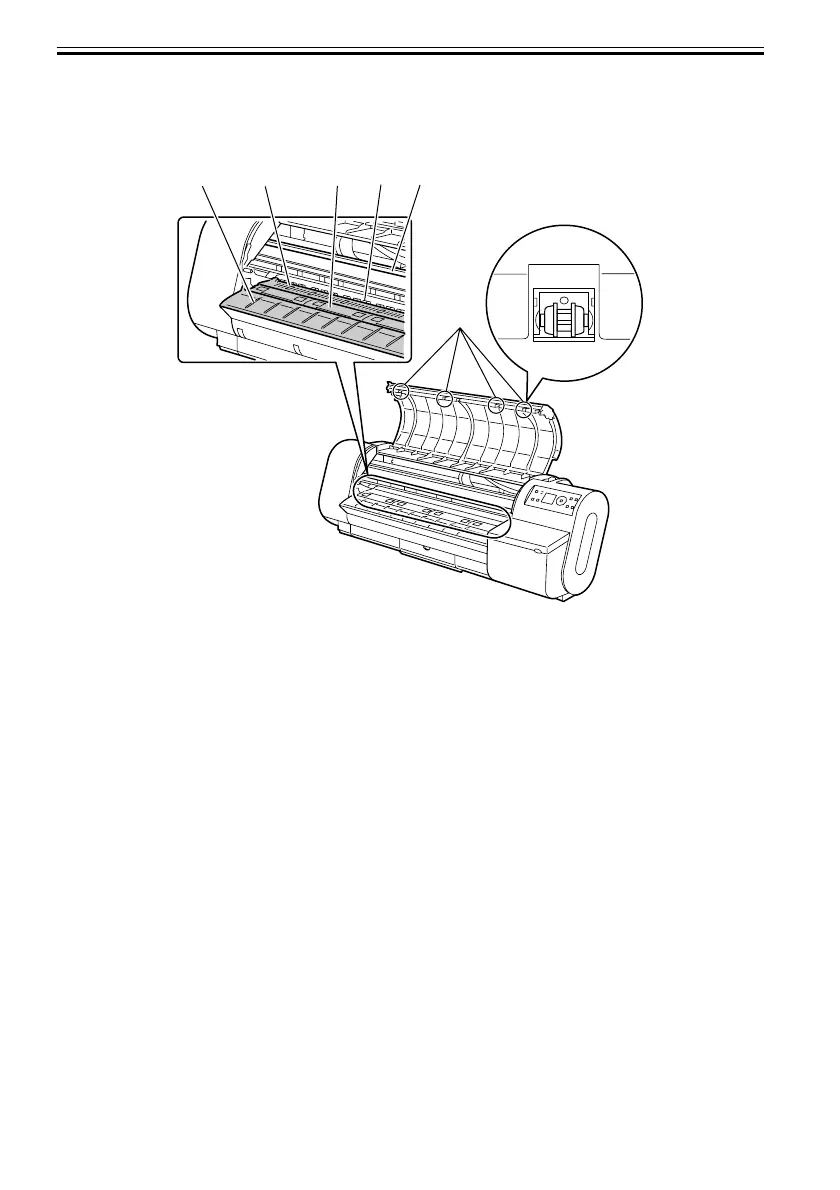
8) Using a damp cloth wringed well, wipe dirt off the inside of the top cover. Wipe ink contamination off the
roller [1], overall surface of the platen [2], pinch roller unit [3], borderless print ink receiving groove [4],
delivery guide [5], and guide rail [6].
F-5-3
[5]
[4]
[2]
[3] [6]
[1]













 To Next Page