Remove the Ink Tank (700 ml)
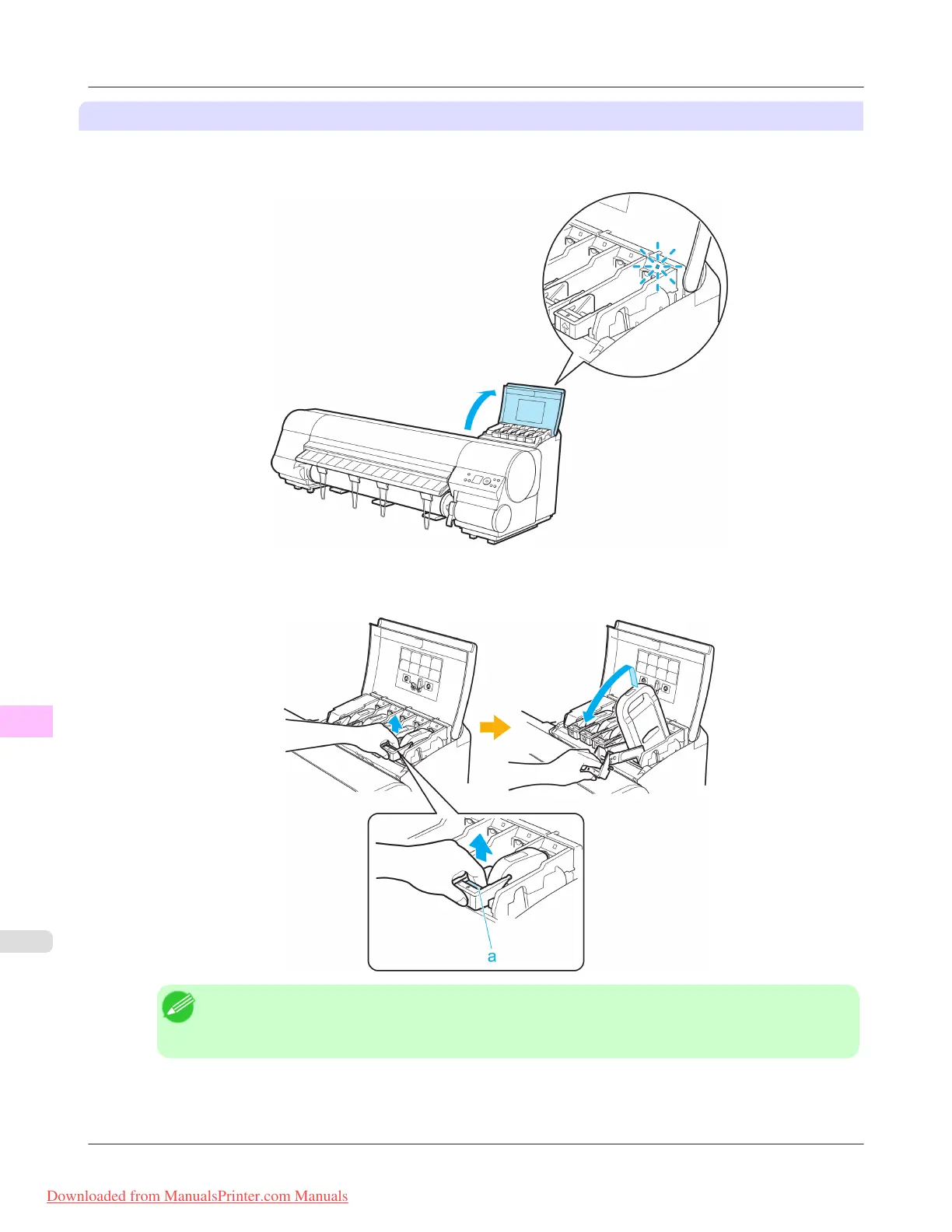
1. Open the Ink Tank Cover of the tank for replacement and check the Ink Lamp.
The Ink Lamp flashes quickly if there is no ink left.
2. Lift
the stopper (a) of the Ink Tank Lock Lever for the color to replace. Lift the Ink Tank Lock Lever until it stops,
and then push it down to the front.
Note
• Push the Ink Tank Lock Lever down until it locks.
• Make sure the Ink Tank Lock Lever does not return to the original position.
Maintenance
>
Ink Tanks
>
Replacing Ink Tanks iPF815
11
808
Downloaded from ManualsPrinter.com Manuals














 To Next Page