LASER CLASS 730i/720i/710 Chapter 5: Appendix
5-35
Cap
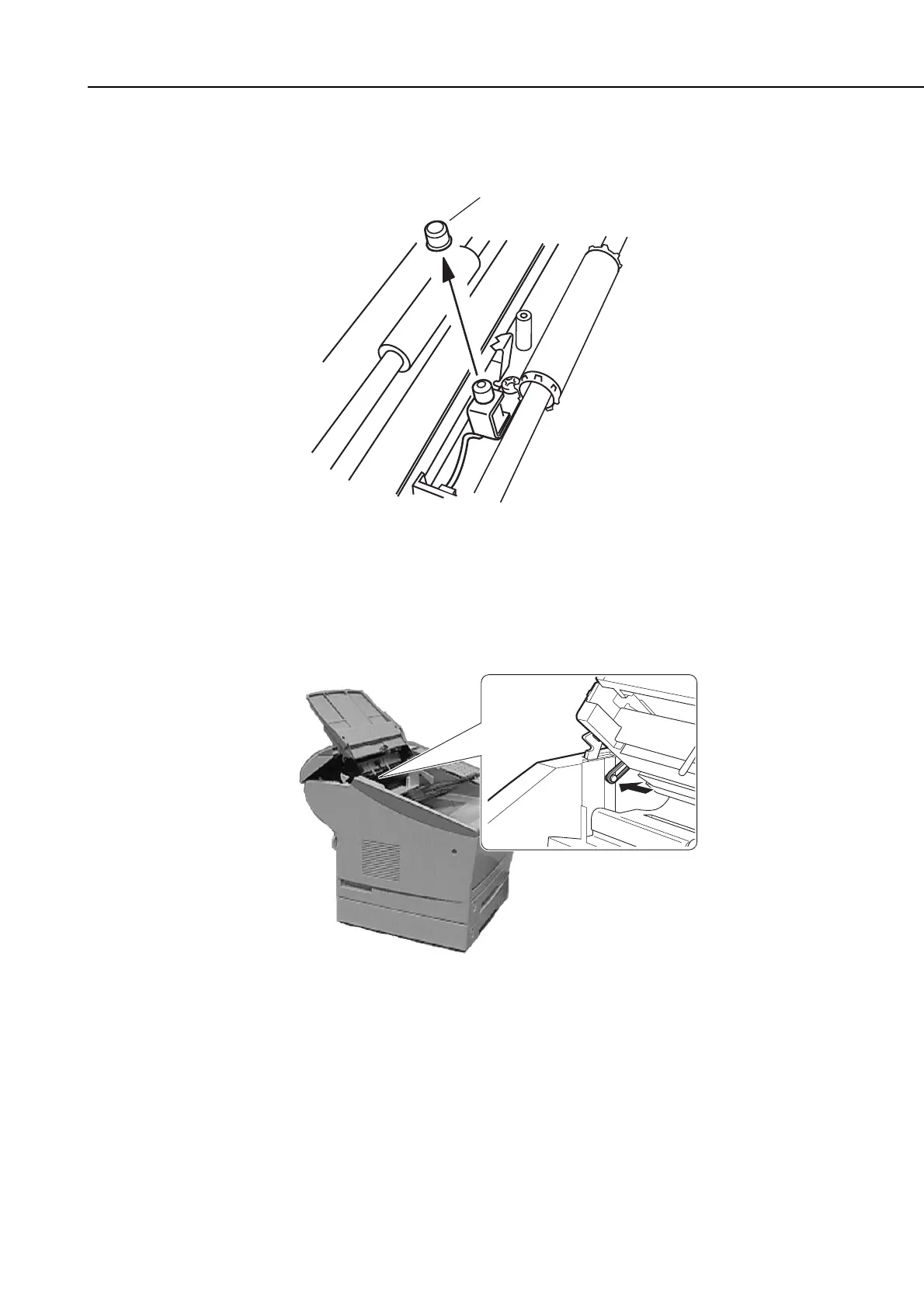
(5) Remove the cap from the stamp unit.
Figure 5-37 Stamp Unit Installation 4
(6) Fasten the lower reader cover in place with the three screws.
(7) Place the end of the stopper over the end of the stub so it locks in place, and close the
upper reader frame.
Figure 5-38 Stamp Unit Installation 5
(8) Connect the power cord to the fax.









 To Next Page