LASER CLASS 730i/720i/710 Chapter 3: Assembly and Disassembly
3-13
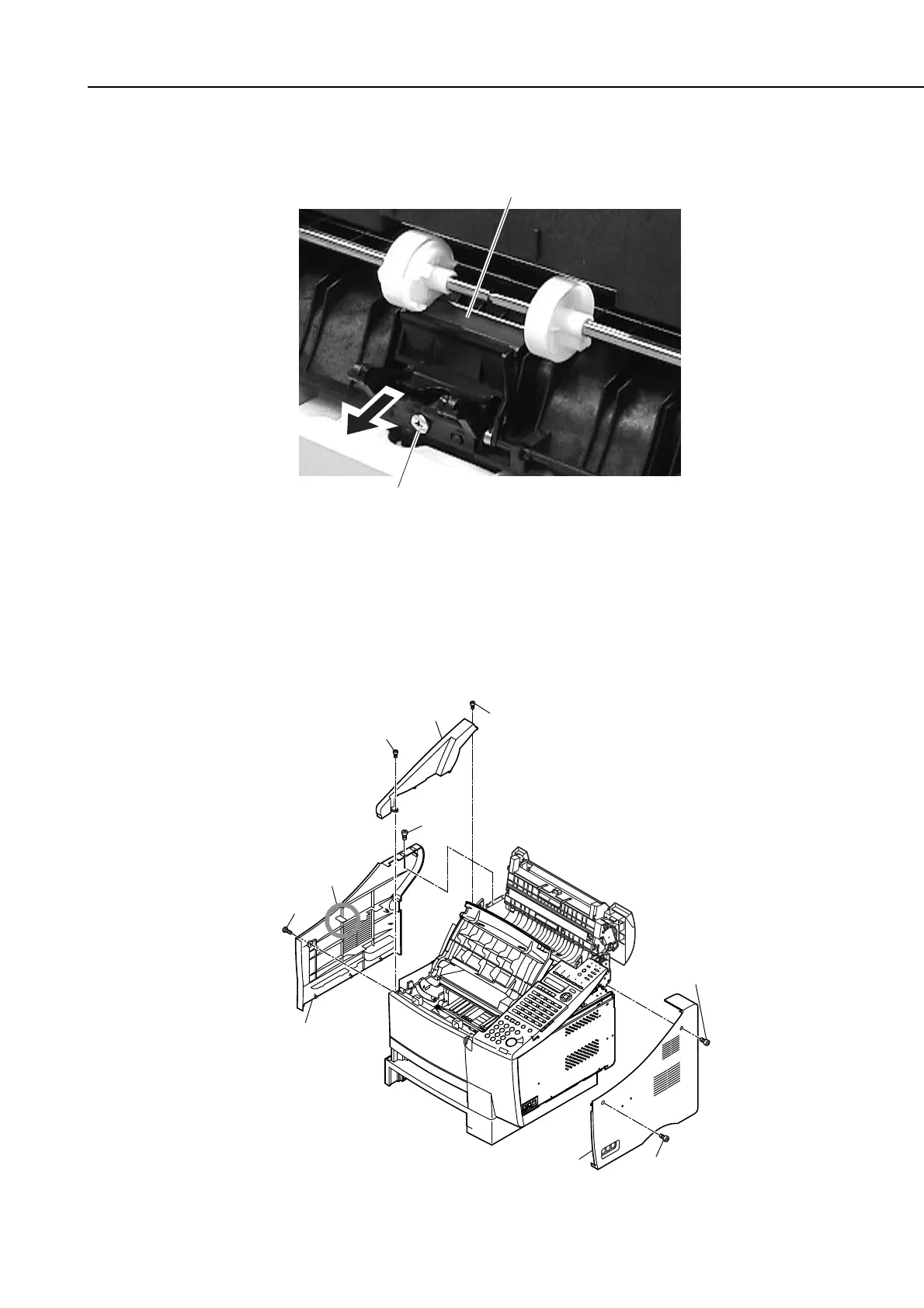
(17) Remove the screw (l), and slide out the separation pad to the front to detach.
Figure 3-16 Paper Pick-up Roller (multi-purpose) 9
2.1.4 Paper pick-up roller (Main unit)
(1) Remove the 2 screws (a), and detach the right cover.
(2) Remove the 2 screws (b), and detach the upper left cover.
(3) Remove the 2 screws (c); then, while freeing the claw, detach the left cover.
Figure 3-17 Paper Pick-up Roller (main unit) 1
Separation pad
l
b
Upper left cover
b
c
claw
c
Left cover
a
a
Right cover









 To Next Page