6-25
Routine Maintenance
6
Adjusting the Printing Position
3
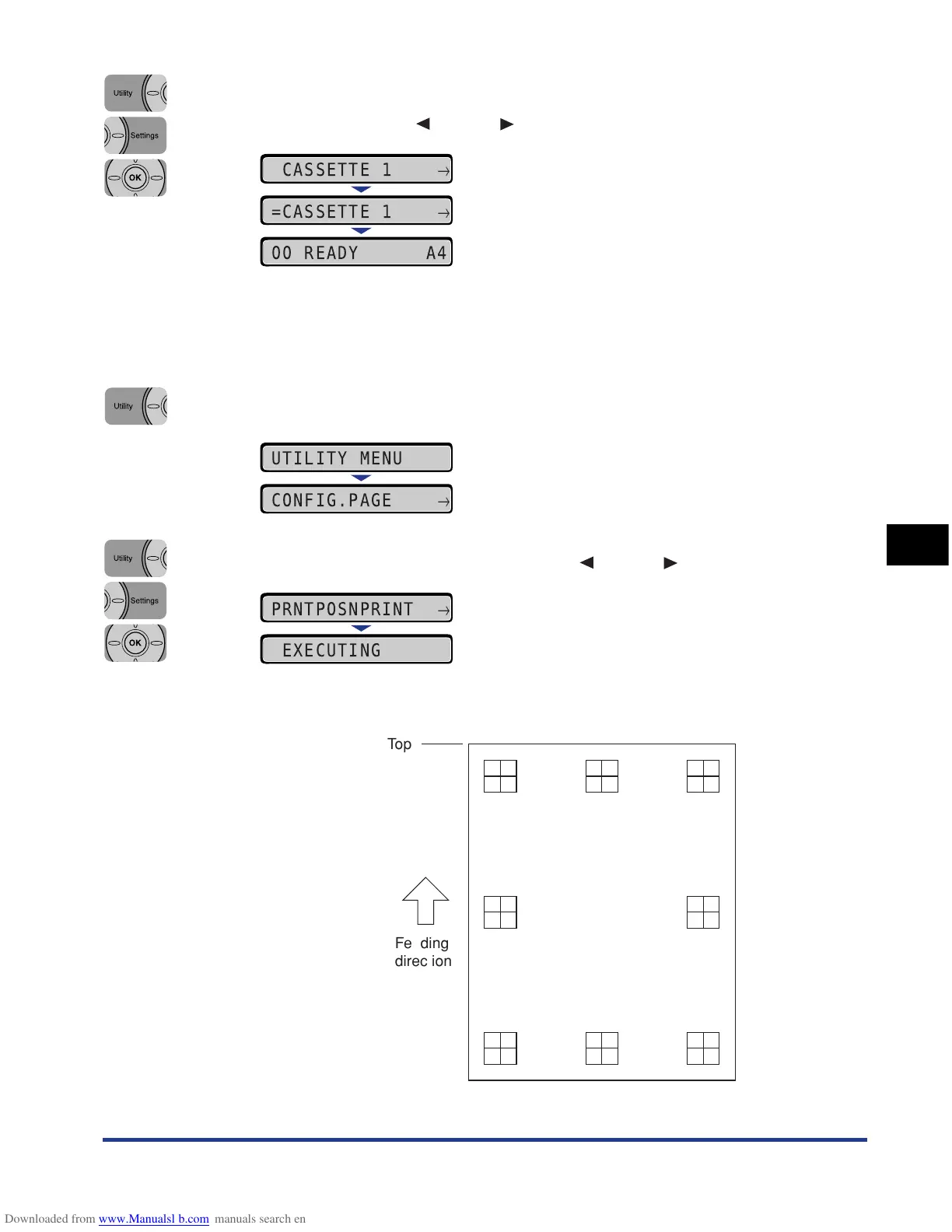
Select the paper source that you want to check the printing
position using [ ] and [ ], then press [OK].
4
Make sure that the printer is online.
If the printer is not online, press [Online].
5
Press [Utility].
6
Select PRNTPOSNPRINT using [ ] and [ ], then press [OK].
The Printing Position Adjustment Print is printed as shown in the following. The
top of the output paper is the top of the Printing Position Adjustment Print.
CASSETTE 1
→
=CASSETTE 1
→
00 READY A4
UTILITY MENU
CONFIG.PAGE
→
PRNTPOSNPRINT
→
EXECUTING
Top
Feeding
direction



 To Next Page